

Share
Generate professional videos from text or ideas. Create ads, tutorials, and social media content with AI voices, music, and avatars. Edit using text commands.
What is Invideo AI ?
Invideo AI is an advanced AI video generation platform designed to transform ideas and text prompts into professional visual content automatically. This tool stands out for its ability to manage the entire production workflow—from scriptwriting and clip selection to voiceovers and final editing—allowing users to create video ads, explainer pieces, social media stories, and educational content without needing prior technical editing knowledge.
Invideo AI operates using a natural language editing approach. The user enters a descriptive prompt, and the tool utilizes state-of-the-art generative AI models, integrating technologies like Kling AI, Sora 2, or Google Veo to interpret the intent and generate a cohesive video. One of its most significant innovations is the ability to make changes through text commands; for example, a user can tell the system to "add subtitles," "change the background music," or "replace this object with another," and the AI executes the command automatically, simplifying the workflow from any computer.
Its core capabilities and practical benefits include:
- AI Avatar Generator and the creation of user-generated content (UGC) ads for realistic and relatable marketing campaigns.
- Voice cloning and high-quality multilingual voiceovers, allowing content to be translated and localized into multiple languages with natural intonations.
- Integrated access to a vast multimedia library that includes millions of iStock clips and professional audio tracks.
- VFX House tools for applying complex visual effects, smart color correction, background removal, and auto-reframing for mobile or desktop formats.
- Text-to-video and image-to-video functions that animate static concepts in seconds.
- Generation of supporting elements such as thumbnails, logos, and advertising mockups.
This solution is ideal for content creators, marketing agencies, educators, and businesses that need to scale their audiovisual production efficiently. By reducing editing times from hours to just a few minutes, Invideo AI enables a consistent presence on digital channels with a professional finish. The platform functions as a complete virtual production studio that optimizes automated content creation through intelligent workflows and an intuitive, conversation-based interface.
Invideo AI features and use cases
How to use Invideo AI
Invideo AI FAQ
What kind of content can I create with Invideo AI?
You can generate ads, explainer videos, stories, and any idea you can imagine simply by describing it with text.
Does Invideo AI allow me to change the voiceover language to Spanish?
Yes, you can modify the voiceover and translate it into Spanish or other languages using simple text prompts.
Can I generate user-generated content (UGC) ads?
The tool includes specific features for creating UGC-style ads and using realistic avatars in your marketing campaigns.
How does AI-powered video editing work?
You can edit your projects by typing natural language prompts, such as asking to add background music or replace one visual element with another.
Does Invideo AI offer a free plan for new users?
There is a free plan that allows for four weekly exports with watermarks and includes limited access to creation features.
What are the benefits of paid plans regarding exports?
Subscription plans remove watermarks and offer unlimited exports, along with access to premium content from the iStock library.
Can I clone my own voice for the videos?
Yes, advanced plans allow you to use the voice cloning feature to give your videos a personalized and natural-sounding voiceover.
How many minutes of video can I generate per month with the Plus plan?
The Plus plan allows you to generate 50 minutes of video per month and includes credits for using high-quality visual assets.
Invideo AI pricing and plans
Free
$0 per month
- 2 minutes of video and 1 AI credit per week.
- 1 Express avatar.
- 4 weekly exports with invideo watermark.
- No access to generative features.
Plus
$35 per month ($28/mo billed annually)
- 10 credits.
- 50 minutes of video and 95 iStock assets.
- 2 UGC product asset ads.
- 30 seconds of generative video.
- 2 Express clones.
- Access for 3 users and 100 GB of storage.
- Unlimited exports and unlimited image generation.
Max
$60 per month ($50/mo billed annually)
- 40 credits.
- 200 minutes of video and 320 iStock assets.
- 8 UGC product asset ads.
- 120 seconds of generative video.
- 5 Express clones.
- Access for 3 users and 400 GB of storage.
- Unlimited exports and unlimited image generation.
Generative
$120 per month ($100/mo billed annually)
- 100 credits.
- 200 minutes of video and 320 iStock assets.
- 5 generative UGC ads.
- 300 seconds of generative video.
- 8 Express clones.
- Access for 3 users and 400 GB of storage.
- Unlimited exports and unlimited image generation.
Team
$999 per month ($899/mo billed annually)
- 1,000 credits.
- 2,000 minutes of video and 3,200 iStock assets.
- 50 generative UGC ads.
- 50 minutes of generative video.
- 40 Express clones.
- 1 user seat and 4 TB of storage.
- Unlimited exports and unlimited image generation.
Enterprise
Custom pricing (visit official website for a demo)
- Tailored solutions for large organizations.
- Advanced security.
- Flexible pricing based on specific needs.
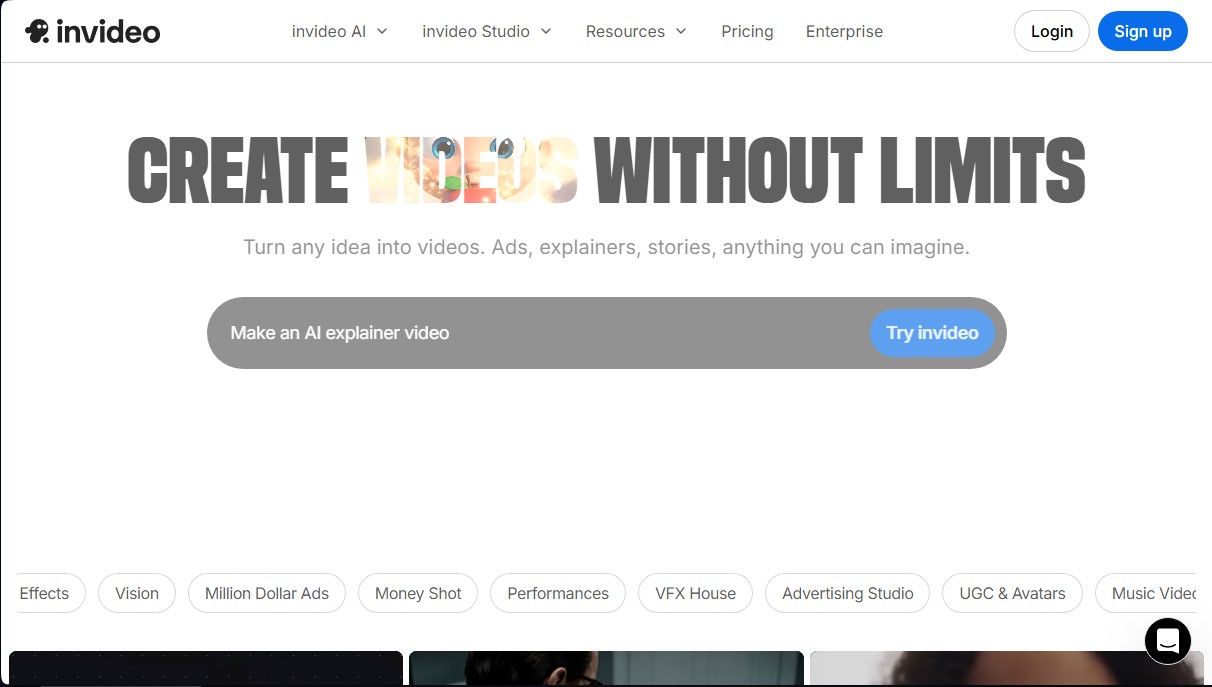
Invideo AI Screenshots
Invideo AI alternatives



Osmo Studio
AI animation studio for professional motion graphics and videos. Control every detail, collaborate with teams, and export with transparent backgrounds.

Victoria Secret Runway
Create fashion show videos by integrating your face into real scenes. Just upload a photo to replace professional models and walk the runway.


VideoWeb Video Generator
Generate professional AI videos from text or images. Features realistic avatars, automated scripts, and optimized formats for marketing and social media.