
Share
Generate professional invoices and estimates with AI. Track expenses with receipt capture, automate payment reminders, and accept online payments quickly and easily.
What is Invoicer.ai?
Invoicer.ai is a smart invoicing platform specifically designed for small businesses and freelancers looking to streamline their administrative management. This tool functions as an AI invoice generator and a comprehensive estimate manager, allowing users to create unlimited professional documents. Its primary goal is to simplify the billing cycle—from the initial proposal to the actual receipt of funds—eliminating repetitive manual tasks through financial process automation.
The core technology of Invoicer.ai is powered by an AI assistant capable of processing natural language. This allows users to generate line items, register clients, and issue complete invoices simply by describing the work performed via voice or text. Additionally, it integrates data analytics capabilities to answer queries about spending trends and income summaries, or to identify which clients have outstanding payments. A standout feature is its ability to offer AI pricing suggestions, helping professionals estimate costs based on the market and the project type.
Its core capabilities include:
- Smart Estimate Generator: Create professional proposals and quotes that clients can approve online, which automatically convert into final invoices with a single click.
- AI Expense Management: Utilizes recognition technology for receipt capture. Simply upload a photo or document, and the system automatically extracts the details, creating an organized, exportable list for your accountant.
- International Payments and Reminders: Facilitate collections via credit card, mobile wallets like Apple Pay, or bank transfers in over 135 currencies. It includes a system of programmable automatic payment reminders to manage late payments.
- Real-Time Tracking: Provides instant notifications when a client views, receives, or pays a document, allowing for total control from a desktop or any mobile device.
The tool's versatility allows for complete brand identity customization, applying corporate logos and colors through its intuitive editor. By centralizing clients, estimates, and expenses in a single interface, Invoicer.ai improves financial organization and the business's professional image. The integration of recurring invoices and the ability to manage multiple deposits or payment milestones make it a robust solution for service-based businesses requiring a flexible, secure, and automated billing structure.
Invoicer.ai features and use cases
How to use Invoicer.ai
Invoicer.ai FAQ
What are the main features Invoicer.ai offers for my business?
This tool allows you to generate unlimited invoices and estimates, manage expenses using artificial intelligence, and accept online payments easily and professionally.
Can I try Invoicer.ai for free?
Yes, you can enjoy a 14-day free trial with no credit card required to explore all of the platform's features.
How does Invoicer.ai simplify my expense and receipt management?
The expense manager uses AI to automatically extract information from the photos or documents you upload, organizing them into a list that is ready to send to your accountant.
What payment methods can my clients use through the platform?
Your clients can pay via credit card, debit card, Apple Pay, Google Pay, and bank transfers in over 135 different currencies.
Can I customize the design of my invoices in Invoicer.ai?
The platform allows you to fully customize your documents with your logo and brand colors, ensuring a professional image for your business with every invoice sent.
What are the benefits of the built-in AI assistant?
The assistant can create invoices using natural language, suggest competitive pricing for your services, and answer questions regarding your revenue status or client accounts.
Does the tool allow for automatic payment reminders?
Yes, you can set up an automated reminder schedule so the system follows up on overdue payments for you, eliminating the need for manual outreach.
Can I quickly convert an estimate into an invoice?
Once a client approves an estimate, you can convert it into a final invoice with a single click or by using smart automations.
Is there a limit on the number of clients or invoices I can manage?
No, all subscription plans allow you to manage an unlimited number of clients, invoices, and estimates so your business can grow without restrictions.
How can I tell if a client has received or viewed my invoice?
The system includes real-time tracking that sends you notifications when your documents are delivered, viewed, and ultimately paid by the client.
Invoicer.ai pricing and plans
14-day free trial. No credit card required. Access all features to test the tool before committing to a plan.
Basic: 12 USD per month (or 8 USD per month with annual billing of 96 USD).
Unlimited clients, invoices, and quotes.
Payment acceptance and multi-currency support.
Option to remove platform branding.
Send up to 50 documents per day.
AI invoice generator.
AI expense manager (beta mode).
AI Assistant (light use).
1 user limit.
Pro: 25 USD per month (or 20 USD per month with annual billing of 240 USD).
Includes everything in the Basic plan.
Read receipts and real-time updates.
Invoice tracking and automated late payment reminders.
Invoice scheduling and receipt delivery.
Ability to add file attachments.
AI Assistant (standard use).
3 user limit.
Advanced: 49 USD per month (or 33 USD per month with annual billing of 396 USD).
Includes everything in the Pro plan.
Recurring billing and automation tools.
AI expense manager (full access, no trial restrictions).
AI Assistant (heavy use).
5 user limit.
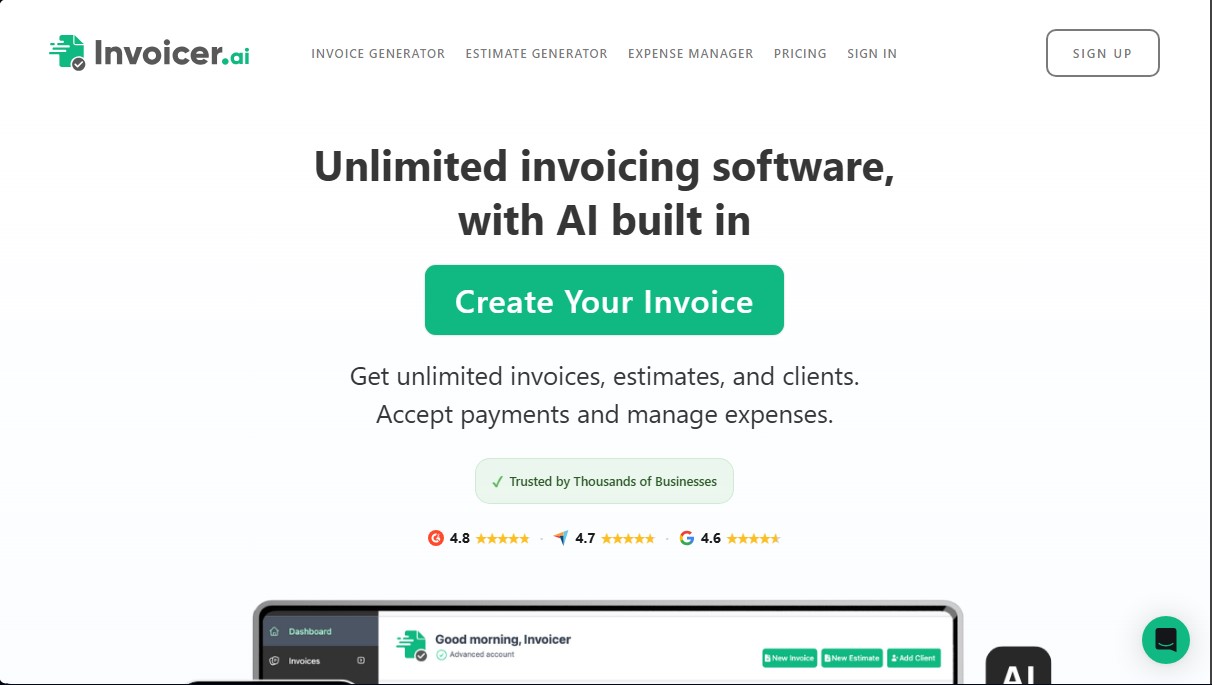
Invoicer.ai Screenshots
Invoicer.ai alternatives


PropHours-Material Participation
Track rental tasks and material participation hours with AI. Attach evidence and generate reports to maximize tax deductions.

FactorialHR
AI platform centralizing HR, finance, and IT. Automate payroll, time tracking, and expenses to streamline management and boost your company's productivity.


Bank Statement Converter
Convert PDF bank statements and images to Excel or CSV. Securely edit transactions and validate balances against the original without sharing login credentials.