Bank Statement Converter
Share
Bank Statement Converter
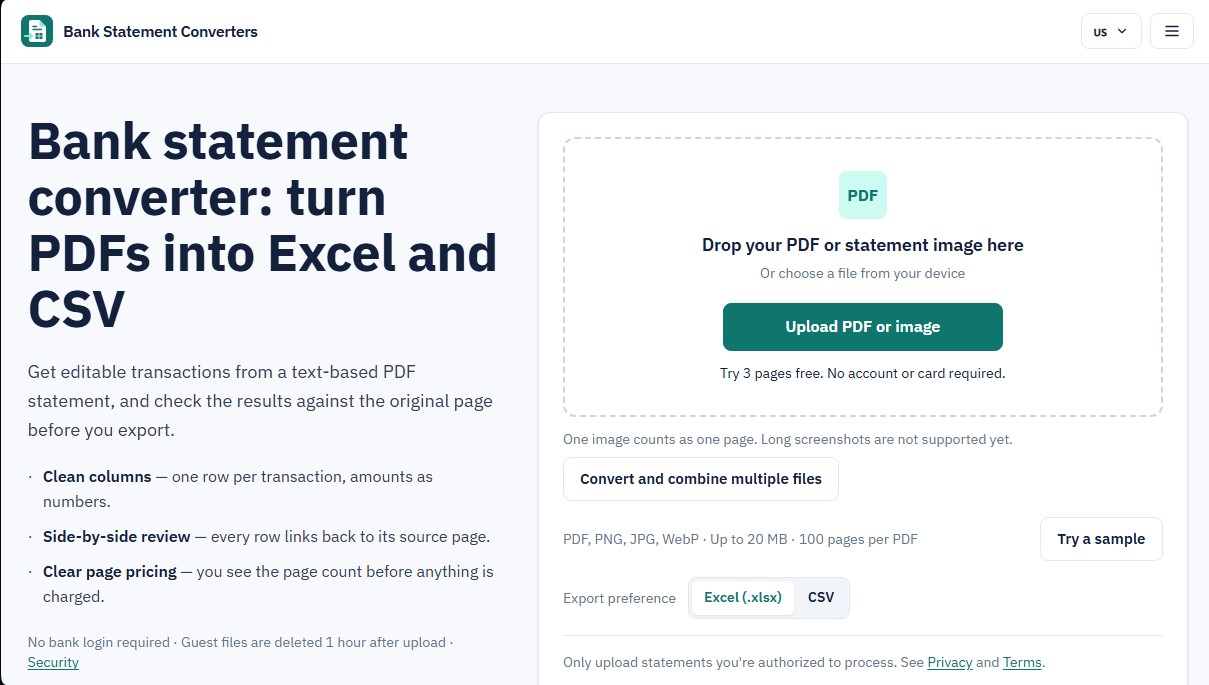
Convert PDF bank statements and images to Excel or CSV. Securely edit transactions and validate balances against the original without sharing login credentials.
General Information about Bank Statement Converter
Bank Statement Converter is a specialized tool for converting bank statements from PDF format into editable files such as Excel and CSV. Its primary function is to automate the extraction of financial transactions, eliminating the need for manual data entry into spreadsheets or accounting software. This solution is especially useful for accountants, managers, and financial professionals who need to process large volumes of bank activity quickly and accurately from their computer, ensuring that every row of data corresponds exactly to the original document.
The technology behind Bank Statement Converter uses document processing algorithms to identify and structure complex financial information. Unlike other generic converters, this system supports both text-based PDFs and image formats like PNG, JPG, and WebP. The workflow is designed to guarantee information integrity through three critical steps: file upload, an exhaustive review phase, and final export. The tool does not require access to the user's banking credentials, reinforcing security and privacy, as files are automatically deleted from the server shortly after processing.
Key functional capabilities and practical benefits include:
- Side-by-side review: Allows for the direct comparison of each extracted transaction with the original PDF page to visually detect and correct any OCR errors.
- Balance verification: The system performs an automatic balance check, comparing the beginning and ending balances with the detected movements to ensure no line items were missed.
- Data cleaning and structuring: Generates clean columns where amounts are actual numerical values and dates follow the standard YYYY-MM-DD format.
- Description merging: If the bank statement splits a description across multiple lines, the tool automatically unifies them into a single cell.
- Flexible export: Full support for XLSX and CSV formats, which are fully compatible with most business management tools and databases.
- Multi-file management: The capability to convert and combine multiple files of up to 100 pages per document.
The competitive advantage of Bank Statement Converter lies in its focus on AI-assisted human verification. By including an optional source page column, any transaction can be quickly traced back to its original source. Additionally, the tool identifies common decimal reading errors and alerts users to potential duplicates before generating the final file. It is a robust solution for efficiently transforming bank statements into Excel, minimizing the errors associated with manual financial data processing.
Features and Use Cases of Bank Statement Converter
How Bank Statement Converter Works
Frequently Asked Questions about Bank Statement Converter
What are the main features of Bank Statement Converter?
This tool allows you to convert bank statements from PDF or image formats into Excel and CSV using a side-by-side review system to verify the data.
Is it safe to upload my financial documents to the platform?
Security is a top priority; guest files are deleted within one hour, and files from registered user accounts are deleted after twenty-four hours.
Do I need to provide my banking credentials to use Bank Statement Converter?
No, you don't need to provide any bank login details, as the system works exclusively with the files you upload yourself.
What file types can I upload for conversion?
The system supports text-based PDF files and images in PNG, JPG, and WebP formats, with a maximum file size of twenty megabytes per file.
What happens if a page in the statement doesn't contain any transactions?
If a page doesn't generate usable transaction data, the system releases it, and no credits will be deducted from your available balance.
Can I edit the data before exporting the final file?
Yes, the tool allows you to review and correct each row by comparing it directly with the original document before downloading the Excel or CSV file.
Does Bank Statement Converter offer a free trial for new users?
You can process up to three pages for free to test the service without having to create an account or enter your credit card information.
What happens if a page conversion fails?
Pages that are not processed correctly do not consume credits, and any retries performed by the system are completely free for the user.
Can scanned PDF files be converted?
Scanned PDF documents are not currently supported, though you can upload individual pages as image files for processing.
How are per-page credits defined in the paid plans?
One credit corresponds to one page of the original document that contains processable banking data, regardless of the number of transactions it includes.
Bank Statement Converter Pricing
Free Trial: 0 € (3 one-time use pages).
No signup or credit card required.
Free pages do not renew.
Actual export to Excel and CSV with no watermarks.
Starter Plan: 19 $ per month (or 11.40 $ per month billed annually).
500 pages per month (renews every billing cycle).
Export to Excel (.xlsx) and CSV.
Side-by-side review and editing with the original PDF.
Automated balance, date, amount, and duplicate checks.
Restriction: Credits do not roll over and expire at the end of the month.
Limit: Files up to 20 MB and 100 pages per PDF.
Standard Plan (Recommended): 29 $ per month (or 17.40 $ per month billed annually).
1,000 pages per month (renews every billing cycle).
Export to Excel (.xlsx) and CSV.
Side-by-side review and editing with the original PDF.
Automated balance, date, amount, and duplicate checks.
Restriction: Credits do not roll over and expire at the end of the month.
Limit: Files up to 20 MB and 100 pages per PDF.
Professional Plan: 49 $ per month (or 29.40 $ per month billed annually).
2,000 pages per month (renews every billing cycle).
Export to Excel (.xlsx) and CSV.
Side-by-side review and editing with the original PDF.
Automated balance, date, amount, and duplicate checks.
Restriction: Credits do not roll over and expire at the end of the month.
Limit: Files up to 20 MB and 100 pages per PDF.
Business Plan: 99 $ per month (or 59.40 $ per month billed annually).
5,000 pages per month (renews every billing cycle).
Export to Excel (.xlsx) and CSV.
Side-by-side review and editing with the original PDF.
Automated balance, date, amount, and duplicate checks.
Restriction: Credits do not roll over and expire at the end of the month.
Limit: Files up to 20 MB and 100 pages per PDF.
Pay-as-you-go (One-time packs): One-time payment based on page volume.
Pack 300 pages: 19 $.
Pack 600 pages: 29 $.
Pack 1,200 pages: 49 $.
Pack 3,000 pages: 99 $.
Credits are valid for 365 days from purchase.
Includes Excel/CSV export and all review and verification tools.
No automatic renewal.
Bank Statement Converter Screenshots