

Share
What is IvyCraft?
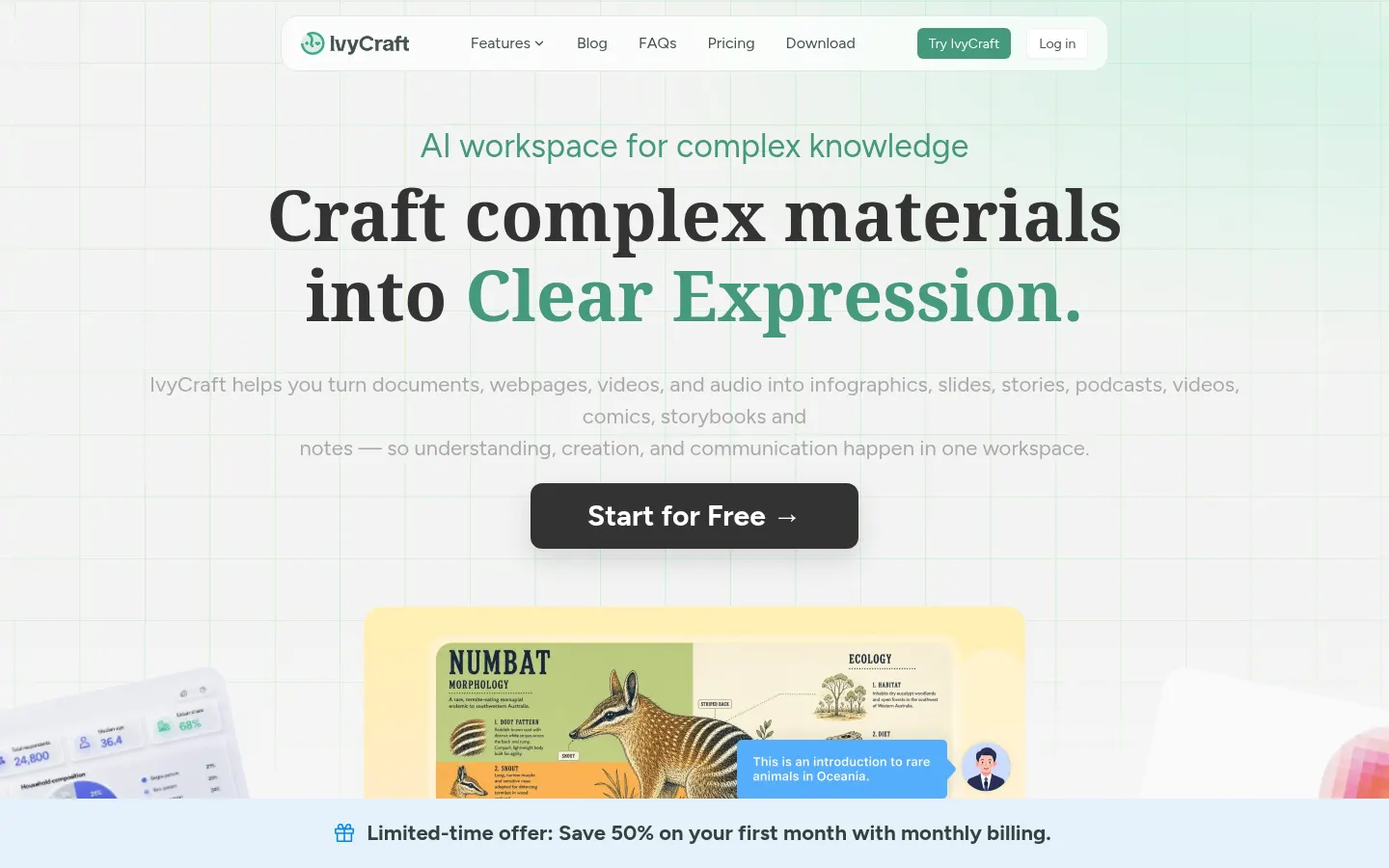
IvyCraft is an AI tool from Superace that turns complex material into slides, infographics, podcasts, videos, comics and storybooks based on your own sources. Instead of starting from a blank prompt, you upload documents, articles or links, and the tool understands, organizes and reshapes them into multiple formats inside one workspace.
What can you upload to IvyCraft?
It accepts PDF, Word and PowerPoint files, articles, notes and webpage links, plus video and audio. From that material it builds a per-project knowledge base you can question, summarize and organize. Answers and generated content stay based on what you provided and keep source citations you can follow.
Which formats does it create?
From one source you can get professionally structured slide decks, infographics and diagrams, podcasts and audio briefings, videos, panel comics, storybooks, audiobooks and social carousels. It keeps tone, palette and typography consistent across every export so outputs feel like one brand. AI agents and Workflow Loops help keep results consistent across formats.
Who is IvyCraft for?
- Students and researchers working with papers and dissertations.
- Professionals turning reports into presentations.
- Content creators repurposing one source into several formats.
IvyCraft pros and cons
Its strength is starting from your sources with citations, which cuts down on made-up content, and covering many formats in one place. On the downside, the entry account has limited model access and adds watermarks, and monthly credits don't roll over.
IvyCraft features and use cases
How to use IvyCraft
IvyCraft FAQ
What is IvyCraft?
IvyCraft is an AI workspace that turns documents, webpages, video and audio into slides, infographics, podcasts, videos and comics grounded in your sources.
Is IvyCraft free?
There's a free account with trial credits and watermarks; paid tiers add credits and features, as shown in the pricing section.
Is IvyCraft output grounded in my files?
Yes. Answers and generated formats start from the material you upload and keep source citations.
Does IvyCraft have an API?
The site doesn't advertise a public API; you use it through its browser workspace and downloadable app.
Can I use IvyCraft in Spanish?
The interface is in English; you can upload Spanish documents and ask for output in Spanish, though it's worth reviewing.
Which files does IvyCraft accept?
PDF, Word, PowerPoint, articles, notes, webpage links, video and audio.
Do I need prompting skills for IvyCraft?
No. It suggests actions such as summarize, ask, turn into slides or create an infographic.
Do IvyCraft credits expire?
Monthly credits reset each cycle and don't roll over to the next month.
Is IvyCraft good for dissertations and literature reviews?
Yes. Higher tiers can process hundreds of papers and are aimed at graduate research.
What are the best IvyCraft alternatives?
In the directory you can compare Napkin AI, Presentations.AI and Gemini Notebook for source-based work and visual content.
IvyCraft pricing and plans
Reference price: 10 USD / month. Source · Verified: November 13, 2026
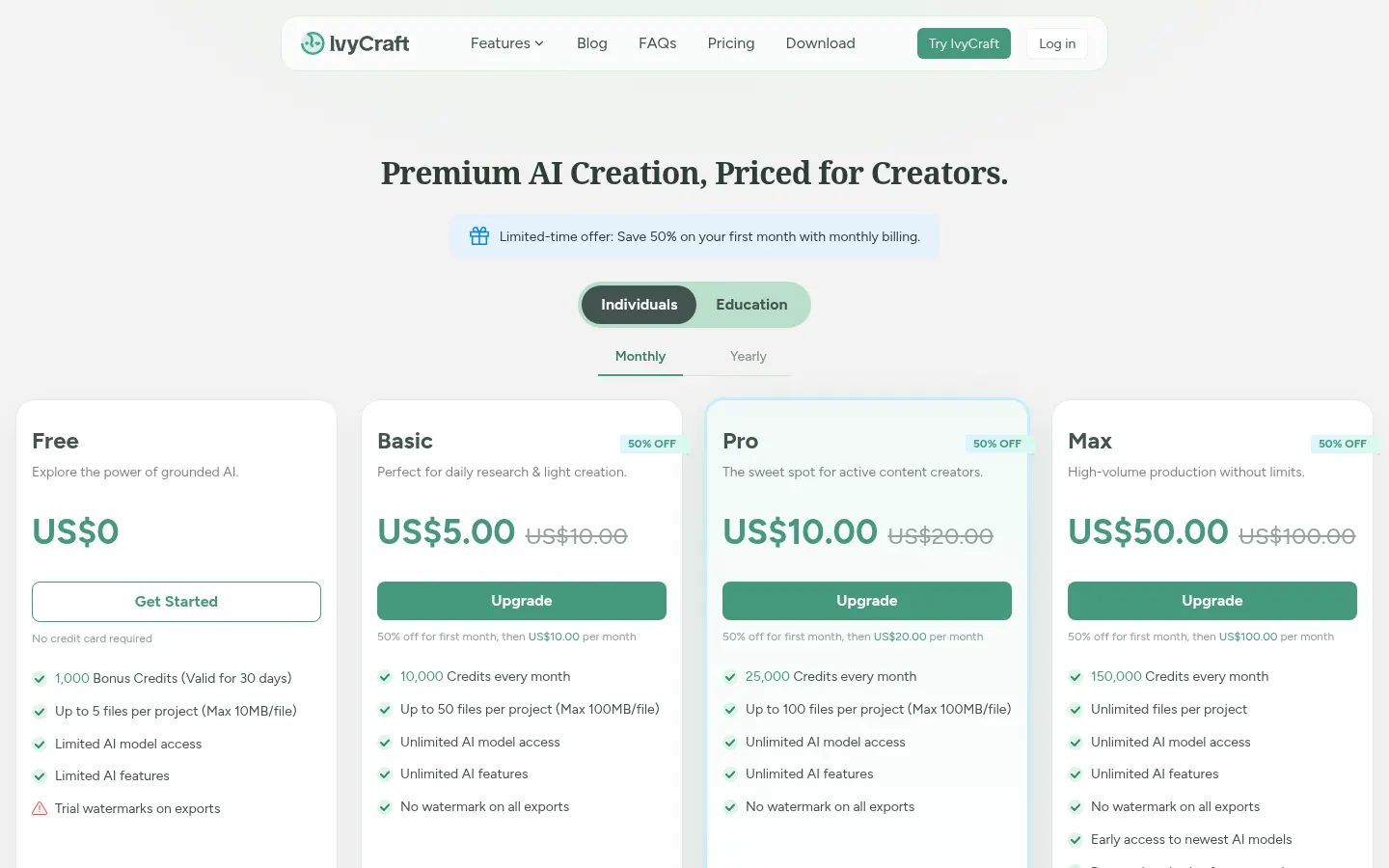
IvyCraft pricing in US dollars, USD (Checked on: 13/11/2026). Monthly or yearly billing. Limited-time offer: 50% off the first month on monthly billing. Monthly credits reset each cycle and don't roll over.
- Free: $0. 1,000 bonus credits valid for 30 days, up to 5 files per project (10 MB), limited model access and watermarked exports.
- Basic: $10 a month. 10,000 credits a month, up to 50 files per project (100 MB), all models and features, no watermark.
- Pro: $20 a month. 25,000 credits a month and up to 100 files per project.
- Max: $100 a month. 150,000 credits a month, unlimited files per project and early access to new models.
Education tiers with student verification start at $8 a month.
IvyCraft Screenshots
IvyCraft user reviews
Write a review
Checking your session...
IvyCraft Reviews
Loading reviews...
IvyCraft alternatives




Presentations.AI
Presentations.AI is a platform that builds slide decks with AI from text, documents or URLs, applies your brand and exports to PowerPoint.


MagicSlides
MagicSlides generates AI slide decks from a topic, documents, links or videos and exports them to PowerPoint, Google Slides or PDF.