
Share
What is Jamie?
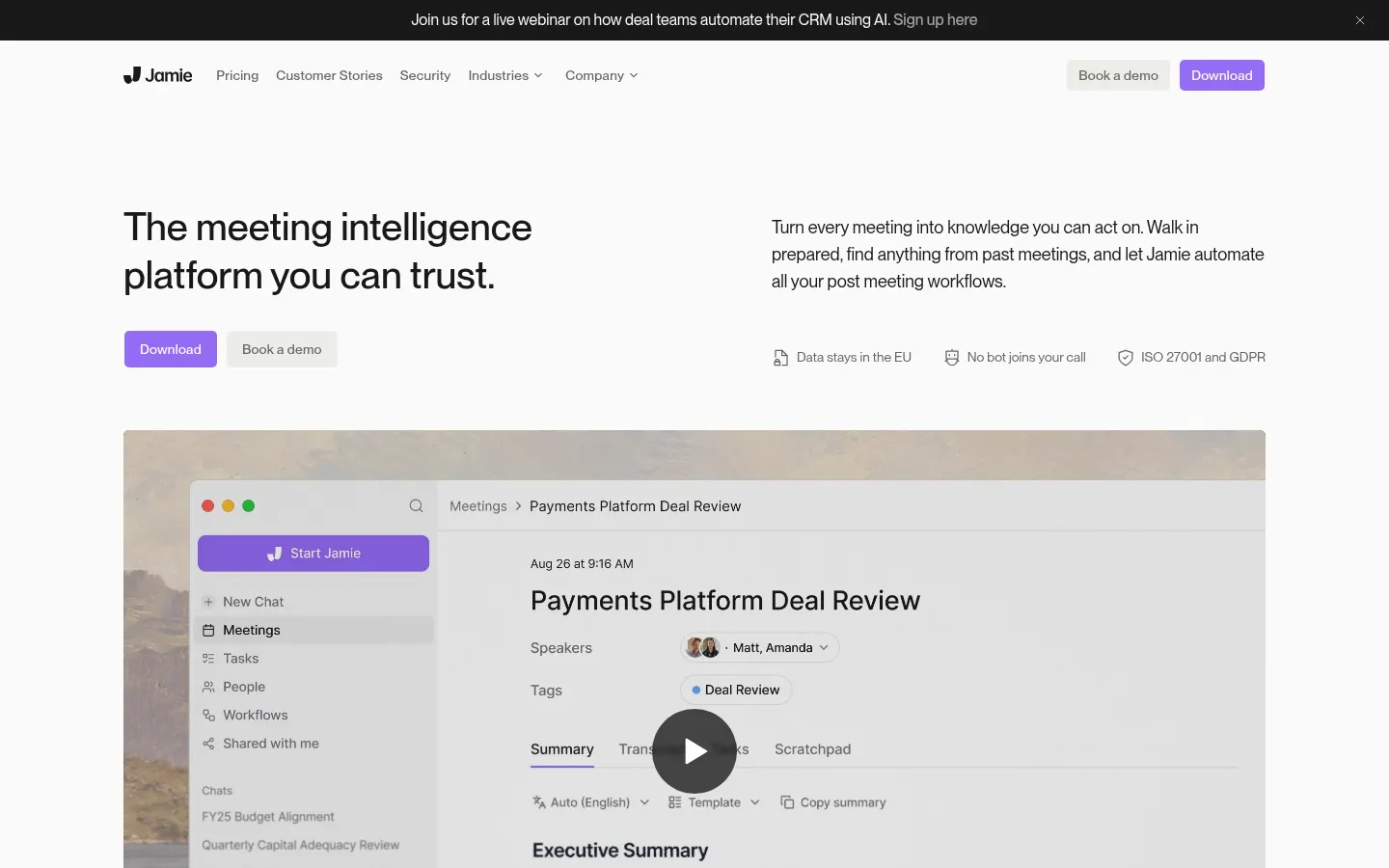
Jamie is an AI tool (by Berlin-based Jamie, founded in 2022) that works as an AI meeting notes platform where no bot ever joins the call. It runs directly on your computer or phone, across any online platform and in face-to-face meetings, and is built for teams handling sensitive information in private equity, banking, M&A, law and consulting.
How does Jamie take AI meeting notes without a bot?
- It captures audio from your own device, with no bot on the call.
- Works with Zoom, Teams, Google Meet or any other platform.
- Records in-person meetings from your laptop or phone.
- Produces notes in seconds using custom templates.
- Recognizes speakers and detects action items.
What can Jamie do after a meeting?
With Ask Jamie you chat across all your meetings to find what was said and decided. Workflows automate the next steps, from updating the CRM to drafting follow-ups, either automatically or after you review them. Jamie also prepares context-rich briefings from past meetings before each call.
Which tools does Jamie integrate with?
It sends notes, action items and transcripts to Notion, Google Docs, OneNote, Salesforce, HubSpot or Asana. Through MCP you can connect Claude, ChatGPT or other assistants and query your meetings from wherever you work. Apps are available for Mac, Windows and iPhone.
How does Jamie protect meeting privacy?
Data is stored and processed in the EEA, Switzerland and the UK; audio is streamed but never stored and never used to train models. Jamie is ISO 27001 certified, GDPR compliant and aligned with DORA, with SAML SSO and SCIM for enterprises.
Jamie pros and cons
- Pro: no bot, so attendees are not put off
- Pro: EU data hosting with ISO 27001
- Pro: also works for in-person meetings
- Con: advanced CRM integrations are not on every tier
- Con: no Android app listed on its site
Jamie features and use cases
How to use Jamie
Jamie FAQ
What is Jamie?
Jamie is an AI app that takes notes of your online and in-person meetings without a bot joining the call.
Is Jamie free?
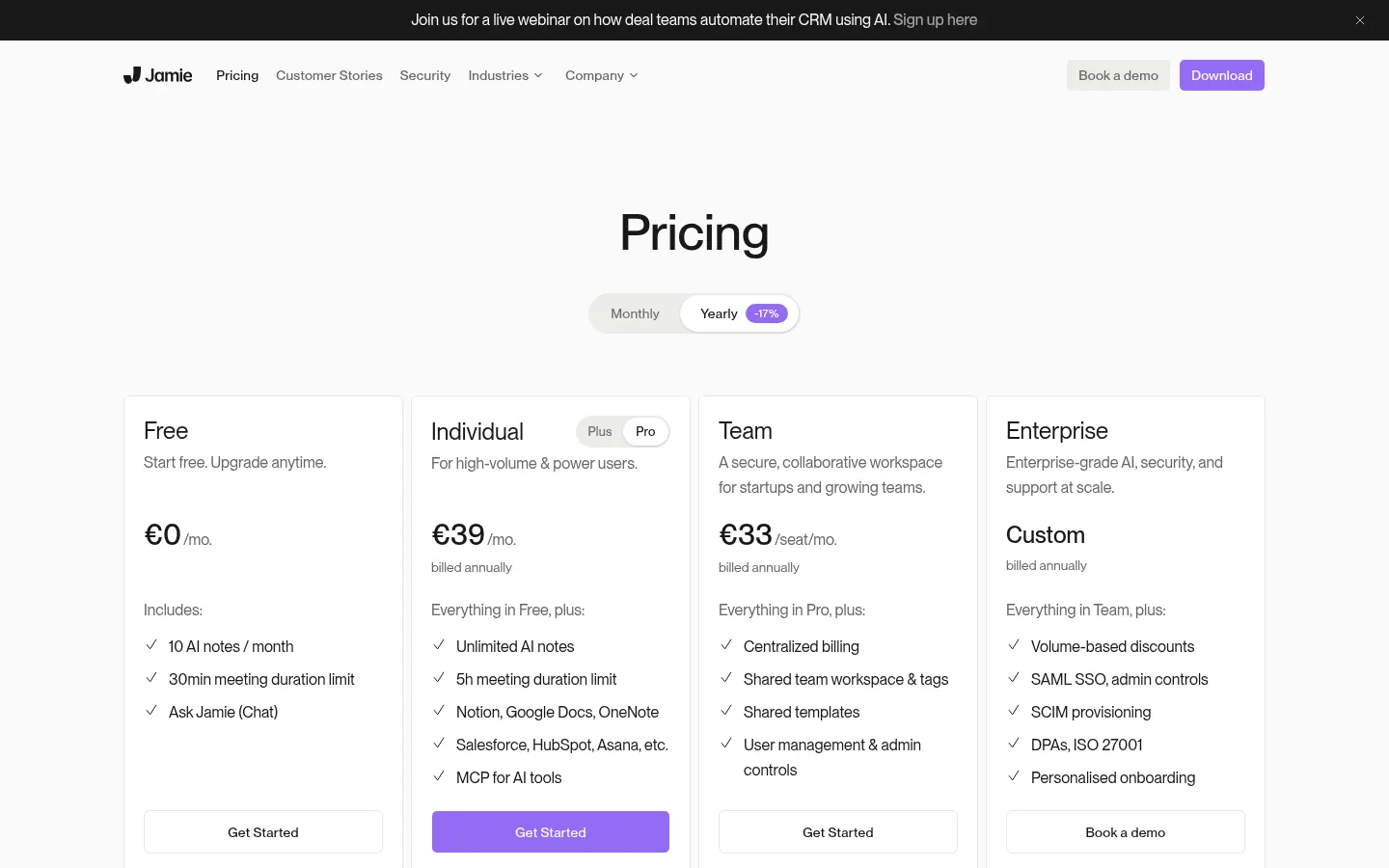
There is a free tier with 10 notes per month and paid tiers with more usage. See the pricing section of this page.
Does Jamie support Spanish and other languages?
Yes, it produces notes and transcripts in more than 99 languages, including Spanish.
Does Jamie have an API or integrations?
It integrates with Notion, Google Docs, Salesforce, HubSpot and Asana and offers an MCP server for assistants like Claude or ChatGPT.
Why does Jamie not use a meeting bot?
Jamie captures audio from your own device, so nobody sees an extra participant in the meeting.
Where is Jamie data stored?
In the EEA, Switzerland and the UK; audio is never stored and never used to train models.
Can Jamie record in-person meetings?
Yes, it can record face-to-face meetings from your laptop or iPhone.
Which devices does Jamie run on?
There are apps for Mac, Windows and iPhone, plus web access.
Who is Jamie built for?
Mainly private equity, banking, M&A, legal and consulting teams handling sensitive information.
What are the best Jamie alternatives?
On GptZone you can compare it with AI meeting note takers such as Granola, Fireflies.ai and Fathom.
Jamie pricing and plans
Reference price: 21 EUR / month. Source · Verified: November 1, 2026
Prices in euros (EUR); annual billing saves 17%. Checked on: 01/11/2026.
Free: €0; 10 AI notes per month, meetings up to 30 minutes and Ask Jamie chat.
Plus: €21/month billed annually; 20 notes per month, meetings up to 2 hours and Notion, Google Docs and OneNote integrations.
Pro: €39/month billed annually; unlimited notes, meetings up to 5 hours, Salesforce, HubSpot, Asana and MCP.
Team: €33 per seat/month billed annually; shared workspace, shared templates and user management.
Enterprise: custom pricing; SAML SSO, SCIM, DPAs and personalised onboarding.
Jamie Screenshots
Jamie user reviews
Write a review
Checking your session...
Jamie Reviews
Loading reviews...
Jamie alternatives




HappyScribe
European AI transcription and subtitle platform in 150+ languages, with automatic meeting notes, translation and optional human proofreading.