
Share
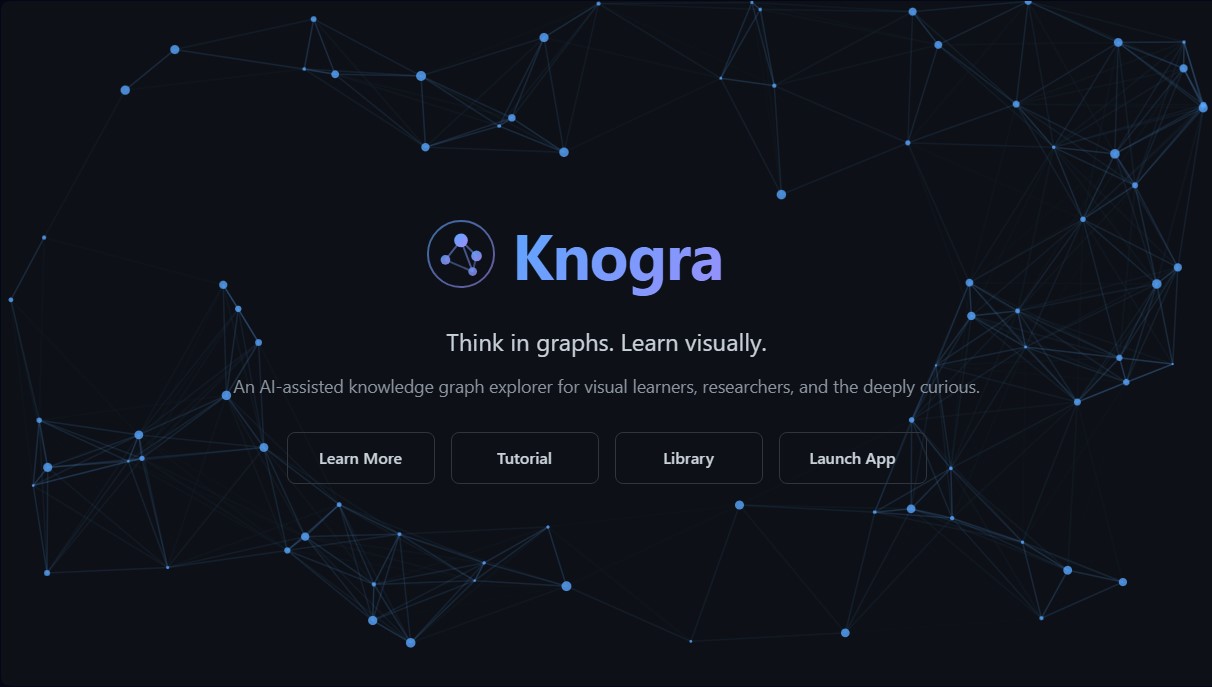
Generate AI-powered knowledge graphs and concept maps to visually organize ideas. Includes LaTeX support, spatial navigation, and private local storage.
What is Knogra?
Knogra is an AI-assisted knowledge graph exploration tool designed specifically to optimize visual learning and the organization of complex information. Unlike conventional mind-mapping applications that are limited to rigid hierarchical structures, this platform allows users to build semantic networks where relationships between concepts are freely defined. It is a solution geared toward researchers, students, and professionals who need to connect ideas across disparate domains, making it possible to visualize how subjects like science, music, or technology intertwine without the restrictions of traditional computer folders.
At its technological core, Knogra is powered by topology-aware AI. This assistant doesn't just generate text; it understands the structure of the user's graph to identify which nodes are well-connected and which remain isolated. By integrating API keys from providers like Google Gemini or OpenRouter, the system suggests new concepts and logical connections that the user can incorporate with a single click. This approach facilitates the discovery of long-distance associations and helps intelligently fill information gaps in a contextualized manner.
Its primary capabilities and practical benefits include:
- Scene Management: Allows for breaking down extensive graphs into focused views, helping manage technical complexity without losing sight of the big picture.
- Animated Transitions: Movement between different parts of the graph is fluid, reinforcing spatial memory by allowing the brain to register where each idea is located and how to reach it.
- Native LaTeX Support: Ideal for academic and scientific profiles, it enables the rendering of complex mathematical equations directly within the nodes.
- Learning Paths: Facilitates the creation of guided tours through knowledge, a highly useful feature for delivering presentations or studying dense syllabi sequentially.
- Effortless Customization: The system automatically applies styles, themes, and backgrounds, allowing the user to focus on content rather than visual design.
In terms of privacy and performance, Knogra operates under a local storage model. Data is saved directly in the browser via IndexedDB, ensuring that information is not sent to external servers and enabling offline work. As an open-source tool with no tracking, it offers a secure environment for managing sensitive data. Users have total control over their information and can export or import their graphs at any time, making this application a robust choice for those seeking a private and highly functional visual knowledge management tool.
Knogra features and use cases
How to use Knogra
Knogra FAQ
What exactly is Knogra and what is it used for?
Knogra is an AI-assisted knowledge graph explorer designed to visually create concept maps, semantic networks, and memory palaces.
Where is my data stored when using Knogra?
All your information is stored locally in your browser via IndexedDB, so your data is never sent to external servers or tracked.
Is Knogra a free tool, or is there a subscription cost?
The tool is completely free and open-source under the MIT license, allowing you to use it without monthly fees or the need to create an account.
How can I activate the AI features in Knogra?
To use the AI assistant, you must provide your own Google Gemini or OpenRouter API key, which connects directly to your chosen provider.
Does Knogra support writing complex mathematical formulas?
Yes, the app features native LaTeX support, allowing you to render equations and mathematical formulas directly within the graph nodes.
What are scenes and how do they help organize my graph?
Scenes allow you to divide large graphs into focused, manageable views, facilitating navigation through animated transitions that reinforce spatial memory.
Can I use the application without an internet connection?
Since it runs on local browser storage, you can work on your graphs offline, though you will need internet access for the AI features.
What types of structures can I build with Knogra?
You can create mind maps, concept maps with labeled relationships, equation collections, and semantic networks to connect ideas from different domains.
How does Knogra guarantee the privacy of my information?
Knogra does not use its own servers or tracking systems, ensuring that you are the sole owner and remain responsible for managing and backing up your data.
Knogra pricing and plans
Free Plan (Open Source)
Price: 0€ (Free under MIT license).
Create mind maps, concept maps, semantic networks, and memory palaces.
Organize graphs using "Scenes" for focused views and animated transitions.
AI assistant with graph topology awareness to suggest new connections.
Full LaTeX support for rendering mathematical equations within nodes.
Visual customization with over 20 node designs, multiple themes, and backgrounds.
"Paths" tool for creating guided tours and presentations within the graph.
Local browser storage (IndexedDB) and offline functionality.
No account registration or data tracking; manual export and import options.
AI Restriction: AI features require users to provide their own API key (Google Gemini or OpenRouter).
Cost Limit: Users are responsible for any costs incurred from using their API key with the third-party provider.
Knogra Screenshots
Knogra alternatives
Rock Identify
Identify rocks, crystals, and minerals using photos. Analyze features like texture and grain to suggest types, explain properties, and answer geological questions.

ReferenceChecker.ai
Verify academic citations and DOIs against scientific databases. Detect errors or fake references and correct bibliographies in multiple professional formats.

Ask BONBON
AI assistant for electricians that answers NEC and CEC code questions with official citations. Includes calculation tools, blueprint analysis, and a voice assistant.

Lumenology
AI tool for deep Bible study. Features text analysis, historical commentary, and original word study with cited sources and cross-references.