Krea AI
Share
Krea AI
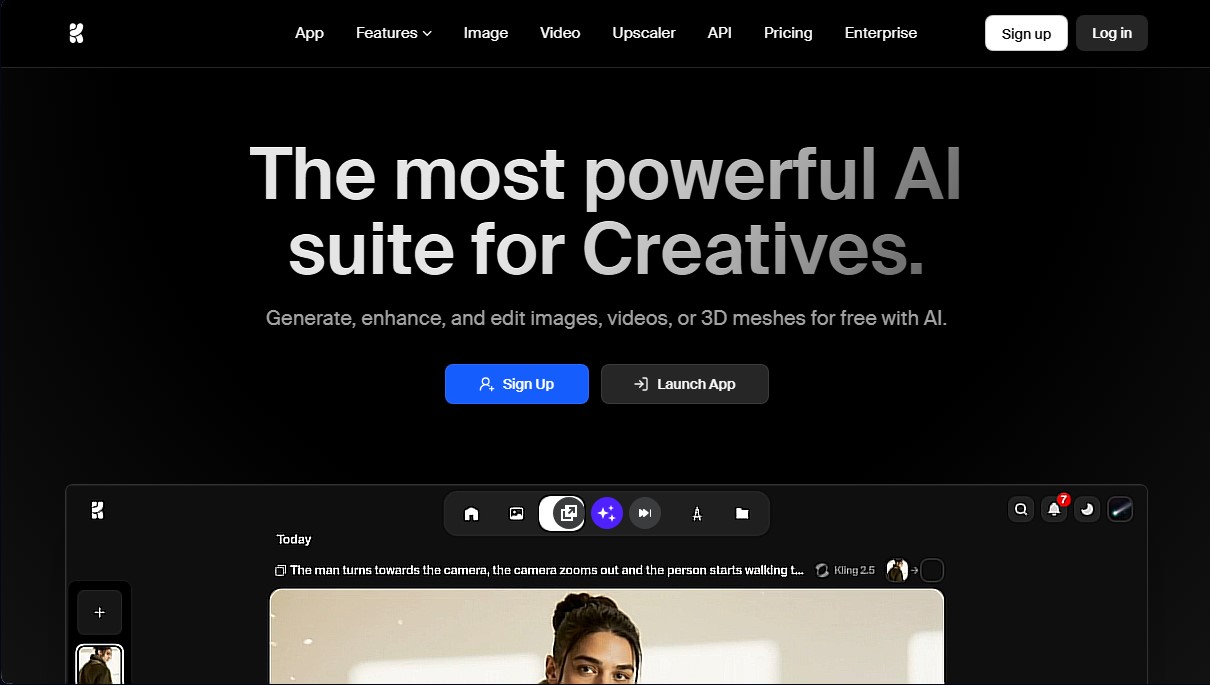
Creative suite for generating and editing images, videos, and 3D models. Features real-time rendering, high-resolution upscaling tools, and animation capabilities.
General Information about Krea AI
Krea AI is a state-of-the-art creative suite that integrates advanced artificial intelligence tools for generating, editing, and enhancing visual content. This ecosystem is designed for both design professionals and beginners to produce high-fidelity images, videos, and 3D meshes. Its value proposition focuses on offering a minimalist interface that eliminates the need for complex tutorials, enabling a seamless workflow from a computer or any compatible device.
Krea AI's technical architecture stands out for its processing power and multi-model approach. The platform provides access to over 64 AI models, including renowned external engines like Flux, Luma, Runway, Ideogram, Kling, and Gemini. However, its centerpiece is the proprietary Krea 1 model, a next-generation AI known for generating ultra-realistic skin textures and artistic compositions with sophisticated lighting. Thanks to its high-speed inference engine, the tool enables real-time rendering, transforming basic shapes into photorealistic images in under 50 milliseconds via its Realtime Canvas.
Among its most notable functional capabilities for the user are:
- Native 4K Generation: Create high-resolution visuals using simple text prompts, supporting various artistic styles and dynamic camera angles.
- Upscaling and Restoration: A powerful tool capable of upscaling images to 22K resolution and videos to 8K, including frame interpolation to reach 120fps—perfect for turning smartphone recordings into professional footage.
- Generative Editing: Allows for modifying specific elements of an image, such as changing expressions, adding or removing objects, and adjusting lighting with exceptional ease.
- Custom Training (LoRA): An option for fine-tuning models with proprietary data, making it easy for creatives to train the AI on specific styles or products.
- Animation and Video: Access to leading models for animating static images or generating viral clips with total control over motion.
Using Krea AI is particularly beneficial for creating advertising content, conceptualizing previews, and product design. By integrating lip-sync features and 3D object generation, it serves as a versatile solution for marketing departments and independent creatives. The platform allows for asset management through a professional file manager and ensures proprietary data security in corporate environments, establishing itself as a benchmark tool in generative AI for optimizing production times.
Features and Use Cases of Krea AI
How Krea AI Works
Frequently Asked Questions about Krea AI
What is Krea AI, and what is it used for?
Krea AI is a comprehensive suite of artificial intelligence tools designed for creatives to generate, enhance, and edit images, videos, and 3D objects.
Can I use Krea AI for free?
Yes, the platform offers a free plan that includes daily compute units to test basic features and access real-time generation models.
What video features does the platform offer?
You can generate animations from text or images, upscale videos to 8K resolution, and access powerful external models like Runway, Kling, or Veo.
What is the maximum resolution I can upscale my images to?
Depending on your chosen subscription plan, you can perform professional image upscaling ranging from 4K to 22K resolution.
Is it possible to train custom models on Krea AI?
Yes, the tool allows for LoRA training using your own data to customize results, with unlimited options available on Max plans and above.
How does real-time generation work?
Krea AI allows you to instantly transform basic geometric shapes and sketches into photorealistic images with latency under fifty milliseconds.
Does the Krea AI basic plan allow for commercial use of creations?
Yes, starting with the Basic plan, users receive a commercial license to professionally use all content generated with the tool.
Which AI models are available with the subscription?
The platform provides centralized access to the best models on the market, such as Flux, Ideogram, Luma, Gemini, and their own ultra-realistic model, Krea 1.
Does Krea AI offer specific tools for businesses?
Yes, there are team plans that include workspace management, collaboration features, custom roles, and data security to ensure models aren't trained on your proprietary information.
Do I need to know how to write complex prompts to use the tool?
No, it isn't necessary. The platform features a simple, minimalist interface designed so that both professionals and beginners can achieve high-quality results without needing tutorials.
Krea AI Pricing
Free Plan
Price: $0/month.
- 100 compute units per day.
- Full access to real-time models.
- Limited access to image, video, 3D, and lip sync models.
- Limited access to image upscaling and LoRA training.
Basic Plan
Price: $9/month ($7/month billed annually).
- 5,000 compute units per month.
- Commercial license.
- Full access to image, 3D, and lip sync models.
- Full access to LoRA training.
- Image upscaling up to 4K resolution.
- Access to select video models.
Pro Plan
Price: $35/month ($28/month billed annually).
- 20,000 compute units per month.
- Includes everything in the Basic plan.
- Access to all video models.
- Higher process concurrency.
- Full access to Krea Nodes and Apps.
- Volume discounts on additional compute units.
- Early access to new features.
Max Plan
Price: $105/month ($84/month billed annually).
- 60,000 compute units per month.
- Includes everything in the Pro plan.
- Unlimited LoRA training.
- Unlimited concurrency.
- Video and image upscaling up to 22K resolution.
- Unlimited generations in "relaxed" mode on select models.
- High-priority queues.
Business Plan
Price: $200/month ($160/month billed annually).
- 80,000 compute units per month.
- Includes everything in the Max plan.
- Enterprise terms of service.
- Up to 50 seats included.
- Ability to share private Node Apps with your team.
- LoRA training with up to 20,000 images.
- Custom user roles and permissions.
- Granular model access controls.
Enterprise Plan
Price: Contact Sales.
- Includes everything in the Business plan.
- Custom terms of service.
- Priority support with SLA.
- Analytics API.
- Spending limits per member.
- Slack integration.
- Custom compute packages and audit logs.
Krea AI Screenshots