

Maestro.dev
Share
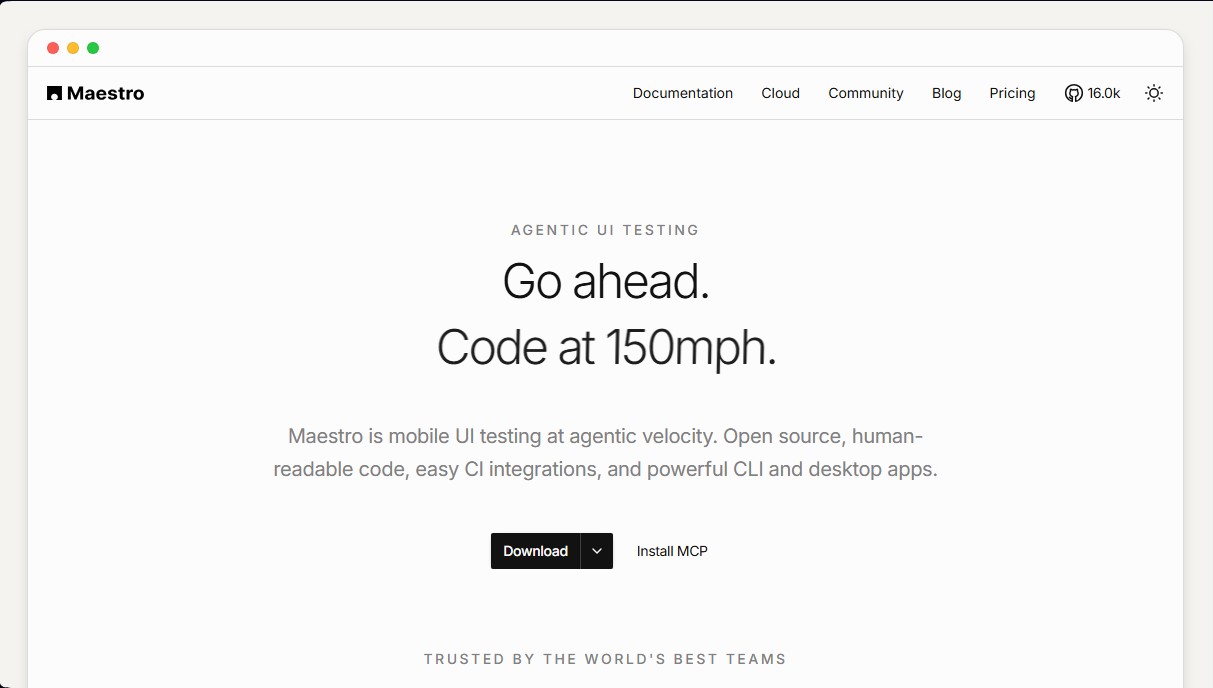
Automate mobile app UI testing with AI using readable flows. Simplify continuous integration and run tests locally or in the cloud.
What is Maestro.dev?
Maestro.dev is a mobile UI test automation platform designed for high-speed execution using an agentic AI approach. This open-source tool allows development and QA teams to create end-to-end (E2E) tests that are easy to read and maintain, eliminating the technical complexity typically found in traditional frameworks. Its primary purpose is to ensure that iOS and Android applications function correctly after every code change, facilitating an agile and reliable development cycle.
The technology behind Maestro.dev is based on human-readable YAML configuration files, which allow workflows to be defined without writing complex programming code. Unlike "black box" systems, these tests are deterministic, repeatable, and auditable. The platform integrates native AI capabilities to close the development loop through agents. Thanks to its Maestro MCP (Model Context Protocol) server, developers can provide their AI agents with "eyes and hands" to inspect the emulator's screen hierarchy, perform pattern searches, and execute commands autonomously on mobile devices.
The tool's core capabilities are divided into several functional components:
- Maestro Studio: A visual development environment (IDE) for desktop that simplifies manual test creation through contextual autocomplete, deep selector inspection, and real-time YAML generation while interacting with the emulator.
- Maestro CLI: A lightweight and efficient command-line interface for running test flows locally or integrating them into continuous integration (CI) systems.
- Maestro Cloud: Optimized infrastructure for running test suites in parallel across a device matrix, which reduces deployment wait times.
- Maestro MCP: Enables language models and external agents to interact with the app's interface to automatically build and verify test coverage before opening a Pull Request.
The users who benefit most from Maestro.dev are those seeking high speed in mobile development while avoiding vendor lock-in. It is ideal for teams already using AI tools in their workflow, as the tool helps these agents understand the visual context of the application. Additionally, it includes self-healing features and flaky test detection, providing detailed logs and video recordings of every run to streamline software failure diagnostics.
Maestro.dev features and use cases
How to use Maestro.dev
Maestro.dev FAQ
What exactly is Maestro.dev, and what is it used for?
It’s a mobile app UI automation tool designed to be fast and easy to use with human-readable code.
Is Maestro compatible with both Android and iOS apps?
Yes, it allows for end-to-end testing on both platforms using the same workflow and configuration files.
What language are Maestro.dev tests written in?
Tests are defined in YAML files using a simple, descriptive syntax that doesn't require advanced programming skills.
Do I have to pay to use Maestro locally?
No, the tool is open-source and completely free to use on local devices via the command line or Maestro Studio.
What are the benefits of using Maestro Cloud?
It allows you to run tests in parallel on optimized cloud infrastructure, making it easy to scale and implement continuous integration without having to manage your own devices.
What is Maestro Studio used for?
It’s a visual development environment that lets you create, debug, and view tests interactively directly from your browser or a desktop app.
Can Maestro.dev be integrated into my CI workflow?
Yes, it easily integrates with any CI platform using simple commands to automate test execution and bug reporting for every deployment.
What is the Maestro MCP server mentioned in the documentation?
It’s a server based on the Model Context Protocol that allows AI agents to interact directly with devices to build and verify tests.
Maestro.dev pricing and plans
Local
Free (Open Source)
Testing on your own devices via Maestro Studio or the CLI.
Access to Maestro MCP and Maestro Viewer.
Self-healing with local agents.
Includes documentation and community access.
Cloud
$250 per device per month
Includes all features from the Local plan.
Access to cloud-hosted Android, iOS, and web devices.
Parallel test execution to reduce CI times.
Unlimited hosted test executions.
Detailed test reporting and CI/PR/MR integration.
Monthly cost is based on the maximum number of concurrent executions (contracted devices).
Enterprise Cloud
Custom pricing
Includes all features from the Cloud plan.
SSO authentication.
Dedicated premium support.
Custom contract requirements and vendor security review.
Fully managed test cases.
Maestro.dev Screenshots
Maestro.dev alternatives

Confident AI
LLM evaluation platform to test AI workflows, measure quality metrics, and automate testing in the development cycle without relying on engineering.





Vals Smith
Transform GitHub repositories into custom benchmarks to evaluate and compare AI model and coding agent performance on your own code.