Share
Design 2D games without coding or drawing. Generate characters, environments, and animations with AI to create browser-playable titles using text prompts.
What is Makko AI?
Makko AI is a 2D video game development platform powered by generative artificial intelligence that allows any user to transform ideas into playable projects without needing to know how to code or draw. This comprehensive creative studio is designed so that artists, storytellers, and industry enthusiasts can manage the entire production cycle—from concept art to game logic—using only natural language descriptions.
The tool is divided into two fundamental pillars: the Art Studio and the Code Studio. In the artistic section, Makko AI technology allows you to generate concept art to define a visual aesthetic, create detailed characters with specific equipment, and design consistent backgrounds or objects. One of its most powerful features is the creation of sprite animations, where the AI automatically generates movement sheets (walking, running, attacking, or idle). Thanks to the collections system, the software ensures that all elements maintain a uniform artistic style, avoiding the visual fragmentation common in other image generators.
The creation process follows a structured workflow accessible from any computer via a web browser:
Vision Definition: Generating concept art to establish the atmosphere of the game world.
Character Design: Creating protagonists and enemies with customizable armor and equipment details.
Fluid Animation: Transforming static images into characters with game-ready movement cycles.
Environment Building: Developing stages, backgrounds, and interactive elements (props).
AI Programming: Describing how the game works in simple language so the platform can internally generate the code and logic.
For the user, the primary benefit is the drastic reduction in production times. What would traditionally require days of manual programming and design can be resolved in just a few hours through rapid prototyping. The Code Studio uses advanced language models to interpret desired mechanics and apply them to previously created assets. Once finished, the video game can be run directly in the browser and shared via a link, without hosting complications or technical configuration.
Makko AI is ideal for both indie developers looking to streamline their workflow and individuals without technical knowledge who want to create their own interactive experiences. By removing the barriers to entry for no-code game development, the tool democratizes 2D content creation, allowing the focus to remain exclusively on creativity and storytelling. It is a versatile solution for creating everything from functional prototypes to full games ready to be published and shared with a single click.
Makko AI features and use cases
How to use Makko AI
Makko AI FAQ
What is Makko AI and what is it used for?
Makko AI is a 2D game development platform that uses artificial intelligence to generate art, animations, and code from text descriptions.
Do I need programming skills to use Makko AI?
No coding or drawing skills are required. You just need to describe your idea in plain English, and the tool builds the game and visual elements for you.
How does Makko AI ensure my game's art style is consistent?
The tool uses a collections system that ensures all generated characters, backgrounds, and objects maintain a uniform visual aesthetic throughout the entire project.
Can I try the tool for free?
You can start creating without a credit card. We offer a free monthly budget of 150 art credits and 70 weekly requests for game programming.
What kind of assets can I create with the art budget?
You can use your credits to generate character concepts, environments, decorative objects, and animated sprite sheets with various actions like walking or attacking.
How can I share the games I create on Makko AI?
Once your project is finished, you can publish it with a single click and send the generated link to anyone so they can play it directly in their web browser.
What happens if I run out of weekly or monthly credits?
If you run out of credits, you can wait for the automatic renewal, purchase additional top-up packs, or subscribe to a paid plan for higher limits.
Can I upload my own images to the platform?
Yes, subscription plans allow you to upload your own images to any AI model to integrate them into your projects.
Makko AI pricing and plans
Free Plan
$0 per month
150 monthly art budget credits.
70 weekly AI requests for game programming.
Create up to 30 characters, 30 objects/backgrounds, or 3 sprite animations (depending on the combination).
No credit card required.
Starter Plan
$20 per month
500 weekly chat credits.
Unlimited MiniMax M2.7 usage once the weekly budget is exhausted.
1,000 monthly art credits.
Ability to upload images to any model.
Access to AI models: Kimi K2.5 (advanced reasoning) and MiniMax M2.7.
Creator Plan
$50 per month
1,500 weekly chat credits.
Unlimited MiniMax M2.7 usage once the weekly budget is exhausted.
3,000 monthly art credits.
Ability to upload images to any model.
Includes the same models as the Starter plan with higher limits.
Hobbyist Plan
$100 per month
3,000 weekly chat credits.
Unlimited MiniMax M2.7 usage once the weekly budget is exhausted.
6,000 monthly art credits.
Ability to upload images to any model.
Access to the GLM-5.1 model (premium intelligence) and everything included in the Creator plan.
Pro Plan
$200 per month
6,000 weekly chat credits.
Unlimited MiniMax M2.7 usage once the weekly budget is exhausted.
13,000 monthly art credits.
Ability to upload images to any model.
Access to the Claude Sonnet 4.6 model (cutting-edge AI) and everything included in the Hobbyist plan.
Credit Top-Ups
From $5 to $250
Credit packs that never expire.
200 credits for $5.
420 credits for $10.
1,100 credits for $25.
2,350 credits for $50.
4,800 credits for $100.
12,500 credits for $250.
Usage costs: 5 credits per character concept or backgrounds/objects; starting from 45 credits for sprite animations.
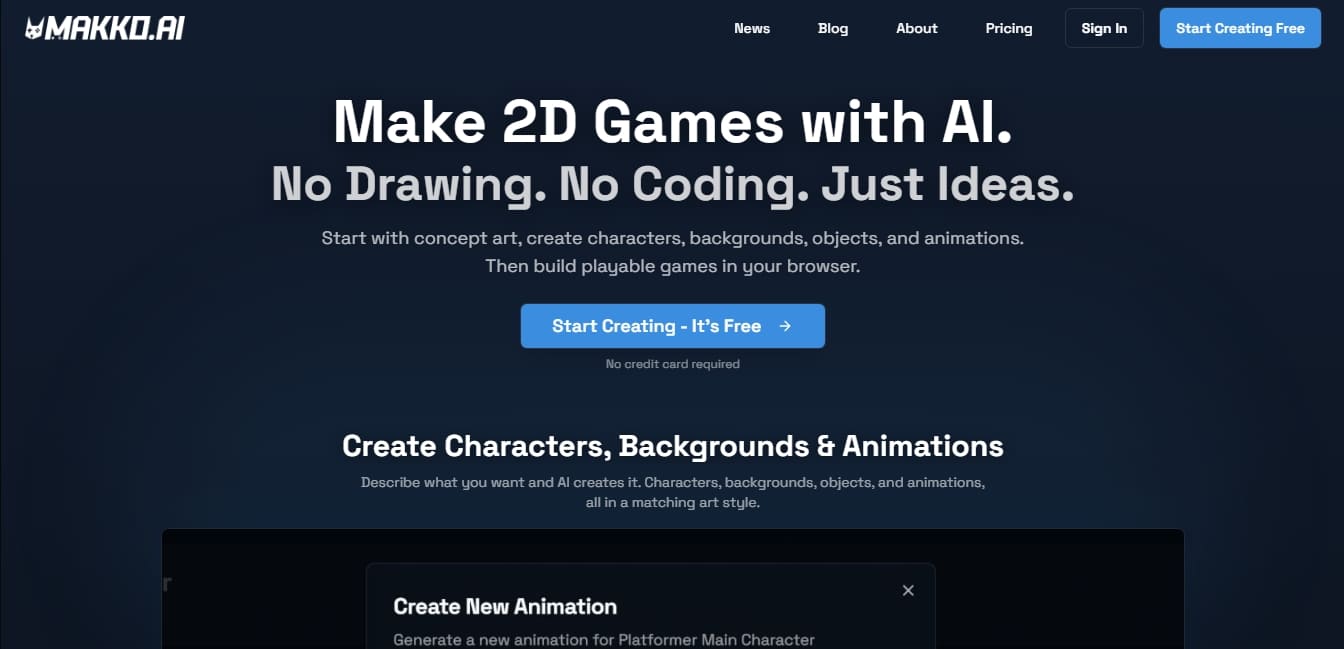
Makko AI Screenshots
Makko AI user reviews
Write a review
Checking your session...
Makko AI Reviews
Loading reviews...