
Share
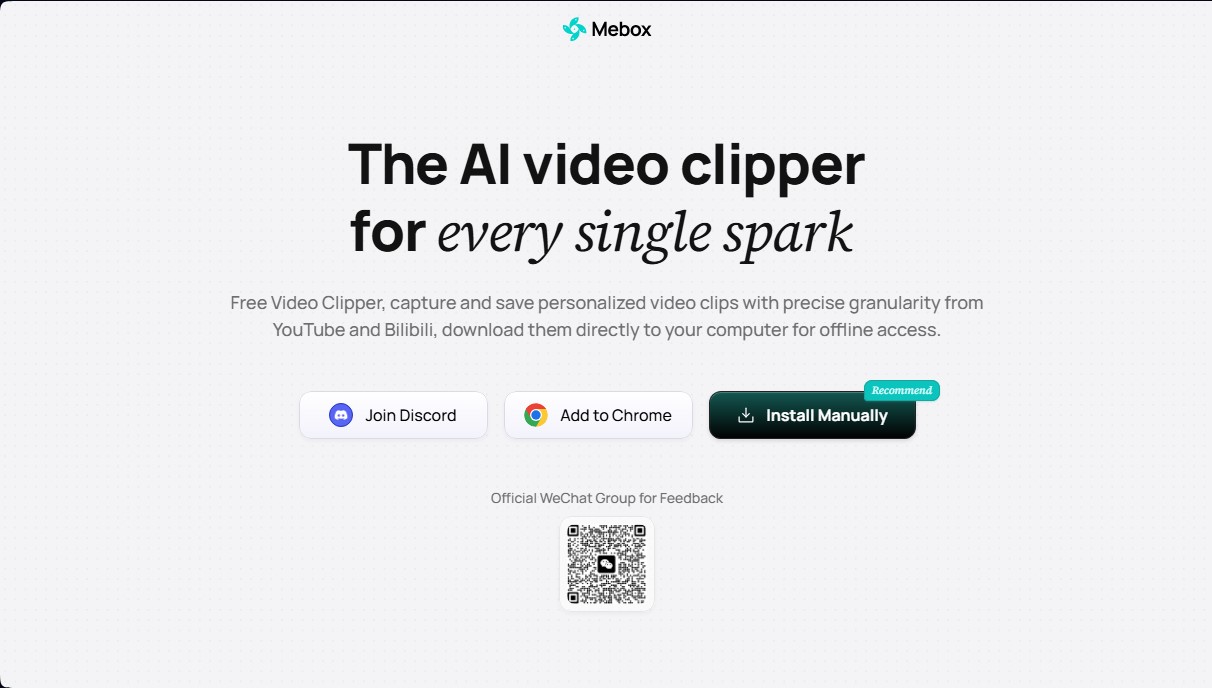
Extension to capture and download YouTube and Bilibili clips. Generate AI summaries and captioned screenshots to easily organize key moments.
What is Mebox?
Mebox is an AI-powered video clipping tool designed to capture, save, and organize specific segments of audiovisual content from platforms like YouTube and Bilibili. This browser extension allows users to select precise clips with high granularity, facilitating the creation of a personalized library of key moments that can be downloaded directly to a computer for offline access. Its primary function is to simplify the process of extracting valuable information, eliminating the need to download entire files when only a specific part is required.
The operation of Mebox is supported by the integration of Large Language Models (LLMs) to optimize the management and retrieval of saved content. When a clip is stored, the tool automatically generates a cover image and a smart summary of the selected section, allowing users to identify the content at a glance without having to play it in its entirety. Additionally, it features subtitled screenshot generation technology, which transforms video segments into a sequence of images with integrated text, creating a highly descriptive and customizable visual and textual summary.
This application is particularly useful for content creators, researchers, students, and professionals who consume large volumes of video and need to efficiently manage visual references. Key functional capabilities include:
- Precise video clipping by marking start and end times manually or automatically.
- Flash Save for instant captures of moments of inspiration or key ideas during playback.
- Sidebar organization where each clip is presented as a card featuring its AI-generated summary.
- Loop preview by hovering over saved clips to quickly locate the exact segment.
- Direct file download to ensure offline access to selected fragments.
Mebox can be easily installed from the Chrome Web Store or manually by downloading the corresponding package and enabling developer mode in the browser. Once configured, the tool integrates seamlessly into the interface of compatible video platforms, ensuring the user's workflow remains uninterrupted. By focusing on AI-driven value extraction, this tool positions itself as a practical solution for those looking to transform passive video consumption into an organized and easily retrievable knowledge asset.
Mebox features and use cases
How to use Mebox
Mebox FAQ
Which websites is Mebox currently compatible with?
What is Mebox and what exactly is this tool used for? It is a free AI-powered video clipper that allows you to capture, save, and organize specific clips from platforms like YouTube.
Which websites is Mebox currently compatible with?
You can use the tool to capture custom clips with high precision on both YouTube and Bilibili.
How do I manually install Mebox in my browser?
Download the package from the website, unzip it, enable Developer Mode in the Chrome extensions section, and upload the extracted folder.
Does Mebox allow you to download clips to your computer for offline viewing?
Yes, the extension lets you download video clips directly to your device so you can access them anytime without an internet connection.
What is Mebox's Flash Save feature?
It is an instant capture tool that lets you save key moments while watching content, ensuring you don't lose any important ideas that pop up.
How does Mebox use AI to organize my clips?
The tool uses language models to automatically generate a cover image and a summary for each clip, making them easy to find in the sidebar.
Can Mebox generate screenshots with embedded subtitles?
Yes, the app transforms your video segments into a series of sequential screenshots that include subtitles to create a very practical visual summary.
Mebox pricing and plans
Free Version (0 $)
- High-precision custom clipping from YouTube and Bilibili.
- Direct clip downloads to your computer for offline access.
- "Flash Save" feature to instantly capture key moments during playback.
- Automatic generation of sequential screenshots with integrated subtitles.
- Clip organization in a sidebar featuring AI-generated (LLM) covers and summaries.
- Installation available via Chrome extension or manual package download.
To check for additional premium plans or specific processing limits, please visit the official website.
Mebox Screenshots
Mebox alternatives
BlaBlaScribe
Transcribe audio and video to text, generate subtitles, and translate into 50 languages. Includes speaker detection, AI summaries, and exports in SRT, VTT, or TXT formats.
VideoInPrompt
Transforms videos into AI prompts and JSON schemas. Automatically analyzes motion, lighting, and context to generate precise technical descriptions and metadata.

OmniTranscript
Generate TikTok video transcripts with timestamps from a link. Export to SRT, WebVTT, or TXT formats for free with no registration required.