

Share
Transforms videos into AI prompts and JSON schemas. Automatically analyzes motion, lighting, and context to generate precise technical descriptions and metadata.
What is VideoInPrompt?
VideoInPrompt is an advanced artificial intelligence solution specializing in converting audiovisual content into structured prompts and descriptive metadata. This tool acts as a video-to-prompt engine, allowing users to translate complex visual data into highly detailed text and JSON schemas optimized for generative AI workflows. Its primary function is to break down any video file or link from platforms like YouTube, TikTok, and Instagram to automatically extract its technical and narrative essence.
The technological core of VideoInPrompt lies in a video understanding system that utilizes state-of-the-art vision models. The process begins with intelligent keyframe sampling, where the AI identifies subjects, actions, lighting setups, and motion vectors. Subsequently, through semantic scene analysis, the tool synthesizes these elements into natural language, capturing technical details such as focal length, shot type, and cinematic style, eliminating the subjectivity and time required for manual drafting.
Core capabilities and functional benefits:
- Cinematic prompt generation: Translates complex scenes into precise instructions that recreate the visual essence for other AI engines.
- Structured metadata extraction: Provides JSON outputs including context, lighting, and movement, ideal for technical integrations.
- Marketing competitor analysis: Enables the breakdown of high-performance ads to understand their visual structure and generate effective variants.
- Content repurposing: Facilitates the instant transformation of social media videos into scripts or SEO-rich descriptions.
- Compatibility and flexibility: Supports file uploads in MP4, MOV, and WEBM formats, in addition to processing direct URLs.
This platform is designed for a demanding professional profile. Content creators and marketing specialists can scale their production while maintaining aesthetic consistency, while AI developers and engineers find its API to be a robust tool for the automatic labeling and categorization of large data volumes.
VideoInPrompt stands out for its ultra-fast processing powered by a distributed architecture, ensuring results in seconds. Additionally, the tool prioritizes security with an enterprise-grade privacy policy, deleting processed files immediately after the task is completed. Ultimately, it is an essential resource for converting any visual reference into actionable and precise data for the artificial intelligence ecosystem.
VideoInPrompt features and use cases
How to use VideoInPrompt
VideoInPrompt FAQ
What exactly is VideoInPrompt?
VideoInPrompt is an AI tool that analyzes videos to transform them into detailed text descriptions and structured JSON files, which are useful for other generative models.
Can I use social media links in VideoInPrompt?
Yes, the platform allows you to directly paste links from YouTube, TikTok, and Instagram to process visual content without needing to download the file first.
What file formats does the tool support?
You can upload local video files in MP4, MOV, or WEBM formats, with a maximum file size that varies depending on your chosen subscription plan.
How does VideoInPrompt guarantee the privacy of my videos?
The tool features a zero-data retention policy, meaning your videos are automatically deleted from the system once the prompt generation is complete.
What information does the AI extract from the videos?
The analysis engine identifies subjects, camera movements, lighting types, framing, and overall context to create a highly accurate technical description.
Is there a free version to test the service?
The platform offers a free plan that includes ten initial credits to process videos up to fifteen seconds long and test the technology.
Does VideoInPrompt offer API access for developers?
Yes, developers can integrate video-to-prompt conversion capabilities into their own applications via a REST API available in the advanced plans.
What is a credit within the platform?
One credit is equivalent to ten seconds of video processing and is used to manage consumption across different monthly plans or purchase bundles.
Is it possible to get results in code format?
The tool generates professional JSON schemas that include metadata on movement and lighting, making it easy to automate workflows.
Who is the VideoInPrompt tool designed for?
It is specifically aimed at content creators, digital marketing specialists, and developers who need to document or replicate visual styles using AI.
VideoInPrompt pricing and plans
Free
$0 / forever
10 free credits.
Max 15 seconds per video.
50 MB maximum file size.
Access to basic AI models.
Basic
$12/month (or $9.58/month billed annually at $115/year)
100 credits per month (1 credit = 10 seconds of processing).
Standard AI models.
Full video processing.
2 GB maximum file size.
Pro
$39/month (or $31.16/month billed annually at $374/year)
400 credits per month (1 credit = 10 seconds of processing).
Premium AI models.
Advanced styles and storyboards.
10 GB maximum file size.
Top priority in the processing queue.
Credit Packs (One-time payment)
Starting at $10
100 credits: $10.
300 credits: $25.
700 credits: $50.
Credits never expire.
Valid for extraction and generation workflows.
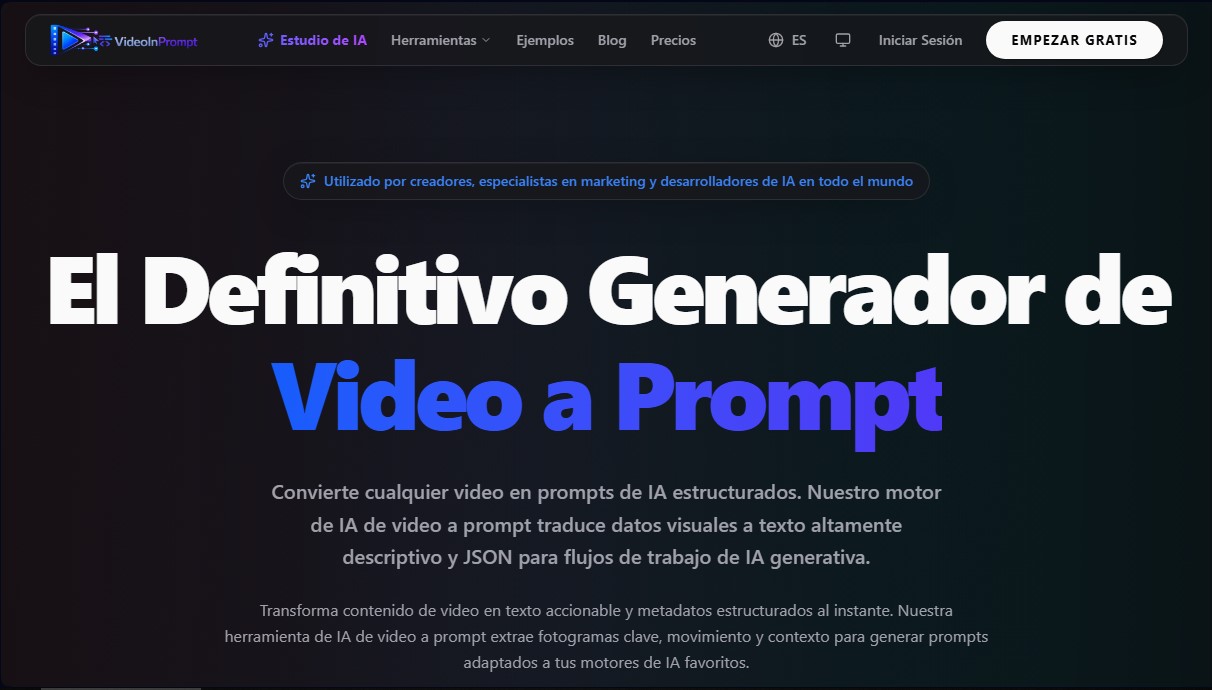
VideoInPrompt Screenshots
VideoInPrompt alternatives


Optimus by Iacon Autonomics
Autonomous researcher designing experiments and evaluating algorithms to train AI models. Automates improvement cycles for LLMs, robotics, and various complex systems.


Tradebreath
Tradebreath is a backtesting platform with tick-by-tick market replay and an AI agent that writes and tests trading strategies across 800+ symbols.


Confident AI
LLM evaluation platform to test AI workflows, measure quality metrics, and automate testing in the development cycle without relying on engineering.