Share
Build and deploy full-stack web apps and sites with AI prompts. Includes database management, authentication, hosting, and production-ready code.
What is Meku?
Meku is an advanced AI-powered full-stack web application development platform. Its primary function is to transform natural language descriptions or prompts into functional, production-ready digital products deployed to the web in a matter of minutes. This tool is geared toward developers, startup founders, and technical teams who need to accelerate the construction of MVPs, internal tools, dashboards, or full SaaS platforms without the traditional development lead times.
Meku's operation is based on an agentic AI and autonomous approach. Upon entering an idea, the system activates specialized agents that plan the software architecture, generate clean and structured code, and manage the project's complex logic. The process is iterative: after obtaining an initial functional version, the user can continue the conversation with the AI to refine styles, add features, or fix bugs directly from the chat. The environment offers real-time previews, allowing for the instant validation of changes on both desktops and mobile devices.
Technically, the tool stands out for its ability to integrate with professional workflows. It supports importing Figma frames to convert them into code, connecting with Supabase to manage databases, authentication, and storage, and full synchronization with GitHub (Push, Pull, and Sync). A key differentiator is that Meku guarantees full code ownership; users can export their projects to local files or external repositories, avoiding any type of platform lock-in.
Key capabilities and functional benefits include:
- Instant Deployment: Optimized hosting with automatic SSL certificates and one-click support for custom domains.
- True Full-Stack Development: Generation of applications that include frontend, backend, APIs, and edge functions, overcoming the limitations of static site builders.
- Modern User Interface: Professional, responsive designs included by default, fully customizable via text instructions without requiring design expertise.
- Collaborative Environment: Shared workspaces that facilitate real-time feedback and joint editing among team members.
By using this AI application generator, organizations can drastically reduce their time-to-market. Meku acts as a technological partner that understands technical requirements, providing a scalable, high-performance solution for creating intelligent web applications and production sites ready to scale.
Meku features and use cases
How to use Meku
Meku FAQ
What is Meku, and how does it help developers?
It is an AI platform that allows you to quickly build and deploy full-stack web applications using simple text prompts.
Can I connect a custom domain to my Meku project?
Yes, paid plans allow you to link your own domains with high-performance hosting and automatically configured SSL certificates.
Who owns the code created with the tool?
You maintain full ownership of every line of code generated and can export your projects to GitHub or download them as a ZIP file without any restrictions.
What integrations does Meku offer for app development?
The platform allows you to integrate powerful tools like Supabase for databases and authentication, along with GitHub for code synchronization and Figma for design.
How does the credit system work across the different plans?
Each plan allocates a monthly amount of credits to generate and refine applications, with specific daily limits for users on the Free and Starter plans.
Is it possible to create full-stack applications without knowing how to code?
Absolutely. Meku uses specialized AI agents to handle architecture, complex logic, and professional design without you ever needing to write code manually.
What is included in the Meku Free plan?
The Free plan allows you to manage up to three public projects, includes 100 monthly credits, and offers access to community templates so you can start building immediately.
How long does it take to deploy a website from the first prompt?
The tool generates a functional and visually appealing version of your application in less than a minute, allowing you to make real-time adjustments through the chat.
Meku pricing and plans
Free
$0 per month
- 100 credits per month (50 daily credit limit).
- 3 projects (always public).
- 1 workspace.
- Ability to invite team members.
- Access to community templates.
- Support for Figma imports, file attachments, and GitHub/Supabase connections.
- Community-only technical support.
Starter
$16 per month ($12/mo billed annually)
- 800 credits per month (200 daily credit limit).
- 20 active projects.
- Up to 5 private projects.
- 3 team workspaces.
- Up to 5 custom domains.
- Access to premium templates and project exports.
- GitHub connection (Push, Pull, Sync) and Supabase.
- Email support.
Pro
$25 per month ($19/mo billed annually)
- 2,000 credits per month (no daily limit).
- 50 active projects.
- Up to 20 private projects.
- 5 team workspaces.
- Invite up to 10 members.
- Up to 20 custom domains.
- Access to premium templates, project exports, and Figma imports.
- Full GitHub and Supabase connection.
- Email support.
Growth
$49 per month ($39/mo billed annually)
- 5,000 credits per month (no daily limit).
- 100 active projects.
- Up to 50 private projects.
- 10 team workspaces.
- Invite up to 25 members.
- Up to 50 custom domains.
- Access to all premium features, exports, and integrations (Figma, GitHub, Supabase).
- Email support.
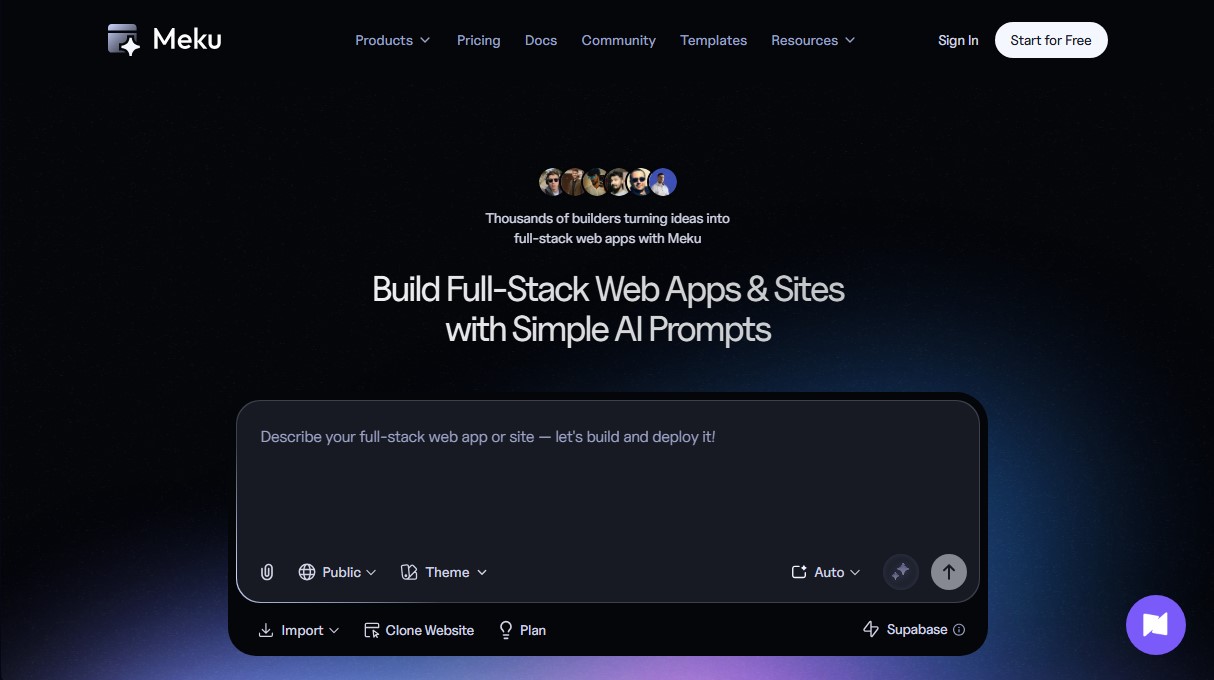
Meku Screenshots
Meku user reviews
Write a review
Checking your session...
Meku Reviews
Loading reviews...