Mnemosphere
Share
Mnemosphere
Side-by-side AI model comparison platform. Features mind maps, video analysis, prompt assistance, and response critique for advanced research.
General Information about Mnemosphere
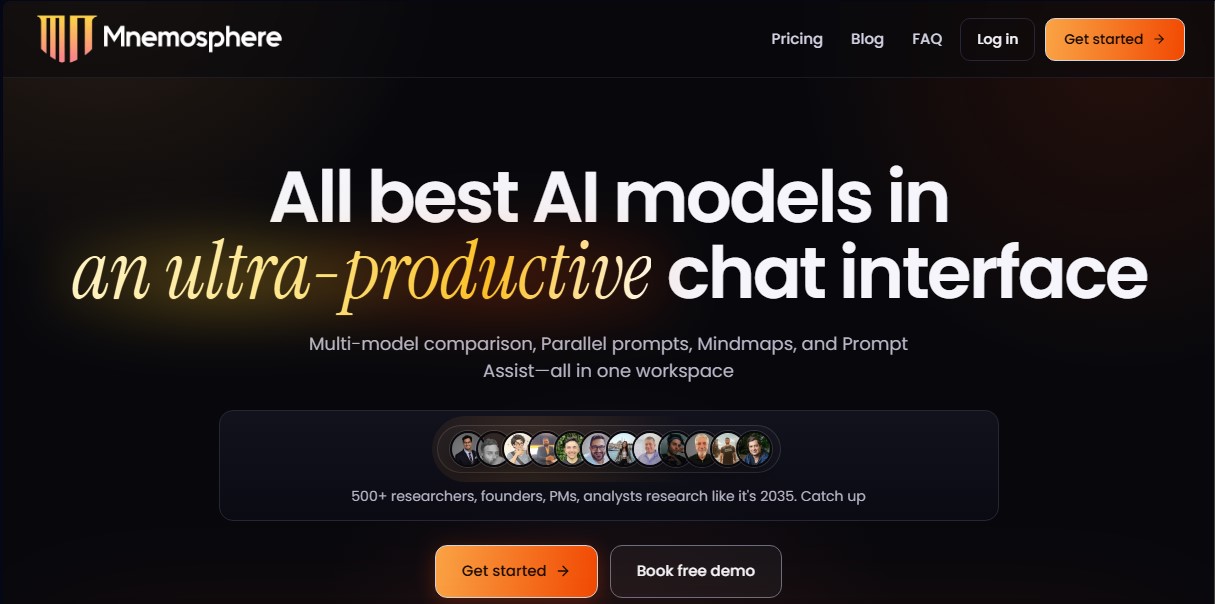
Mnemosphere is an advanced workspace designed to maximize productivity through a chat interface that unifies the most powerful artificial intelligence models on the market. Unlike conventional platforms that limit users to a single ecosystem, this tool provides access to cutting-edge models like GPT-5.5, o3, Claude 4.6 Sonnet, Opus 4.7, Gemini 3.1 Pro, DeepSeek V4 Pro, Grok 4.2, and Perplexity Sonar, all from a single professional environment. Its focus is geared toward technical profiles such as researchers, analysts, and product managers who require precision and critical thinking in their daily desktop workflows.
The core functionality of Mnemosphere lies in its multi-model streaming capability. The system allows you to execute parallel prompts, sending the same instruction to up to three different models simultaneously. This facilitates direct response comparison to identify nuances, biases, or errors in real-time. Additionally, the integrated models possess inter-model awareness, allowing you to ask one AI to analyze or critique the response generated by another, optimizing the quality of the final result through the 1-click Critique feature.
Key technical capabilities and practical tools include:
- Instant Mind Maps: Transforms complex text responses into interactive visual diagrams to better understand the connections between ideas.
- Video Intelligence: Enables interaction with YouTube content by pasting a URL to query transcripts, key moments, and comments.
- Prompt Assist: Provides integrated suggestions and high-performance phrases to improve input quality without needing deep knowledge of prompt engineering.
- Deep Multi-model Research: Executes exhaustive parallel searches using engines from OpenAI, Gemini, and Perplexity to obtain verified data.
- Lite Threads: Offers pop-up mini-chats for quick clarifications without interrupting or cluttering the main conversation thread.
The Mnemosphere environment is optimized for knowledge management. It includes an integrated highlighting and notes system to save specific snippets, along with a conversation index to quickly navigate through long threads. The tool supports uploading files in PDF, CSV, Excel, image, and code formats, allowing you to work with your own context securely. Regarding privacy, the platform guarantees that user data, uploads, and chats are never used to train models, ensuring the confidentiality of professional research. It is a comprehensive solution for those seeking an advanced alternative to standard interfaces, allowing users to switch between the best models from every lab depending on the task at hand.
Features and Use Cases of Mnemosphere
How Mnemosphere Works
Frequently Asked Questions about Mnemosphere
What exactly is Mnemosphere, and what value does it offer professionals?
It is an advanced workspace that centralizes the industry's leading AI models into a single interface designed to maximize productivity and deep-dive research.
Which AI models can I use within Mnemosphere?
The platform provides access to the most powerful models on the market, including GPT-5.5, Claude 4.7, Gemini 3.1 Pro, DeepSeek V4 Pro, Grok 4.2, and Perplexity Sonar.
Does Mnemosphere offer a free plan to test its features?
There is no permanent free tier, but you can enjoy a seven-day free trial on any of the available professional plans.
What sets Mnemosphere apart from using tools like ChatGPT or Claude directly?
The platform allows you to compare multiple models side-by-side, generate automated mind maps, critique AI responses, and analyze YouTube videos—all within a single window.
Are my data or conversations used to train the AI models?
No. Your messages, uploaded files, and research workflows are private and are never used to train any of the available models.
What types of files can I upload to the platform?
You can upload PDFs, CSVs, Excel spreadsheets, images, and code files, as well as process direct links to websites and YouTube videos.
Can I access up-to-date information from the internet through Mnemosphere?
Yes. The tool includes a web search feature that allows all models to access real-time data and provide responses with up-to-date citations.
How does the side-by-side model comparison feature work?
You can send the same prompt to three different models simultaneously to compare their responses side-by-side and choose the best option.
Mnemosphere Pricing
Pro Plan
25 $ per month (or 21 $ per month billed annually).
- Access to all leading models (GPT-5.5, Claude 4.6, Gemini 3.1, Grok 4.2, etc.).
- Multi-model chat and parallel prompt execution.
- Instant mind map generation.
- Text highlighter and integrated notes within the interface.
- Critique feature to improve AI responses.
- YouTube video analysis and intelligence.
- Limit of up to 200 messages per month.
- Includes a 7-day free trial.
Ultra Plan
39 $ per month (or 33 $ per month billed annually).
- Includes all Pro plan features.
- Multi-Model Deep Research.
- Pro-version mind maps.
- Lite Threads for quick queries without losing the main context.
- Personalized support.
- Priority access to experimental features.
- Limit of up to 1,000 messages per month.
- Includes a 7-day free trial.
Mnemosphere Screenshots