

Share
Generate cinematic videos from text and images with the Veo 3.1 model. Animate scenes and chain clips using your own Google AI Studio API key.
What is MovieMaker?
MovieMaker Gemini is an advanced AI video generation tool developed by Iacoletti Software. Its primary function is to transform text prompts and static images into high-quality cinematic clips. It utilizes the Google Veo 3.1 model, one of the most cutting-edge technologies in synthetic audiovisual content creation. This application is specifically designed for content creators, marketing professionals, and visual storytellers looking for a technical solution to animate scenes and produce dynamic video sequences directly from their computers.
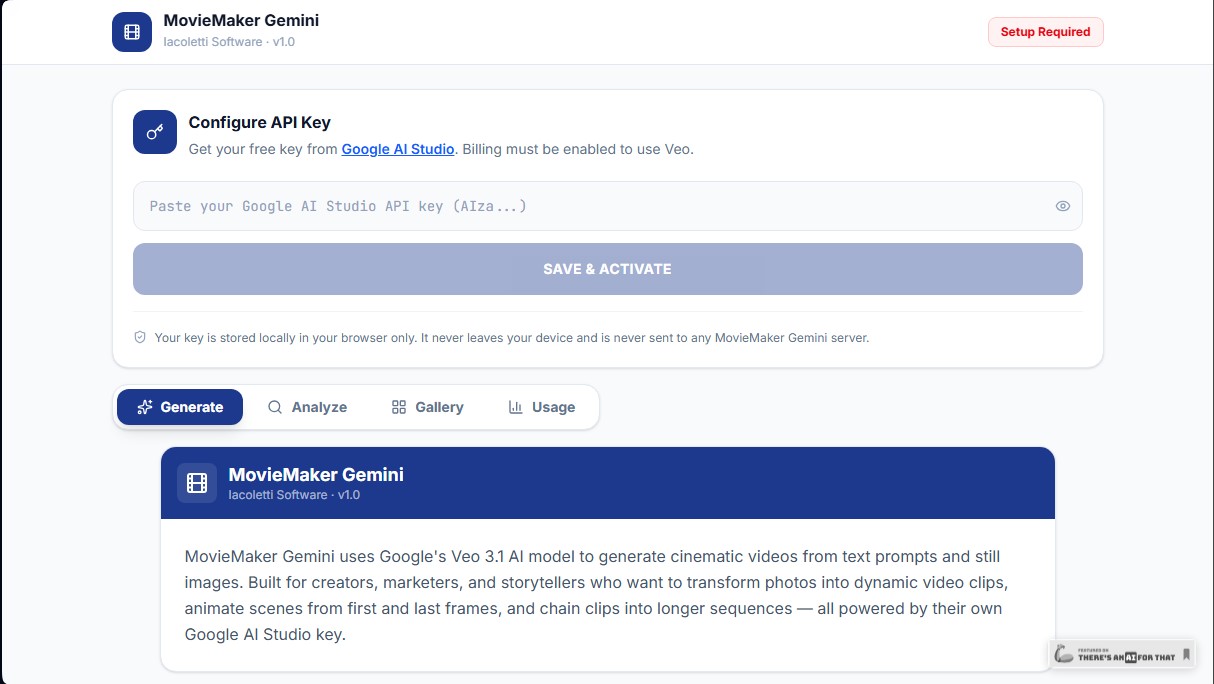
The operation of MovieMaker Gemini is based on a "Bring Your Own Key" (BYOK) architecture. To operate, the user must configure their own Google AI Studio API Key. The tool acts as a professional interface connecting the user's browser to Google's servers via a local proxy. This allows users to leverage the power of the Veo 3.1 model to generate videos from text descriptions, animate existing images, or perform complex transitions between a starting and ending frame, facilitating the chaining of clips to form long narrative sequences.
Key technical capabilities and functional benefits include:
- Cinematic video generation from detailed written instructions.
- Still image animation, transforming photographs into scenes with fluid and natural movement.
- Keyframe control to precisely define the beginning and end of an animated sequence.
- Local management interface with an integrated gallery to organize generated clips.
- Usage analytics panel to monitor activity and prompt history.
Security and privacy are fundamental pillars of this AI application. As a tool with no intermediary server, the API Key is stored exclusively in the browser's local storage and is never transmitted to Iacoletti Software's servers. Generation requests are made directly, ensuring that data, images, and resulting videos remain under the user's total control on their device. There is no external data retention, ensuring confidentiality for creative projects.
To get MovieMaker Gemini up and running, it is essential to have a Google AI Studio account and obtain an access key (starting with "AIza"). The user has absolute control over API consumption, with the ability to set monthly spending limits in their Google dashboard. Once the key is linked to the platform, all AI video creation features are activated, allowing for a professional, private workflow without intermediaries.
MovieMaker features and use cases
How to use MovieMaker
MovieMaker FAQ
What is MovieMaker Gemini and what is this tool used for?
It is an application that uses Google’s Veo 3.1 artificial intelligence to transform text and images into high-quality cinematic video clips.
Is the MovieMaker app free to use?
Yes, the tool is completely free and does not charge any fees or subscriptions; however, users must pay Google for the cost of the tokens consumed by their own API key.
How do I get the API key needed to activate MovieMaker Gemini?
You must sign up for Google AI Studio, create an API key that starts with the letters "AIza," and ensure your Google billing account has sufficient funds.
Where is my API key stored and who can see it in MovieMaker?
Your key is stored strictly locally within your browser's storage, meaning no one outside of your device has access to it or your data.
What happens to the videos I generate in MovieMaker if I switch computers?
Videos are saved to your current browser's local memory, so they will not automatically appear on another device unless you download them first.
What is the estimated cost for each video clip generated with MovieMaker Gemini?
Pricing depends on Google's rates, but a quick four-second clip costs approximately sixty cents, while a standard eight-second clip costs about three dollars and twenty cents.
How can I control my spending to avoid exceeding my budget in MovieMaker?
It is recommended to use the prepaid option in Google AI Studio or set a monthly spending limit in your billing dashboard so the key is deactivated once that amount is reached.
MovieMaker pricing and plans
Free Version
Price: 0 €
- Full access to all MovieMaker Gemini app features with no subscription fees or upfront costs.
- Cinematic video generation from text prompts or still images using the Veo 3.1 model.
- Tools for animating scenes (using first and last frames) and chaining clips into long sequences.
- Total privacy with local storage of API keys and videos in the user's browser.
- Restriction: The app only functions if the user configures their own Google AI Studio API key.
Subscription and API Usage (Google)
Price: From $19.99/mo + pay-as-you-go
- Gemini Pro Subscription: $19.99/mo (minimum tier required to unlock access to the Veo 3.1 video generation model).
- Quick clips (4 seconds): Approximately $0.60 per clip.
- Standard clips (8 seconds): Approximately $3.20 per clip.
- Prepaid balance: Google requires a minimum $5 top-up ($20 recommended for approximately 33 quick clips).
- Spending limit: Allows you to set a manual monthly cap in Google AI Studio to avoid unexpected charges.
MovieMaker Screenshots
MovieMaker alternatives



Osmo Studio
AI animation studio for professional motion graphics and videos. Control every detail, collaborate with teams, and export with transparent backgrounds.

Victoria Secret Runway
Create fashion show videos by integrating your face into real scenes. Just upload a photo to replace professional models and walk the runway.


VideoWeb Video Generator
Generate professional AI videos from text or images. Features realistic avatars, automated scripts, and optimized formats for marketing and social media.