

Share
Transform photos into high-quality AI videos. Animate images, control motion with text, and generate professional clips for social media and marketing.
What is Picmovi?
Picmovi is an advanced AI video generation platform designed to transform static images into high-quality dynamic clips. This AI photo to video tool allows content creators and businesses to animate photos while maintaining visual consistency and the identity of the original elements. Its primary function is to facilitate professional audiovisual production without the need for complex recording equipment, utilizing image to video AI technology to generate fluid movement from a single graphic file, whether from a computer or a mobile device.
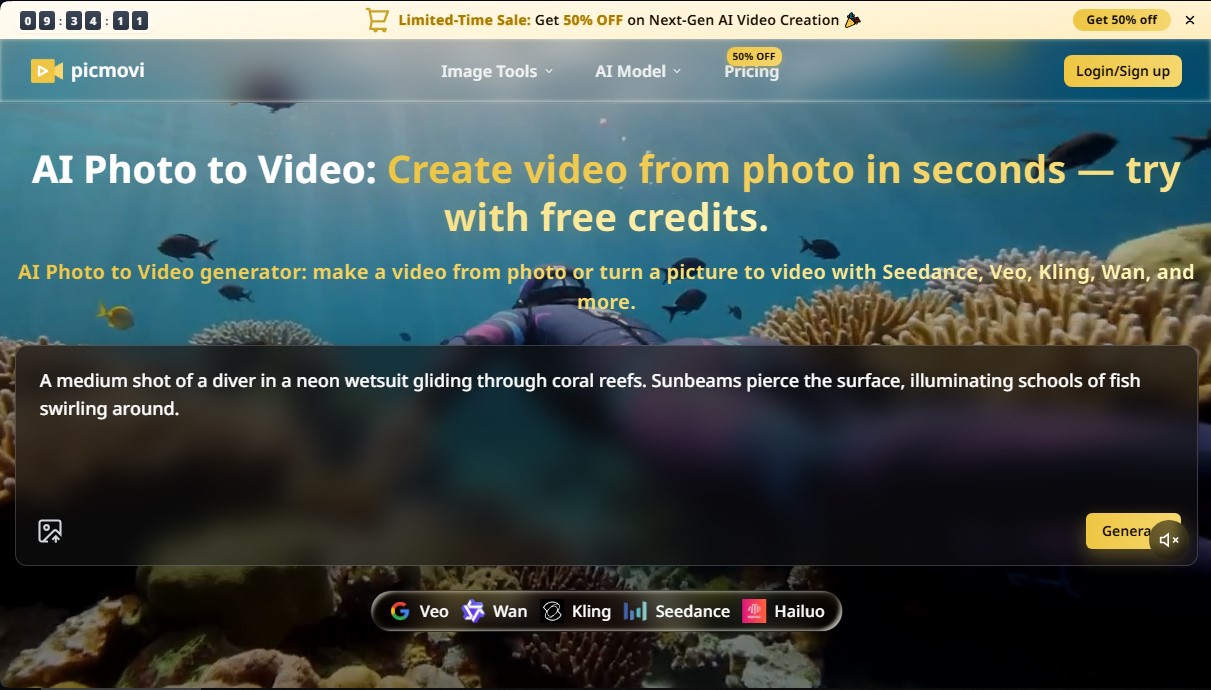
The operation of Picmovi is based on the integration of multiple cutting-edge visual generation models into a single workspace. Users can choose from leading engines such as Kling 2.5 Turbo, Seedance 2.5, Veo, Wan, or MiniMax H3, each optimized for different levels of realism, movement styles, or processing speeds. The workflow is straightforward: an image is uploaded, a descriptive prompt is added, and the AI interprets the instructions to bring the scene to life. Additionally, it incorporates complementary tools such as an AI image generator (based on Grok Imagine 2.0) and an image describer that helps convert images into precise text descriptions to improve results.
Key capabilities and practical benefits include:
- Motion control via prompts: Precisely describe camera movements (such as pans or zooms), character actions, and environmental effects using natural language.
- Visual consistency: Picmovi’s technology ensures that faces, products, and brand elements remain stable and distortion-free throughout the animation.
- High-resolution export: The system allows for generating clips in 720p, 1080p, and 4K resolutions, with durations ranging from 4 to 30 seconds depending on the selected model.
- Keyframe management: It offers the ability to define the first and last frames to ensure that transitions or video loops match the desired composition exactly.
- Social media formats: Generates content tailored to the aspect ratios of TikTok, Reels, and Shorts, making it ideal for rapid marketing strategies.
This tool is particularly useful for digital marketing professionals looking to turn product catalogs into engaging video ads and for YouTube creators who need to generate B-roll or supplemental footage affordably. By allowing users to convert image to video efficiently and at scale, Picmovi positions itself as a versatile solution for the e-commerce sector and creative content production, eliminating the technical barriers of traditional video editing.
Picmovi features and use cases
How to use Picmovi
Picmovi FAQ
What is Picmovi, and what can I create with this tool?
Picmovi is an AI platform designed to turn static photos into professional videos and generate high-resolution images using advanced models.
Can I use Picmovi for free before subscribing?
Yes, when you sign up, you receive complimentary credits to test the basic models and get a feel for the image animation features.
What AI models are available on the platform?
You have access to cutting-edge engines like Kling 2.5 Turbo, Seedance 2.5, MiniMax H3, and Grok Imagine 2.0 to achieve various styles and levels of realism.
Do videos generated on Picmovi include watermarks?
Users with paid plans or credit packs enjoy watermark-free downloads and access to resolutions up to 4K.
Can I use my creations for commercial purposes?
Yes, subscription plans include a commercial license that allows you to use the content in advertising, YouTube channels, and social media.
How long does it take Picmovi to generate a video from a photo?
The process usually takes anywhere from a few seconds to a couple of minutes, depending on the complexity of the selected model and the chosen resolution.
What payment options does Picmovi offer?
You can choose between monthly or discounted annual subscriptions, as well as one-time credit packs if you prefer not to have a recurring fee.
Can I control the camera movement in my videos?
Yes, using text prompts, you can describe camera movements, specific actions, and styles for the AI to apply to your image.
Picmovi pricing and plans
Starter Credits (Free Version)
Precio: 0 $ (Free upon signup).
- Initial credits to test entry-level models (such as Wan 2.2 Fast or Seedance 1.0 Pro).
- Resolution limited to 480p.
- Restricted access to advanced models (Seedance 2.5, Veo, Kling 2.5), which require a subscription or credit purchase.
Starter
Precio: 19,90 $ al mes (15,90 $/mes con facturación anual).
- 2 concurrent generations.
- 1 month of cloud storage.
- High-resolution video (720p to 4K).
- Video duration from 4 to 30 seconds.
- High-resolution images (2K and 4K).
- No watermark.
- Commercial license included.
- Ad-free experience and private generation.
Basic
Precio: 39,90 $ al mes (34,90 $/mes con facturación anual).
- 3 concurrent generations.
- 1 month of cloud storage.
- High-resolution video (720p to 4K).
- Video duration from 4 to 30 seconds.
- High-resolution images (2K and 4K).
- No watermark.
- Commercial license included.
- Ad-free experience and private generation.
Unlimited
Precio: 149,99 $ al mes (75,00 $/mes con facturación anual).
- 12.000 credits for SOTA (State-of-the-Art) models.
- 5 concurrent generations.
- 1 month of cloud storage.
- High-resolution video (720p to 4K).
- Video duration from 4 to 30 seconds.
- High-resolution images (2K and 4K).
- No watermark.
- Commercial license included.
- Ad-free experience and private generation.
Lite (One-time payment)
Precio: 9,90 $ (Pago único).
- 300 lifetime credits.
- Limit of up to 25 videos (on basic models) or 150 images.
- 2 concurrent generations.
- 1 day of cloud storage.
- High-resolution video (up to 1080p).
- Video duration from 4 to 15 seconds.
- High-resolution images (up to 2K).
- No watermark, ad-free, and private generation.
Basic Pack (One-time payment)
Precio: 29,90 $ (Pago único).
- 1150 lifetime credits.
- Limit of up to 95 videos or 575 images.
- 2 concurrent generations.
- 7 days of cloud storage.
- High-resolution video (720p to 4K).
- Video duration from 4 to 30 seconds.
- High-resolution images (2K and 4K).
- No watermark, ad-free, and private generation.
Pro Pack (One-time payment)
Precio: 89,90 $ (Pago único).
- 4000 lifetime credits.
- Limit of up to 333 videos or 2000 images.
- 2 concurrent generations.
- 7 days of cloud storage.
- High-resolution video (720p to 4K).
- Video duration from 4 to 30 seconds.
- High-resolution images (2K and 4K).
- No watermark, ad-free, and private generation.
Picmovi Screenshots
Picmovi alternatives



Osmo Studio
AI animation studio for professional motion graphics and videos. Control every detail, collaborate with teams, and export with transparent backgrounds.

Victoria Secret Runway
Create fashion show videos by integrating your face into real scenes. Just upload a photo to replace professional models and walk the runway.


VideoWeb Video Generator
Generate professional AI videos from text or images. Features realistic avatars, automated scripts, and optimized formats for marketing and social media.