
Share
Read text and PDFs aloud with lifelike neural voices. Free, no signup, real-time sentence highlighting, and MP3 downloads for offline listening.
What is ReadAloud?
ReadAloud is a browser-based text-to-speech (TTS) tool that converts any written content into high-fidelity audio using artificial intelligence. This application allows you to process web articles, PDF documents, DOCX files, EPUBs, and emails using state-of-the-art neural voices. Its primary goal is to make information consumption more practical by allowing users to listen instead of read, which helps reduce eye strain and optimize time during commutes or daily tasks.
The operation of Read Aloud Reader is straightforward and requires no registration, account creation, or bulky software downloads. Upon entering the virtual studio, users can paste text directly or upload files. The underlying technology utilizes OpenAI models to generate speech with natural prosody and pauses, moving away from the robotic tone of traditional voice synthesis systems. As a web app, it is fully compatible with any computer (Mac, Windows, Chromebook) and mobile device (iPhone, Android) through browsers like Safari or Chrome.
The core capabilities of this AI tool include:
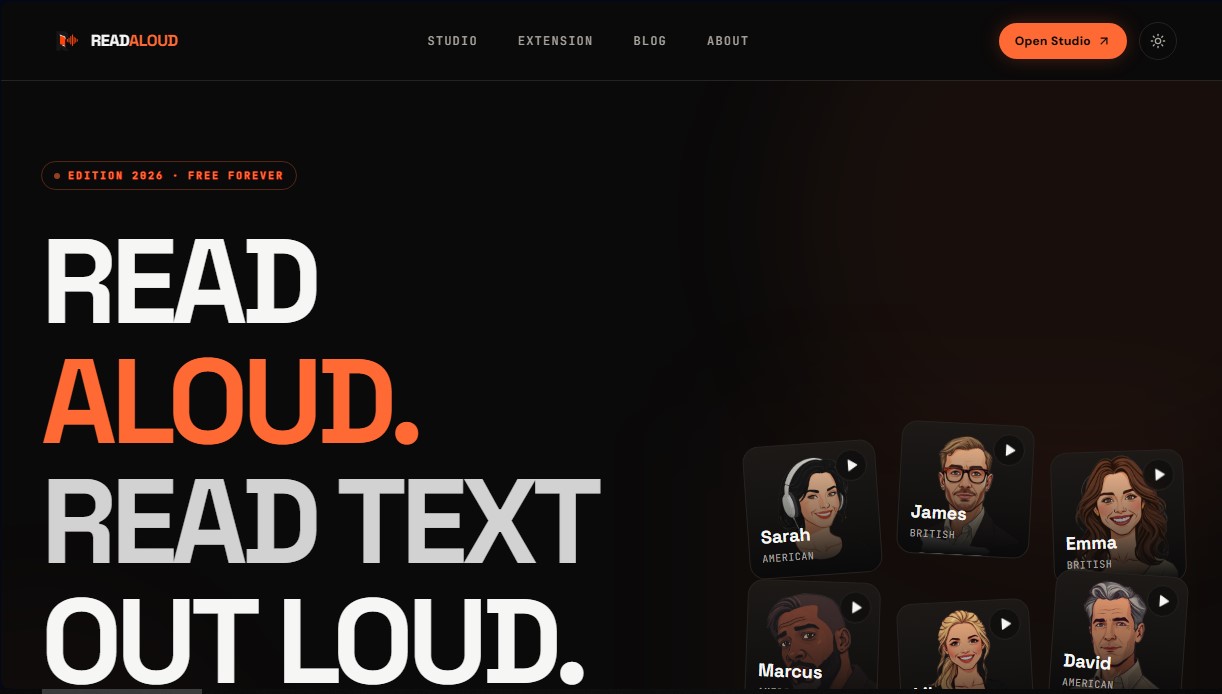
- Studio-quality premium voices: It offers six distinct voices with American, British, and Australian accents, allowing you to choose from warm, confident, or professional tones.
- Real-time sentence highlighting: The reader highlights each sentence as the audio plays, an essential feature for maintaining focus and improving comprehension.
- Adjustable speed control: This allows you to modify the narration speed from 0.5x to 2x, catering to both language learners and those who need to review documents quickly.
- MP3 Export: Users can download the generated audio to listen offline on any podcast player or device.
- Browser extension: Compatible with Chrome, Edge, Brave, and Opera, it allows you to read any webpage with a single click or via keyboard commands.
ReadAloud is particularly beneficial for various user profiles. Students and professionals can transform reports, research articles, and notes into audio files to review while exercising or traveling. For writers and editors, listening to their own work helps detect pacing errors, redundant phrases, or flow issues that often go unnoticed during visual reading.
Furthermore, it is a robust accessibility solution for individuals with dyslexia, ADHD, or low vision, as auditory reinforcement combined with visual highlighting facilitates information retention. In the context of language learning, it allows users to hear accurate native pronunciations of any selected text. The tool supports long-form text inputs and ensures that content is not stored, maintaining user privacy while providing a seamless and professional read-aloud experience.
ReadAloud features and use cases
How to use ReadAloud
ReadAloud FAQ
What is ReadAloud and what is it used for?
It is a free tool that converts any text into audio using natural AI voices so you can listen to it instead of reading it on a screen.
Is ReadAloud really free?
Yes, it offers a free plan that allows you to process up to 5,000 characters per day without needing to sign up or enter any payment information.
Can I use ReadAloud on my phone?
Yes, it works directly in the browser of any iPhone or Android device without having to install any additional apps.
Is it possible to read PDF files out loud with this reader?
Yes, you can upload PDF, DOCX, or EPUB files to the studio so the tool can extract the text and read it automatically with a natural voice.
Can I download the audio generated by ReadAloud as an MP3?
Yes, the platform allows you to export the converted text as an MP3 file so you can save it and listen offline on any player.
Do I need to create an account to use ReadAloud’s features?
No, you can paste your text, choose a voice, and start listening instantly without having to register or provide an email address.
What types of voices does ReadAloud offer for reading text?
There are six high-quality neural voices available with different accents and tones that sound very similar to a real person's narration.
Can I adjust the reading speed in ReadAloud?
Yes, the player allows you to adjust the speed from half-speed to double-speed to suit your learning or review needs.
ReadAloud pricing and plans
Free (Free Forever)
Price: 0 $ (no registration or credit card required).
• 6 to 8 high-quality neural voices with various accents (US, UK, Australia).
• Real-time sentence highlighting during playback.
• Adjustable reading speed from 0.5x to 2x.
• MP3 audio export.
• Compatible with PDF, DOCX, EPUB, and article URLs.
• Includes browser extensions for Chrome, Edge, Brave, Arc, and Opera.
• Limits: 5,000 characters per day and a maximum of 20,000 characters per month. Restricted to 1 MP3 download per week.
Pro
Price: Check the official website for exact pricing.
• Everything in the Free plan.
• Tailored for daily reading of long-form documents.
• Limits: Expanded capacity up to 200,000 characters per request.
ReadAloud Screenshots
ReadAloud alternatives
TextInMyVoice
Clone your voice with a short sample to turn text into natural voiceovers. Generate and download MP3s in your own tone for free, no registration required.
SpeakCrate
Open-source API for local, private speech synthesis. Generate multilingual audio on your own servers with OpenAI standard compatibility.

Vidverse AI
Vidverse AI brings several AI video, image and voice models into one web and mobile app, so you can turn text or photos into clips, images and voiceovers.


AI ReFounder
24/7 AI voice agent for online stores. Automatically handle calls, resolve inquiries, and close sales with seamless Shopify integration.