
Share
Centralize tasks, meetings, projects, and notes in an AI-powered workspace. Automate workflows, organize your calendar, and delegate work via intelligent agents.
What is Routine?
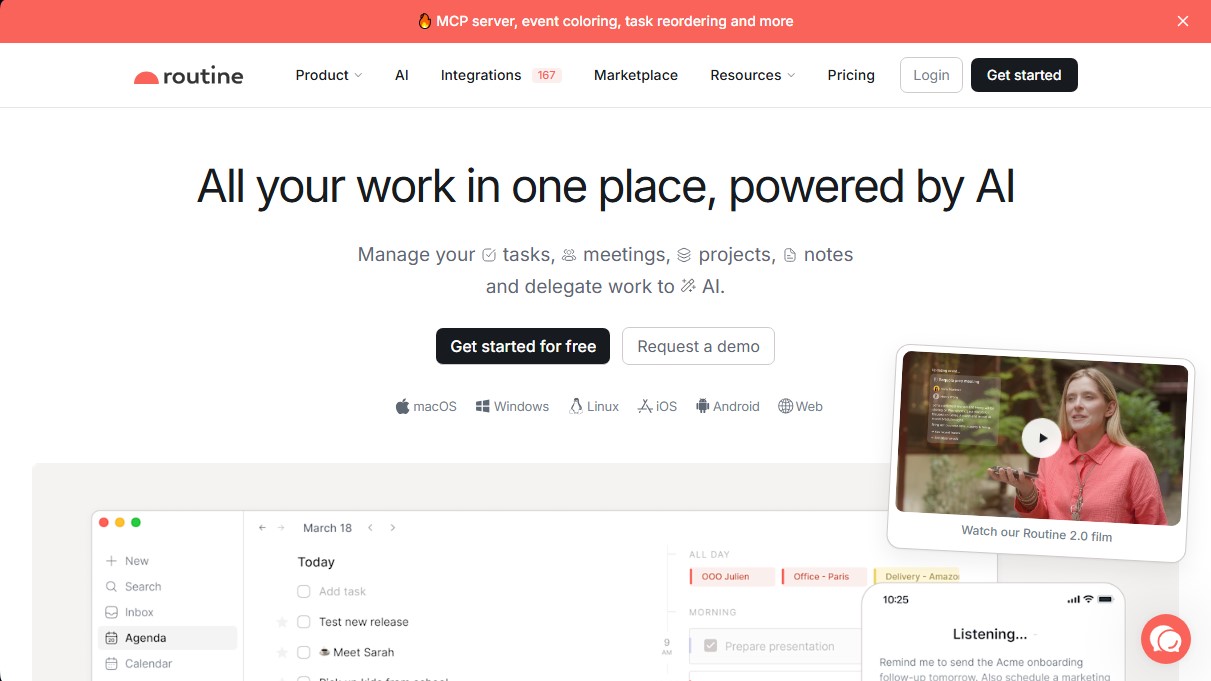
Routine is a comprehensive productivity platform designed to centralize the management of tasks, meetings, projects, and notes into a single workspace optimized by artificial intelligence. This tool functions as a personal and professional operating system that allows users to consolidate information from multiple sources, eliminating the need to constantly switch between different apps and services on their computer or mobile device.
The technological core of Routine relies on natural language processing (NLP) to facilitate rapid information capture. Through a universal capture console and an AI voice assistant, users can intuitively create tasks or reminders without interrupting their workflow. Additionally, the platform utilizes specialized AI agents to automate complex processes and routine tasks, allowing professionals to focus on strategic decision-making and high-value work.
Key functional capabilities and practical benefits include:
- Universal Inbox: Centralizes messages, notifications, and tasks from various third-party tools to prevent important information from falling through the cracks.
- Planner and Time Blocking: Facilitates calendar organization through time blocking, allowing users to assign specific time slots to tasks, events, and recurring projects.
- AI Meeting Notes: Automates the generation of summaries and action items during work sessions, optimizing documentation and the follow-up of agreements.
- Customizable Databases: Allows users to define specific entities based on their workflow—such as clients, candidates, bug reports, or marketing initiatives—serving as a single source of truth.
- Two-Way Synchronization: Integrates with external services like Google Calendar, Slack, Notion, Asana, and Linear, ensuring data is up-to-date across all connected systems.
Routine is especially useful for founders, freelancers, and teams at tech companies who require efficient AI task management and structured weekly planning. Its architecture allows for offline access and offers a highly customizable interface that adapts to both individual users and corporate structures requiring access control and collaborative workspaces.
The application is available for multiple platforms, including macOS, Windows, Linux, iOS, and Android, in addition to its web version. This ensures a seamless user experience and consistent workflow automation, regardless of the device used to manage the daily workload.
Routine features and use cases
How to use Routine
Routine FAQ
What is Routine and what exactly does it do?
It is a comprehensive productivity tool that centralizes tasks, calendars, notes, and projects in a single location using artificial intelligence.
Does Routine offer a free plan for individuals?
Yes, there is a free forever plan that includes basic features for task management, calendars, notes, and voice commands.
Which devices and operating systems are compatible with Routine?
The app is available for macOS, Windows, Linux, iOS, and Android, and can also be accessed via web browsers.
How does Routine’s AI assist with work meetings?
The tool can automatically generate meeting notes and create follow-up tasks to streamline your team's workflow.
Can I sync Routine with Google Calendar?
Yes, the platform offers full two-way integration with Google Calendar, allowing you to manage all your events and tasks from a single interface.
When will Routine's Microsoft Outlook integration be available?
Support for Outlook calendars is currently in active development and is expected to launch soon.
What is time blocking in Routine?
It is a feature that allows you to plan tasks by dragging them directly onto your calendar to reserve specific time slots and improve focus.
Does Routine support collaboration and teamwork?
Yes, it offers business plans that include shared workspaces, access controls, and automation tools for teams.
What are the benefits of Routine’s universal inbox?
It centralizes all your tasks, messages, and notifications from various apps in one place, helping you avoid distractions when switching between tools.
How does Routine ensure the security of my company’s data?
The platform provides advanced security features such as audit logs, regulatory compliance, and permission management in its professional plans.
Routine pricing and plans
Individual Plan (Free)
Free forever.
- Tasks, calendars, and notes.
- AI Assistant.
- AI voice commands.
- Offline mode.
- 3 integrations.
- 3 custom databases.
- 250 AI credit limit.
Personal Plan
8 $ per month (or 5 $ per month billed annually).
- Everything in the Free plan.
- Time blocking and time boxing.
- Event color-coding.
- Data export.
- Unlimited file uploads.
- 10 integrations.
- 10 custom databases.
- 500 AI credit limit.
Professional Plan
12 $ per month (or 10 $ per month billed annually).
- Everything in the Personal plan.
- AI meeting notes.
- AI agents and automations.
- Menu bar widget.
- Time tracking.
- Contextual capture.
- Unlimited integrations.
- Unlimited custom databases.
- 7,000 AI credit limit.
Business Plan (Teams)
18 $ per user per month (or 15 $ per user per month billed annually).
- Everything in the Professional plan.
- Organization tools and workspaces.
- Access control and versioning.
- Consolidated billing.
- Priority support.
- 10,000 AI credit limit per user.
Enterprise Plan
Custom pricing (contact sales).
- Everything in the Business plan.
- Unlimited history.
- Compliance features and audit logs.
- Advanced analytics.
- User provisioning.
- Dedicated Success Manager.
Routine Screenshots
Routine alternatives

localscreenshot
localscreenshot is a screenshot API and MCP server for AI agents, returning clean captures of any web page on phone or desktop from 227 countries.



Nuclr Commander
Workspace for running multiple AI agents in parallel with a file manager. Supports local or external models and remote mobile monitoring.