

Share
Workspace for running multiple AI agents in parallel with a file manager. Supports local or external models and remote mobile monitoring.
What is Nuclr Commander?
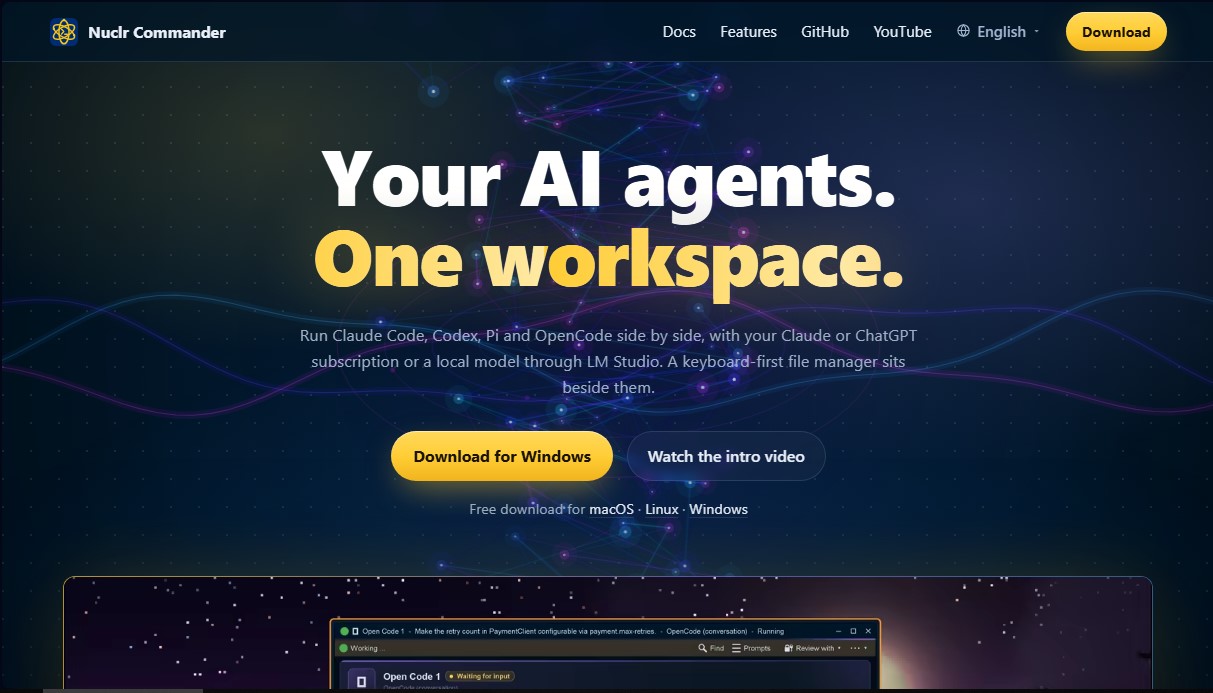
Nuclr Commander is a unified workspace designed for the simultaneous and organized execution and management of AI agents. This tool centralizes various advanced agents such as Claude Code, Codex, Pi, and OpenCode into a single workspace, enabling them to run in parallel under a unified interface. The software is compatible with active Claude and ChatGPT subscriptions and supports the integration of local models via LM Studio, providing significant technical flexibility for both cloud and local environments.
The application's architecture focuses on operational efficiency through a file manager optimized for keyboard-centric use. Each agent operates in its own independent window, allowing users to perform real-time monitoring of every step in the process: from reading files to executing commands and modifying source code. This total visibility ensures absolute control over the task, making it possible to halt execution or adjust instructions immediately if the workflow demands it.
One of its most disruptive features is the Team Lead, a specialized agent that analyzes complex tasks to propose and coordinate a team of sub-agents. This system breaks down the primary objective and assigns each team member the most suitable large language model based on the nature of the work (for instance, assigning more powerful models to critical tasks and lightweight models to secondary ones). The user maintains the authority to validate the team composition and the assigned models before data processing begins.
Nuclr Commander integrates practical features for professional workflows:
- Incognito Mode: Enables queries and tasks without storing conversation history locally on the computer. Data is deleted once the window is closed or the session is restarted.
- Nuclr Remote: A connectivity solution to track agent progress from a mobile device. It facilitates status monitoring, responding to agent queries, and approving critical steps remotely.
- Multitasking Management: The ability to organize agent windows in tiled or cascaded layouts, allowing different models to work synchronously on various parts of a project.
This tool is particularly valuable for developers and technical professionals looking to optimize task automation and orchestrate multiple LLMs without fragmenting their workflow. With compatibility across Windows, macOS, and Linux, and support for plugins via its own SDK, it stands as a versatile control station for the advanced management of autonomous agents in modern software development.
Nuclr Commander features and use cases
How to use Nuclr Commander
Nuclr Commander FAQ
What is Nuclr Commander?
It is a workspace designed to run and manage multiple AI agents simultaneously alongside an integrated file explorer.
Can I use my own subscriptions with Nuclr Commander?
Yes, you can connect your existing Claude or ChatGPT subscriptions so that agents can perform tasks using those models.
Is it possible to run AI models locally?
Yes, the tool supports local model integration through LM Studio, allowing you to work without relying on the cloud.
Which AI agents are available in Nuclr Commander?
The platform allows you to run agents such as Claude Code, Codex, Pi, and OpenCode individually or together in separate windows.
How does Incognito Mode work in the app?
Incognito Mode ensures that no trace of the conversation is saved once the window is closed, although your chosen model provider may still apply their own privacy terms.
What does the Nuclr Remote mobile feature allow you to do?
It allows you to pair your phone to track agent progress from anywhere, answer their questions, and approve their next steps.
What is the Nuclr Commander Team Lead feature?
It is an agent that analyzes complex tasks, proposes a team of specialized agents to solve them, and generates a detailed report once the work is complete.
Which operating systems is the tool compatible with?
Nuclr Commander is available as a free download for Windows, macOS, and Linux.
Do I need to know how to code to use the interface?
No. The tool includes a file manager optimized for keyboard use and allows you to give instructions to agents in natural language to perform tasks.
How is the agents' work monitored in real time?
Each agent has its own window where you can see exactly which files it is reading, what code it is executing, and what changes it is proposing at any given moment.
Nuclr Commander pricing and plans
Free Version
Price: Free (Download available for macOS, Linux, and Windows).
Unified workspace to run agents like Claude Code, Codex, Pi, and OpenCode simultaneously.
Integrated file manager optimized for keyboard use.
Real-time tracking of every step, read, and change made by agents in their respective windows.
Incognito mode that does not store conversation history locally when the window is closed.
Nuclr Remote to monitor, respond to, and authorize agent actions from your mobile phone.
"Team Lead" feature that breaks down complex tasks and suggests a team of agents with specific models for each job.
Support for installing and creating plugins via SDK.
Requirement: Requires the use of your own Claude or ChatGPT subscriptions, or a connection to local models via LM Studio.
To view other potential pricing plans or commercial licenses, please visit the official website.
Nuclr Commander Screenshots
Nuclr Commander alternatives





Agent-Native
Agent-Native is an open-source TypeScript framework for building AI agents with a proper UI, where the agent and the interface share actions, data and state.

rabbit OS3
Agentic OS that automates tasks and manages files, connecting your computers with AI models to run workflows using natural language.