
Share
Automate SMB financial management with AI. Manage invoices, bank reconciliation, and collections by integrating with your current accounting tools.
What is Sanso?
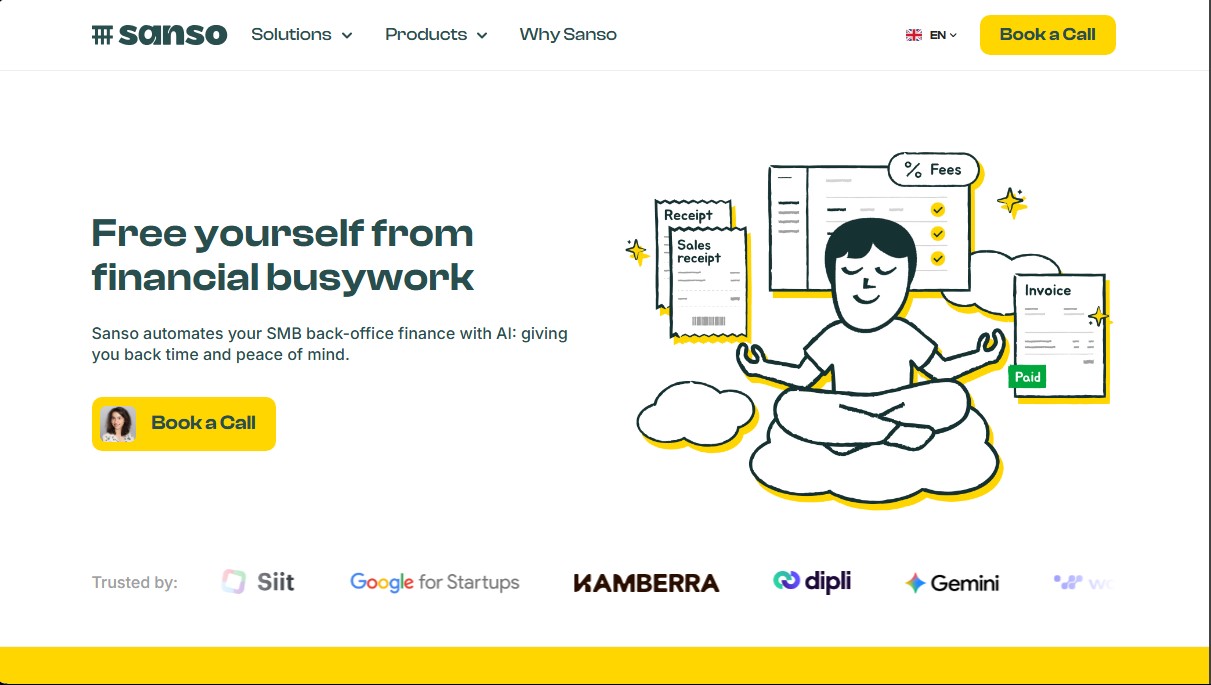
Sanso is a financial back-office automation solution specifically designed for small and medium-sized businesses looking to optimize their administrative processes through artificial intelligence. Unlike traditional accounting software that only records data, this tool acts as an intelligent layer that executes operational tasks, integrating directly into the user's existing workflow without the need to install new software or undergo complex training. It connects natively with common applications such as Gmail, Slack, WhatsApp, QuickBooks, Xero, Stripe, or Pennylane.
Sanso operates on a hybrid approach that combines the efficiency of AI for finance with human expert supervision, ensuring accuracy in the management of sensitive data. The tool processes information in real-time, allowing financial managers and business owners to delegate manual workloads and focus on strategic decision-making.
Among Sanso's core capabilities are:
- Automated invoice collection: The system locates and extracts invoices and receipts directly from email or web portals, centralizing documentation and eliminating manual file searches.
- Automated bank reconciliation: The platform instantly links bank transactions with their corresponding invoices, fees, and credits, eliminating manual data entry and keeping accounting up to date.
- Accounts receivable management: It performs exhaustive tracking of overdue invoices and triggers personalized intelligent reminders via email or WhatsApp, accelerating collections and significantly improving cash flow.
- External financial assistant: It offers comprehensive management of financial operations, functioning as an outsourced department that prepares data so that accountants or internal teams can work with clean, refined information.
From a functional standpoint, the main benefit of Sanso is the drastic reduction in time spent on bureaucracy, transforming processes that typically take several days a month into tasks that can be supervised in minutes. By automating invoice management and reconciliation, human errors and omissions that can lead to real financial costs are minimized. Additionally, the tool is fully GDPR compliant and uses end-to-end encryption, ensuring that financial data security is guaranteed at all times. It is an ideal solution for companies that already use accounting tools but need an execution layer to eliminate repetitive work and optimize business operational efficiency.
Sanso features and use cases
How to use Sanso
Sanso FAQ
What exactly is Sanso and how does it help my business?
It’s an intelligent layer that automates your business finances by connecting to your existing tools using artificial intelligence and expert support.
Does Sanso work with my current accounting software?
Yes, it integrates with tools like Pennylane, QuickBooks, Xero, and Sage to process data without the need for manual entry.
Do I need to install any new programs to use Sanso?
No, Sanso uses your existing channels like email and WhatsApp, eliminating the need to install software or undergo training.
How does Sanso guarantee the security and privacy of my data?
All data is end-to-end encrypted, and the platform strictly complies with GDPR to protect your privacy at all times.
How does Sanso automate the collection of vendor invoices?
The tool automatically extracts invoices from your emails or websites, so you don't have to search for or download them manually.
Can Sanso handle my business's bank reconciliation?
Yes, the platform automatically matches payments and deposits with their corresponding invoices and credits in real time.
How does Sanso help improve the collection of outstanding invoices?
It tracks due dates and sends smart, personalized reminders to ensure faster payments and improve cash flow.
How long does it take to set up and start seeing results with Sanso?
Initial setup is completed in just a few minutes, and the time-saving benefits are visible within the first week of use.
Sanso pricing and plans
Free Trial and Promotional Offers
Price: Free (limited-time offer).
- Temporary free or discounted access to specific subscription plans.
- Automatic conversion to a paid subscription at the end of the trial period unless canceled in advance.
- Specific duration and terms detailed at the time of signup.
Subscription Plans
Price: Visit the official website or request a custom quote.
- Invoice collection: Automated retrieval of invoices from emails or websites.
- Bank reconciliation: Instant matching of payments, invoices, fees, and credits without manual entry.
- Accounts receivable: Tracking overdue invoices and sending smart reminders via email or WhatsApp.
- External financial assistant: Full financial back-office management delegated to Sanso experts.
- Native integration: Seamless connection with existing tools like Pennylane, QuickBooks, Xero, Sage, Slack, and Stripe.
- Data security: End-to-end encryption and strict GDPR compliance.
Sanso Screenshots
Sanso user reviews
Write a review
Checking your session...
Sanso Reviews
Loading reviews...
Sanso alternatives


PropHours-Material Participation
Track rental tasks and material participation hours with AI. Attach evidence and generate reports to maximize tax deductions.

FactorialHR
AI platform centralizing HR, finance, and IT. Automate payroll, time tracking, and expenses to streamline management and boost your company's productivity.



Bank Statement Converter
Convert PDF bank statements and images to Excel or CSV. Securely edit transactions and validate balances against the original without sharing login credentials.