
Share
AI-powered study platform integrating flashcards, mind maps, and 3D memory palaces to streamline learning, boost retention, and optimize focus.
What is ScholarSail?
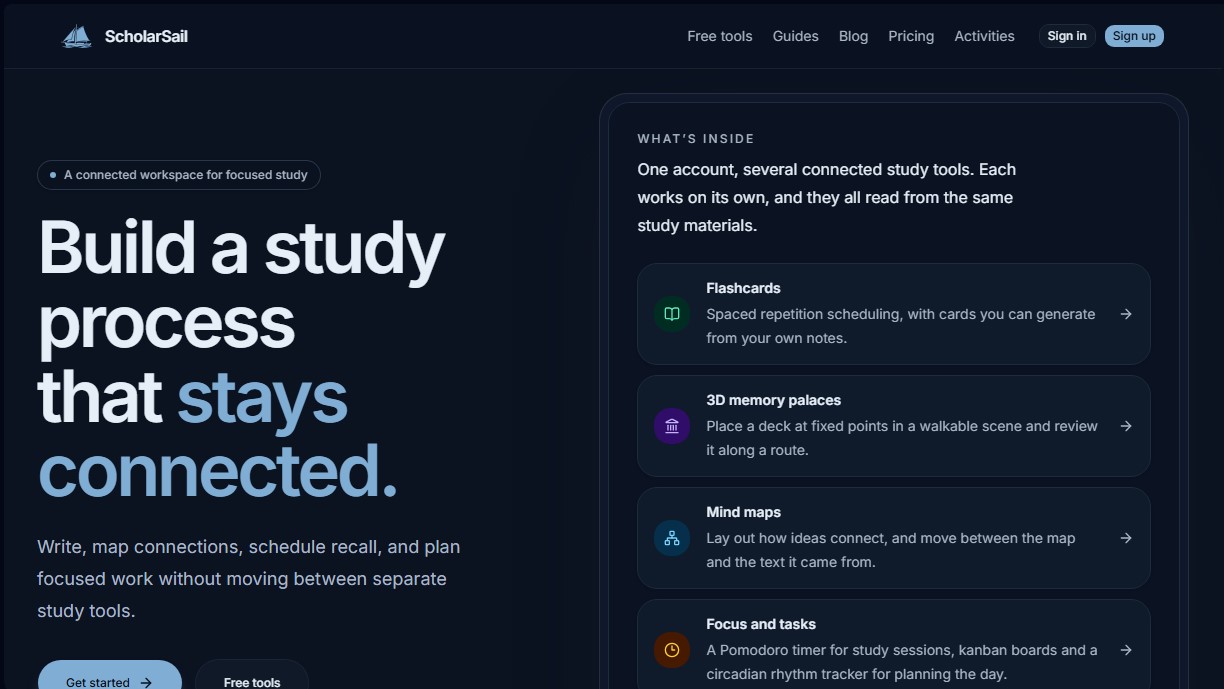
ScholarSail is a connected workspace designed to optimize the study process by integrating various tools into a single platform. This AI-powered app allows students and professionals to manage the entire learning cycle—from initial comprehension of a topic to long-term memorization—without the need to switch between different programs on their computer. Its primary function is to unify note-taking, the creation of visual connections, and focused work planning, providing a cohesive and structured study system.
The platform is organized around three fundamental pillars for effective learning:
- Memory and Review: It includes an AI flashcard generator that automatically transforms text into study cards. These are managed using spaced repetition algorithms. Additionally, it offers 3D memory palaces, where users can place decks within navigable virtual scenes to leverage spatial encoding.
- Knowledge Organization: It enables the creation of interactive mind maps and concept maps linked directly to text sources. The AI helps expand ideas and structure visual hierarchies seamlessly.
- Personalized Productivity: It integrates a Pomodoro timer with a colored noise generator, Kanban boards for academic task management, and a circadian rhythm tracker that suggests study times based on the user's chronotype.
ScholarSail’s technology uses artificial intelligence to facilitate the creation of review materials, allowing users to generate front-and-back and cloze deletion cards from their own notes. This active learning approach is complemented by visualization tools such as the forgetting curve calculator and schedule planners based on the Leitner system. The tool aims to help users transition from understanding to retention without losing the common thread of their original material.
To enhance the digital reading experience, it features the Read Flow extension, which applies bionic reading and visual guidance rules to web pages and PDF files. The ScholarSail ecosystem functions as a centralized environment where notes are converted into outlines, which in turn become scheduled review sessions. It is a comprehensive solution for those seeking a scientific study method supported by AI, eliminating the friction between information organization and the execution of daily tasks.
ScholarSail features and use cases
How to use ScholarSail
ScholarSail FAQ
What exactly is ScholarSail and what is it used for?
ScholarSail is a connected workspace that brings together study tools like flashcards, mind maps, and focused planning into a single platform.
Can I use ScholarSail's tools for free?
Yes, ScholarSail offers a variety of free tools, such as a Pomodoro timer and a mind map generator, which can be used at no cost.
Do I need to create an account to start using ScholarSail?
You don't have to create an account to try out individual tools in your browser, though signing up allows you to sync your progress across different devices.
How does the AI flashcard generator work?
The tool lets you create digital flashcards manually or generate them automatically from your own text using AI, designed for studying with spaced repetition.
What are ScholarSail’s 3D memory palaces?
ScholarSail’s memory palaces allow you to place flashcard decks within three-dimensional scenes so you can review them along a visual and spatial path.
Is my progress saved if I use the tools without an account?
If you don't have an account, your drafts are only saved in your current browser and will be lost if you clear your site data or switch devices.
What productivity features does ScholarSail offer to organize my studies?
It includes a Pomodoro timer with ambient noise, Kanban boards for task management, and a circadian rhythm tracker to help you optimize your peak energy hours.
ScholarSail pricing and plans
Free
0 $/month
Unlimited decks and cards.
30 AI credits per month.
Unlimited 3D memory palaces.
Pomodoro timer with session history.
CSV file import and export.
Color noise generator and binaural beats.
Export documents to Word.
Email review reminders.
Credit Packs
1 $ – 5 $ (one-time payment)
Intro Pack: 50 AI credits for 1 € (limited to one per account).
Standard Pack: 150 AI credits for 5 €.
Credits are valid for 12 months and are used once the plan’s monthly allowance is exhausted.
Premium
20 $/month
Includes all Free plan features.
1,000 AI credits per month.
Access to a higher-quality AI model for card generation.
ScholarSail Screenshots
ScholarSail alternatives




LongTerMemory
Optimize studying with AI, spaced repetition, and active recall. Turn notes and photos into automatic quizzes and personalized plans to ace exams fast.

Words on Repeat
Turn websites, PDFs, and videos into AI vocabulary flashcards. Includes translations, examples, and spaced repetition to memorize words quickly and effectively.