
Share
Optimize studying with AI, spaced repetition, and active recall. Turn notes and photos into automatic quizzes and personalized plans to ace exams fast.
What is LongTerMemory?
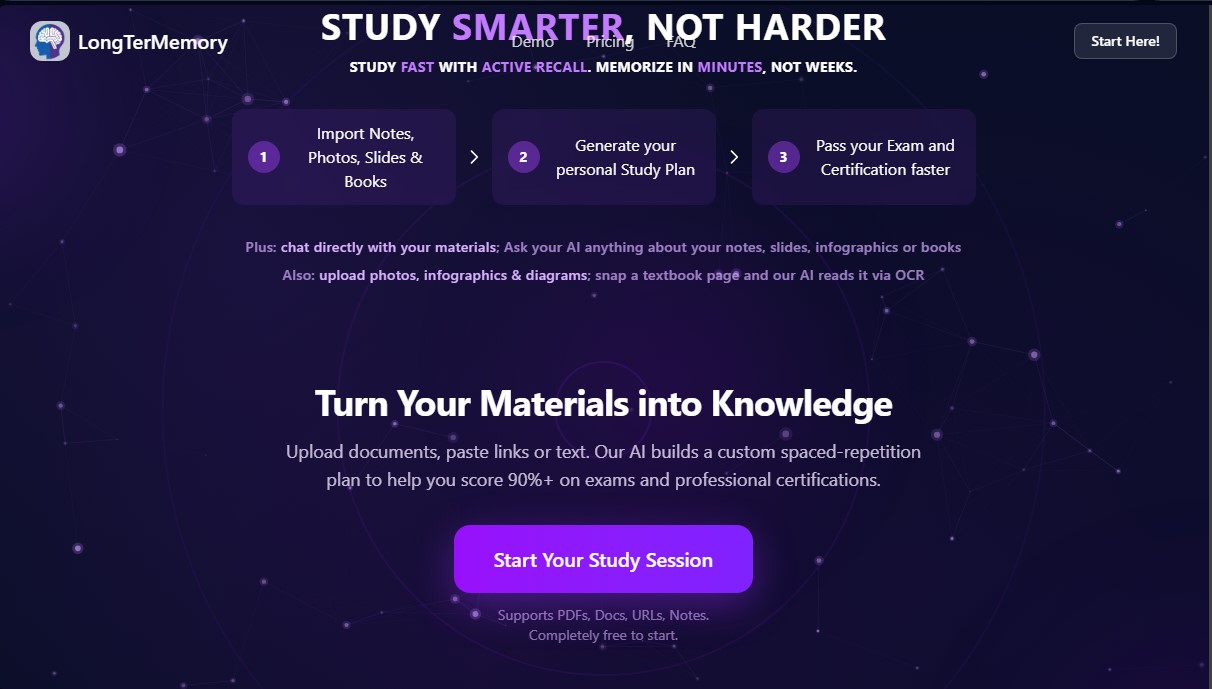
LongTerMemory is an advanced educational technology tool designed to optimize exam and professional certification preparation through the use of artificial intelligence. Its primary function is to transform static study materials into a dynamic learning system, allowing users to memorize complex information in much less time than traditional reading methods. This platform is geared toward university students, civil service candidates, and professionals in technical sectors such as IT, medicine, or law who need to manage large volumes of data.
The application's technological core employs Generative AI and Deep Learning to process various file types. Users can import personal notes, slides, PDF books, spreadsheets, or even URL links. Thanks to the use of OCR (Optical Character Recognition), the tool is capable of reading and analyzing photos of book pages, infographics, and complex diagrams. Through a RAG (Retrieval-Augmented Generation) approach, the AI analyzes the context of the documents to automatically generate personalized quizzes and study plans.
LongTerMemory is based on two scientific pillars of learning:
- Active Recall: The platform generates question-and-answer pairs that force the user to retrieve information from their memory—a technique much more effective than simple rereading for strengthening neural connections.
- Spaced Repetition: It uses an intelligent algorithm that schedules reviews at strategic intervals, ensuring that content is consolidated into long-term memory just before the user is likely to forget it.
Among its functional capabilities, the AI Chat stands out—a feature that allows users to interact directly with their study materials. You can ask any question about the uploaded documents, and the AI will respond based strictly on that information, acting as a personal tutor available at any time. Additionally, the system allows for the creation of specific projects for different subjects, facilitating a structured organization of knowledge.
Using LongTerMemory offers immediate practical benefits, such as a drastic reduction in preparation time and a significant increase in data retention, reaching rates of over 90%. Since it is accessible from both computers and mobile devices, it allows for quick study sessions anywhere. The tool eliminates the manual workload involved in creating summaries or flashcards, allowing the user to focus exclusively on learning and successfully passing their certifications.
LongTerMemory features and use cases
How to use LongTerMemory
LongTerMemory FAQ
What is LongTerMemory, and how does it help me prepare for my exams?
It is a platform that combines artificial intelligence with spaced repetition techniques to turn your study materials into interactive quizzes, making memorization fast and effective.
Is LongTerMemory a subscription service with recurring payments?
No. Access is based on a one-time payment model for your chosen period, ensuring there are no automatic renewals or unexpected charges on your credit card.
What file formats can I import to create my personalized study plan?
The tool supports PDF, Word, PowerPoint, and Excel documents, as well as JPG or PNG images using text recognition technology. It can also process content directly from web links.
Can I ask questions about my own notes directly within LongTerMemory?
Yes. There is a built-in chat where you can ask anything about your documents, and the AI will respond based exclusively on the information you have previously uploaded.
How does the spaced repetition method work within the platform?
The system analyzes your progress and automatically schedules review sessions at optimal intervals to ensure information is consolidated into your long-term memory just before you start to forget it.
How can I log into my account if I don't have a password?
You don't need to remember a password. We use a secure login system via your Google account or a "magic link" sent directly to your email, allowing you to sign in with a single click.
Can I try LongTerMemory’s features for free?
Yes. We offer a seven-day free trial that allows you to create a project and process documents to see how the system works—no payment information or commitment required.
How secure are my documents and personal data when using the tool?
Your data is protected by high-level encryption, and only you have access to the documents you upload. They are processed privately to generate your questions and answers.
LongTerMemory pricing and plans
Free - 7 days ($0)
Import notes, photos, slides, books, infographics, images, and diagrams.
Personalized study plan.
Spaced repetition and active recall program.
1 project limit.
Process up to 1 document (5 MB max).
Process up to 1 webpage (10,000 tokens max).
Chat with study materials (limited to 30 queries).
Basic - 4 months ($48) or 12 months ($84)
One-time payment with no subscriptions or auto-renewals.
Import notes, photos, slides, books, infographics, and images.
Personalized study plan and spaced repetition program.
Up to 3 projects limit.
Process up to 3 documents (max 49 MB each).
Process up to 5 webpages (max 100,000 tokens each).
Unlimited chat with study materials.
Pro - 4 months ($96) or 12 months ($120)
One-time payment with no subscriptions or recurring charges.
Import notes, photos, slides, books, infographics, and images.
Personalized study plan and spaced repetition program.
Up to 6 projects limit.
Process up to 50 documents (max 98 MB each).
Process up to 20 webpages (max 500,000 tokens each).
Unlimited chat with study materials.
LongTerMemory Screenshots
LongTerMemory user reviews
Write a review
Checking your session...
LongTerMemory Reviews
Loading reviews...
LongTerMemory alternatives



MakeLesson
Transform educational materials into interactive, auto-graded lessons. Includes student management, scheduling, and payments in an all-in-one platform for teachers.

ReferenceChecker.ai
Verify academic citations and DOIs against scientific databases. Detect errors or fake references and correct bibliographies in multiple professional formats.