
Share
Automate footage sorting and preparation. Includes multicam sync, chapter organization, and export to Adobe Premiere, Final Cut, and DaVinci Resolve.
What is Selects?
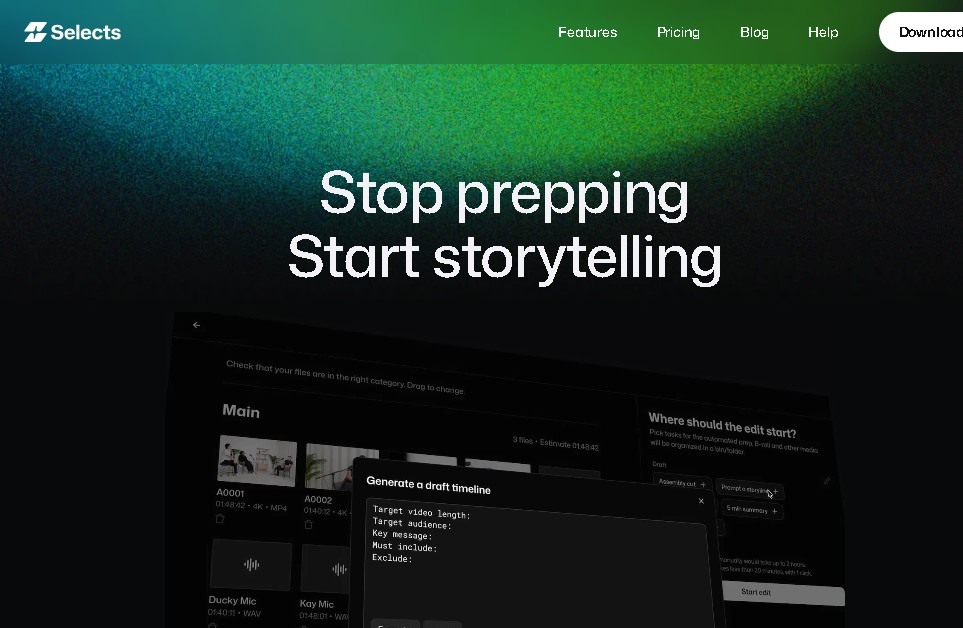
Selects (by Cutback) is an advanced AI-powered post-production automation solution specifically designed to optimize the workflow for content creators and professional studios. Its primary function is to eliminate the manual workload during the preparation phase, allowing for the efficient sorting, organizing, and reviewing of large volumes of raw footage. By automating these preliminary tasks, the tool drastically reduces the time spent before starting the creative edit, transforming hours of viewing and selection into just a few minutes of automatic processing on your computer.
Selects technology uses AI algorithms to analyze footage and implement smart chapter organization. The system automatically identifies thematic blocks within the video, facilitating a clear structure from the very beginning of the project. Additionally, it features a natural language search engine, which allows editors to instantly locate specific moments or quotes without having to manually scrub through the entire recording. This responsive capability is compatible with demanding formats, including 4K video and 360-degree recordings, ensuring professional performance for high-resolution projects.
Key functional capabilities and practical benefits include:
- Advanced multicam synchronization, essential for complex productions that require quickly aligning multiple camera angles.
- Generation of automated transcriptions, tags, and markers that facilitate precise asset management of audiovisual content.
- Optimized task differentiation for various formats such as podcasts, live streams, documentaries, events, and vlogs.
- Color coding and visual organization for intuitive navigation through processed material.
One of the most powerful aspects of Selects is its narrative-driven approach. The tool allows users to transform recorded material into preliminary edits with a well-defined story, facilitating the creation of a rough cut almost instantly. To ensure a professional and seamless workflow, it offers a smooth transition to the market's leading video editing software, allowing work to be exported directly to Adobe Premiere Pro, Final Cut, and DaVinci Resolve.
In collaborative environments, the platform enhances teamwork by making it easy to share transcriptions and export specific clips. Backed by use in renowned studios, Selects establishes itself as an effective project management tool that brings efficiency and order to modern video editing, allowing users to focus exclusively on the creative side of the process.
Selects features and use cases
How to use Selects
Selects FAQ
What exactly is Selects?
Selects is an AI-powered solution designed to automate the preparation and organization of raw video footage.
Which editing software is Selects compatible with?
The tool allows you to seamlessly export your projects to Adobe Premiere Pro, Final Cut Pro, and DaVinci Resolve.
How much does a Selects subscription cost?
The service costs $16 per month under a monthly billing model.
Does Selects support multi-cam recordings and 4K resolution?
Yes, it includes advanced features for multi-cam synchronization and is fully compatible with 4K and 360-degree video formats.
How does the smart chapter organization in Selects work?
The system automatically organizes recorded footage into color-coded thematic blocks to streamline the content review process.
Can I search for specific moments within my videos using Selects?
The tool supports natural language search, allowing you to instantly locate specific moments through transcripts and tags.
Can I edit the final video directly within the Selects interface?
No, the tool focuses on the preparation and organization of raw material, so it does not include a built-in video editor.
What types of projects can be managed with Selects?
The platform is suitable for various formats, including podcasts, live streams, documentaries, events, and vlogs.
Selects pricing and plans
Reference price: 20 USD / month. Source · Verified: October 19, 2026
Free: $0
- Full video editor with a multi-track timeline and export.
- Captions, transitions, effects, color, templates and motion graphics.
- Edit from ChatGPT or Claude.
- No credit card required.
Starter: $20/month ($16/month billed yearly)
- 3,600 credits a month: up to 10 hours of footage analysis, 175s of AI video, 130 images or 3.5 hours of voiceover.
- Every AI agent editing feature.
- Scene and speaker search, multicam sync and auto camera switching.
- Handoff to major editing tools.
Pro: $100/month ($80/month billed yearly)
- 14,400 credits a month: up to 40 hours of analysis, 710s of AI video, 530 images or 14.5 hours of voiceover.
- A Pro Max tier with 36,000 credits is also available.
Team: $1,000/month ($800/month billed yearly)
- 5+ seats, 72,000 shared credits, central billing and advanced data privacy.
Enterprise: custom limits, security and support.
Selects Screenshots
Selects alternatives

Audiomatic
Create royalty-free music and sound effects with AI. Automatically sync custom tracks with videos, ads, and games based on visual content or text.