
Share
Turn long videos and livestreams into viral social media clips. Add auto-captions, music, and use AI to frame speakers.
What is Cliphi?
Cliphi is an artificial intelligence tool specializing in social media video editing automation. Its primary function is to transform long-form content—such as podcasts, webinars, tutorials, or livestreams—into short, vertical clips optimized for platforms like YouTube Shorts, TikTok, and Instagram Reels. This solution is designed so that content creators, streamers, and social media managers can quickly generate viral material without the need for complex editing software on their computers.
The way Cliphi works is based on content analysis algorithms that automatically identify a video’s highlights. The AI scans audio and visual cues to detect key phrases, energy peaks, or topic shifts, assigning each fragment a virality score based on its engagement potential. Additionally, it integrates speaker tracking technology, which detects who is talking at any given moment to automatically keep their face centered in the vertical frame, even in recordings with multiple participants.
Among its most relevant functional capabilities are:
- Animated Captions: Automatic generation of word-for-word synchronized subtitles, with customization options for fonts, colors, and styles to reinforce visual identity.
- AI-Generated Music: Integration of instrumental soundtracks that adapt to the clip’s mood, including an intelligent ducking system that lowers the music volume when speech is detected.
- Real-Time Clipping: Allows for extracting fragments from livestreams on platforms like Twitch or Kick while the stream is still active.
- Reactions and Voiceovers: An integrated tool to record the user's image or voice over the generated clips, facilitating the creation of reaction content.
- Multi-Channel Management: The ability to directly publish or schedule videos on Facebook, Threads, X, and other social networks right from the interface.
Cliphi is compatible with a wide variety of sources, allowing users to import videos via direct links from YouTube, Google Drive, and Instagram, or by uploading local files from their mobile devices. The tool offers flexibility in output formats, supporting aspect ratios of 9:16, 1:1, and 16:9. As a browser-accessible platform with an Android app, it allows for efficient management of the entire AI clipping process, removing the technical barriers of manual editing and accelerating the pace of multi-format content publishing.
Cliphi features and use cases
How to use Cliphi
Cliphi FAQ
What is Cliphi and what is it used for?
Cliphi is an AI-powered tool designed to transform long-form videos, podcasts, and livestreams into short, viral clips optimized for TikTok, Reels, and YouTube Shorts.
How does Cliphi select the best moments from my videos?
The artificial intelligence analyzes the content, audio, and energy of the recording to identify segments with the highest potential for success, assigning a virality score to each clip.
Can I use links from platforms like YouTube or Twitch?
Yes, you can paste links directly from YouTube, Twitch, Kick, Instagram, TikTok, and other platforms, or upload your own video files from your computer or mobile device.
Does Cliphi include automatic captions in the generated clips?
Yes, the tool generates word-for-word animated captions synced to the audio, allowing you to customize fonts, colors, and positioning to match your brand.
Do I need editing skills to use the tool?
No, editing skills are not required. The AI automatically handles framing the speakers, adding background music, and applying transitions.
Can I publish videos directly to social media?
Yes, you can connect your social media accounts to post your clips instantly or schedule them for later directly from the dashboard.
What happens to my Cliphi credits if I don't use them?
The credits you purchase never expire, allowing you to use them at your own pace without worrying about losing them at the end of the month.
Do downloaded videos have a watermark?
No, clips processed with Cliphi are delivered clean and without watermarks, ready to be shared professionally on any platform.
Is there a Cliphi app for mobile devices?
Yes, there is an official Android app available on Google Play, and you can also use the web version through the browser on your iPhone or any other smartphone.
What video formats can the tool export?
You can generate and download your videos in 9:16 vertical format, 1:1 square format for Instagram feeds, or 16:9 widescreen for standard YouTube.
Cliphi pricing and plans
Explorer
Price: $4.99 per month.
- 1,200 monthly credits.
- AI-powered clip detection with virality scoring.
- Animated captions in 50+ languages.
- AI-generated background music and speaker face tracking.
- Vertical (9:16), square (1:1), and horizontal (16:9) formats with no watermarks.
- Direct social media publishing and scheduling (YouTube, TikTok, Instagram, etc.).
- Credits never expire.
Starter
Price: $9.99 per month.
- 2,500 monthly credits.
- Includes all platform features.
- "Supercuts" tools for automated highlight reels.
- ReShort and ReTok features to generate more clips from short-form videos.
- Record reactions and voiceovers over videos.
- Brand customization with your own logos, fonts, and templates.
- Cinematic transitions and custom canvas backgrounds.
Pro
Price: $29.99 per month.
- 8,500 monthly credits.
- Full access to all tools and advanced editing features on the platform.
Additional Credits (One-time purchase)
- 1,000 credits: $4.99.
- 4,000 credits: $19.99.
- 10,000 credits: $49.99.
- These credits can be added at any time and never expire.
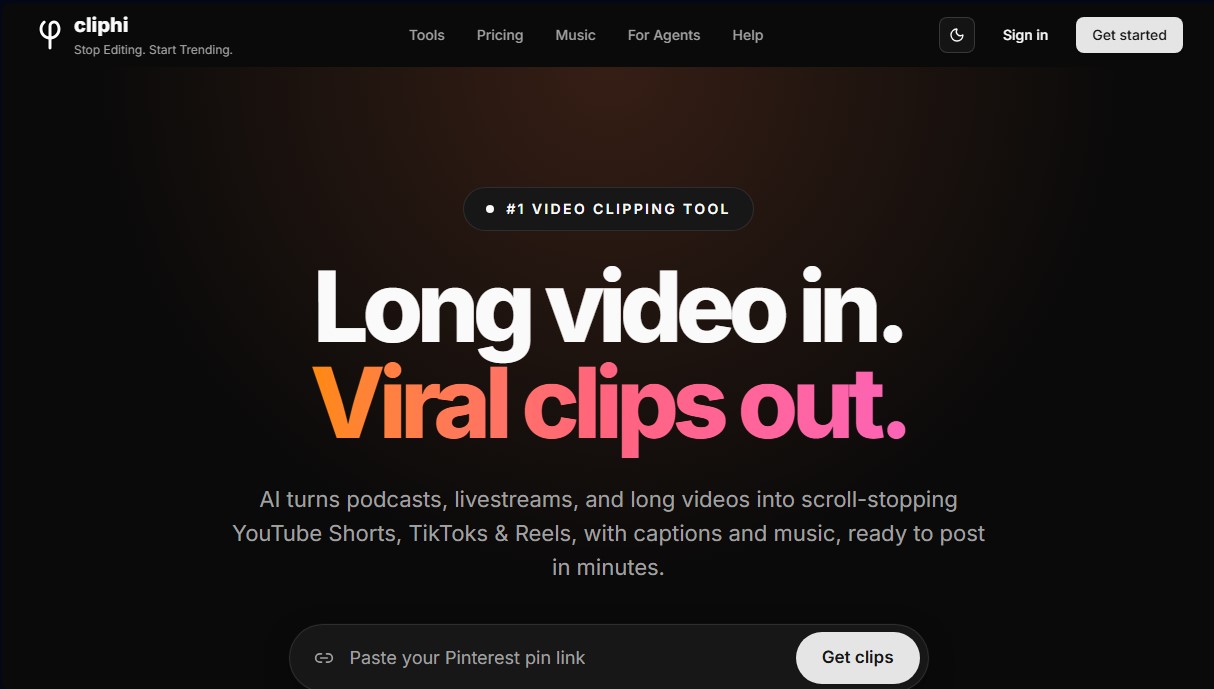
Cliphi Screenshots
Cliphi alternatives


OptimaClip
Turn long videos and podcasts into social clips. AI detects viral moments, adds captions, reframes, and schedules content automatically.

SocialClip Studio
Transform long videos into short social media clips. Use AI to generate captions, reframe footage, and select the best highlights.


ClipFinder IA
Turn YouTube and Twitch videos into short clips with AI. Detect the best moments, add captions, reframe to vertical, and publish directly to YouTube.