

Share
Transform long videos into short social media clips. Use AI to generate captions, reframe footage, and select the best highlights.
What is SocialClip Studio?
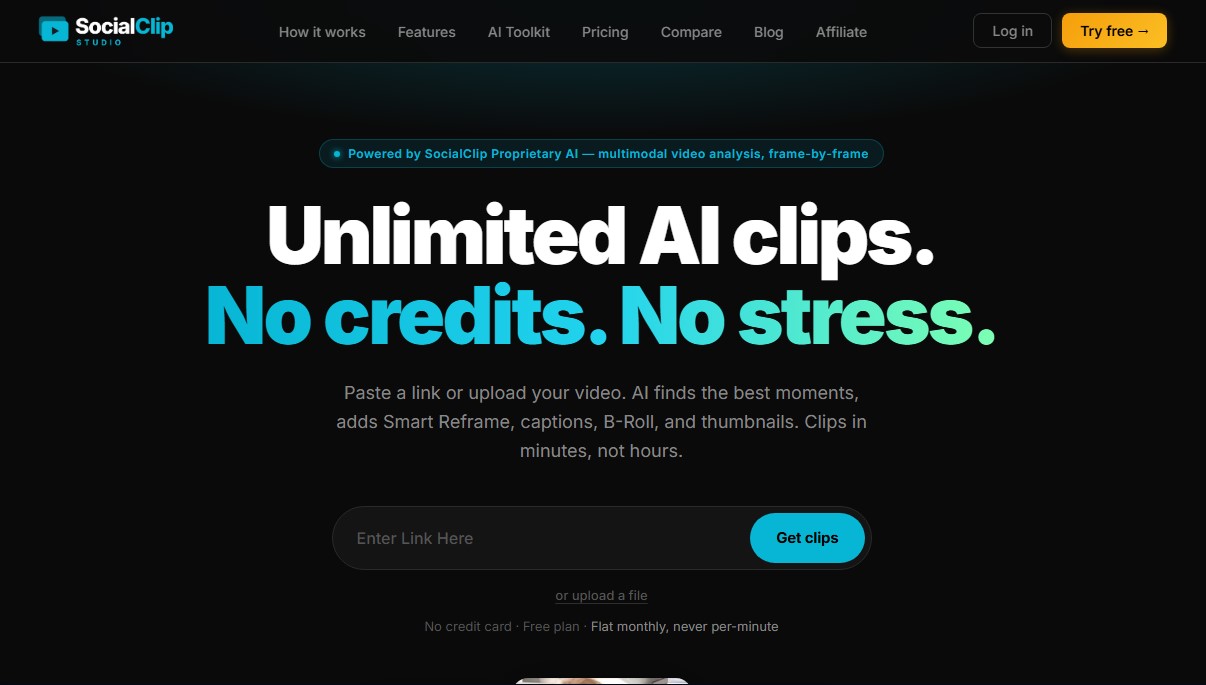
SocialClip Studio is an advanced AI video editing platform designed to transform long-form content into short clips optimized for social media. This tool allows creators, podcasters, and streamers to automatically extract the best highlights from videos on YouTube, Twitch, or Kick, as well as files uploaded directly from a computer. Its primary goal is to streamline the post-production workflow, eliminating the need to manually review hours of footage to find shareable snippets.
At the heart of the application is SocialClip Proprietary AI, a multimodal video analysis system that processes content frame by frame. Unlike other tools that only detect audio peaks, this AI analyzes facial expressions, scene changes, and visual hooks to identify segments with high viral potential. Additionally, it features an automatic transcription engine with word-level timestamps, supporting 99 languages, which ensures absolute precision in text synchronization.
Among its most notable functional capabilities are:
- Smart Reframe with Face Tracking: The AI automatically detects the speaker and adjusts the original framing to a stable 9:16 vertical format, keeping the subject centered without the need for manual editing.
- Animated and Dynamic Captions: It offers 18 professional caption styles with millisecond synchronization, enabling visual effects such as word-by-word highlighting (karaoke style).
- AI B-Roll Overlay: The system autonomously adds relevant stock footage to illustrate what is being said, improving audience retention.
- Smart Audio Cleaning: Automatically removes long silences and filler words (such as "um," "uh," or "you know"), resulting in much smoother and more professional speech.
- Customizable Calls to Action (CTA): Allows for the insertion of visual elements over the video to drive traffic to external links or encourage subscriptions.
Every clip generated by SocialClip Studio receives a virality score from 0 to 100. This metric is based on a detailed analysis of the initial hook, message clarity, pacing, and engagement potential. This allows users to make informed decisions about which videos to post on TikTok, Instagram Reels, or YouTube Shorts.
The tool also integrates a content scheduler that simplifies managing multiple social networks from a single dashboard, allowing users to post directly or schedule clips for peak traffic hours. With automatic thumbnail and metadata generation (titles and hashtags), users get an all-in-one solution for scaling their digital presence through AI-generated short-form videos.
SocialClip Studio features and use cases
How to use SocialClip Studio
SocialClip Studio FAQ
What exactly is SocialClip Studio, and how can it help me?
SocialClip Studio is an AI-powered tool designed to automatically turn long-form videos into short, viral clips ready for social media.
Do I need video editing skills to use SocialClip Studio?
No, the platform automates the entire process—from identifying the best highlights to reframing and generating captions.
How does SocialClip Studio’s unlimited credit subscription work?
Unlike other tools, we don't charge per minute of processed video. Instead, we offer fixed monthly plans that allow for unlimited clip generation in the Pro version.
Which languages can SocialClip Studio transcribe?
Our AI technology supports 99 different languages, including English, Spanish, French, German, and Japanese, with word-level accuracy.
Can I post my clips directly to social media from the platform?
Yes, you can schedule and publish your videos directly to TikTok, YouTube Shorts, Instagram Reels, and Facebook right from your dashboard.
What makes this tool’s smart reframing different from other editors?
We use advanced face detection to keep the speaker centered in the 9:16 vertical format at all times, preventing shaky movements or empty shots.
What kind of captions can I add to my videos?
You can choose from 18 fully customizable animated caption styles that are perfectly synced with your video’s audio.
Is there a free version to try out SocialClip Studio?
Yes, we offer a free plan that allows you to process up to three videos per month, letting you explore all the core features with no credit card required.
What is the AI B-Roll feature?
It’s a feature that automatically overlays relevant stock footage onto your video to maintain visual interest and boost audience retention.
How does the AI decide which moments are best for a clip?
The AI analyzes both visual and audio content to score each segment based on its viral potential, clarity, and engagement levels.
SocialClip Studio pricing and plans
Free
$0 per month
3 video limit per month.
AI title and hashtag generation.
Access to all 18 caption styles.
Smart Reframe with face tracking.
Watermarked downloads.
Restrictions: Does not include silence or filler word removal, publishing features, or analytics.
Starter
$14.95 per month
10 video limit per month.
No-watermark downloads.
1080p quality exports.
Access to all 18 caption styles and Smart Reframe.
Silence and filler word removal.
Auto-zoom and background music features.
Restrictions: Does not include B-roll, hooks, CTAs, direct publishing, or analytics.
Pro
$29.95 per month (Save 17% with annual billing)
Unlimited videos (no credits or per-minute charges).
Includes all Starter plan features.
AI B-roll generation.
Hook and Call to Action (CTA) overlays.
Progress bar, sound effects (SFX), and auto-emojis.
Audio cleanup and Brand Kit (logo, colors, and fonts).
Direct publishing and post scheduling for Instagram, Facebook, YouTube, X, and TikTok.
Access to analytics.
SocialClip Studio Screenshots
SocialClip Studio alternatives
OptimaClip
Turn long videos and podcasts into social clips. AI detects viral moments, adds captions, reframes, and schedules content automatically.
ClipFinder IA
Turn YouTube and Twitch videos into short clips with AI. Detect the best moments, add captions, reframe to vertical, and publish directly to YouTube.

Exemplary AI
Convert long videos into short clips, summaries, and blog posts. Includes transcription, subtitles in 120 languages, and silence removal to optimize social media content.
Vmaker Video Editor
Edit videos automatically with AI, add captions, and music. Create social media clips from long videos and generate professional content from text.