
Share
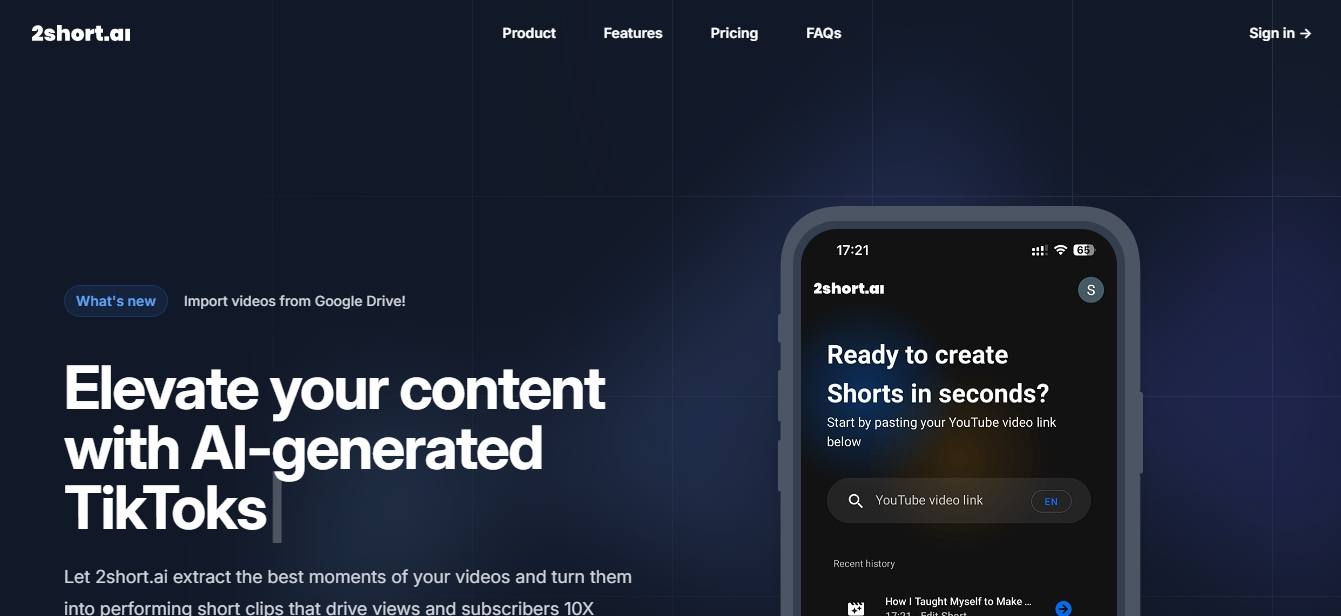
Turn long videos into short social media clips with AI. Extract highlights, add animated captions, and automatically reframe your content for every platform.
What is 2short.ai?
2short.ai is an artificial intelligence platform specializing in repurposing long-form video content into short clips optimized for social media. This tool allows content creators, podcasters, and agencies to automatically extract the best highlights from their videos to generate YouTube Shorts, Instagram Reels, or TikToks, accelerating channel growth and efficiently increasing audience reach from their desktop.
The workflow of 2short.ai is based on advanced AI video analysis algorithms that identify the most captivating parts of the original content. The process starts simply by pasting a YouTube link or importing files directly from Google Drive. The technology focuses specifically on videos featuring speech, such as podcasts, tutorials, product reviews, opinion videos, or motivational speeches. The system uses subtitles to understand the context and segment scenes with the highest potential for retention and virality.
Among the primary capabilities of this AI video tool, the following technical and practical features stand out:
Smart Face Tracking (Center Stage): The AI uses facial recognition technology to keep the speaker centered in the frame at all times, which is essential when converting horizontal videos to vertical formats.
Automatic Animated Captions: With a single click, you can add dynamic subtitles that improve watch time and make content easier to consume on mobile devices without sound.
High-Definition Exports: The system generates files in 1080p resolution without watermarks, ensuring a professional finish for any platform.
Versatile Aspect Ratios: It supports vertical, square, and horizontal formats, allowing for total adaptation to the requirements of each social network.
Advanced Editing Tools: Includes manual cropping and editing options that provide additional flexibility when the automated adjustment needs a specific human touch.
Custom Brand Settings: Makes it easy to insert logos and overlays to maintain brand visual identity across all exported clips.
This AI video editing solution is compatible with a wide variety of languages, including Spanish, and leverages auto-generated subtitles from video platforms to process information. By automating the detection of key segments and format adaptation, 2short.ai saves hours of manual post-production work, transforming any creator's distribution strategy quickly and easily. It is an ideal choice for those looking to maximize their digital presence by repurposing existing material with a professional approach.
2short.ai features and use cases
How to use 2short.ai
2short.ai FAQ
What is 2short.ai and what is it used for?
It is an AI platform designed to automatically transform long-form videos into engaging short clips optimized for social media.
What kind of videos can I process with 2short.ai?
The tool works best with spoken-word videos like podcasts, tutorials, or talks, as it uses the audio to detect the best highlights.
Does the system support the Spanish language?
Yes, the platform supports Spanish and a wide variety of other languages to make global content creation easier.
Do exported clips have watermarks?
No, all videos are exported in high definition without watermarks, so you can use them professionally on any channel.
How does 2short.ai's automatic face tracking work?
The AI detects the person speaking and keeps them centered in the frame to ensure they remain the focus in vertical formats.
Can I add captions to the videos?
Yes, you can include animated captions with a single click to easily increase watch time and boost audience engagement.
Is there a free version of 2short.ai?
Yes, we offer a free starter plan that allows you to analyze 30 minutes of video per month with access to all core features.
What aspect ratios does the tool support?
You can create clips in vertical, square, or horizontal formats to adapt your content for platforms like TikTok, Instagram, or YouTube.
Is it possible to import files from the cloud?
Yes, the app allows you to import videos directly from Google Drive or by using public links to streamline your workflow.
2short.ai pricing and plans
Starter
Free
30 minutes of AI video analysis per month.
View and export pre-generated short clips.
Full access to all features (face tracking, animated captions, 1080p exports without watermarks).
Lite
9,90 $ per month
Everything included in the Starter plan.
5 hours of AI video analysis per month.
60 minutes of fast server-side exports per month.
Import videos from Google Drive and public URLs.
Ad-free.
Pro
19,90 $ per month
Everything included in the Lite plan.
15 hours of AI video analysis per month.
Unlimited fast server-side exports.
Premium
49,90 $ per month
Everything included in the Pro plan.
50 hours of AI video analysis per month.
Priority support and early access to new beta features.
2short.ai Screenshots
2short.ai alternatives
OptimaClip
Turn long videos and podcasts into social clips. AI detects viral moments, adds captions, reframes, and schedules content automatically.

SocialClip Studio
Transform long videos into short social media clips. Use AI to generate captions, reframe footage, and select the best highlights.
ClipFinder IA
Turn YouTube and Twitch videos into short clips with AI. Detect the best moments, add captions, reframe to vertical, and publish directly to YouTube.
Exemplary AI
Convert long videos into short clips, summaries, and blog posts. Includes transcription, subtitles in 120 languages, and silence removal to optimize social media content.
Vmaker Video Editor
Edit videos automatically with AI, add captions, and music. Create social media clips from long videos and generate professional content from text.