
Share
Turn long videos and podcasts into social clips. AI detects viral moments, adds captions, reframes, and schedules content automatically.
What is OptimaClip?
OptimaClip is an advanced AI solution designed to transform long-form videos into short clips optimized for social media. This tool allows content creators, podcasters, and agencies to automate the content repurposing process, extracting snippets with high viral potential from podcasts, live streams, webinars, or YouTube videos. Its primary function is to simplify the editorial workflow, eliminating the need to manually review hours of footage on a computer.
The platform’s operation is based on an AI clipping agent that fully analyzes the original video, whether via a direct link or by uploading the file. OptimaClip’s technology uses natural language processing and visual analysis algorithms to identify hooks, punchlines, and key moments. The system assigns each fragment a virality score (from 0 to 100) and provides a detailed explanation of why that moment is relevant, facilitating data-driven decision-making.
Key technical and functional capabilities include:
- Smart Reframe: This intelligent reframing feature automatically adjusts the video to a 9:16 vertical format, tracking the main subject even as they move—perfect for interviews and gaming clips.
- Automated Captions: Generates transcripts and captions in over 21 languages, allowing for the customization of fonts and styles through brand templates.
- OptimaClip Studio: An integrated timeline editor that allows for fine-tuning and adding transitions, music, and sound effects. This editor can be controlled via chat commands to speed up the editing process.
- Multi-Platform Scheduling: Facilitates direct or scheduled posting to eight different platforms, including TikTok, Instagram Reels, YouTube Shorts, LinkedIn, and Threads, all from a single dashboard.
- Team Management: Offers specific workspaces for agencies, allowing for the organized separation of timelines and assets for different clients.
This tool is especially useful for Twitch or Kick streamers, who can convert a long VOD into daily mobile content in just a few minutes. By integrating moment detection, advanced editing, and social media distribution into a single video AI interface, OptimaClip eliminates the need to switch between multiple external applications. The platform ensures operational continuity through an automatic backup rendering system, guaranteeing that files finish processing without technical interruptions. Additionally, it provides API access for developers looking to integrate these features into more complex automated workflows.
OptimaClip features and use cases
How to use OptimaClip
OptimaClip FAQ
What is OptimaClip and what is it used for?
It is an AI platform that analyzes long-form videos and podcasts to automatically extract the best highlights in short, vertical formats.
Can I try OptimaClip for free?
Yes, there is a seven-day free trial that includes thirty credits and does not require a payment method to get started.
How does the tool determine which clips are the best?
The AI assigns a virality score to each clip based on content structure, visual hooks, and the relevance of the dialogue.
Which social media platforms support direct publishing?
You can schedule and publish your videos to eight platforms, including TikTok, Instagram Reels, YouTube Shorts, LinkedIn, and Threads.
What happens if I have leftover credits at the end of the month?
Unused credits roll over in your account and remain valid for sixty days before expiring.
Does OptimaClip allow me to customize the caption style?
Yes, you can create custom brand templates with your own colors, fonts, and logos to ensure all your clips maintain a consistent aesthetic.
What are the benefits of the OptimaClip Studio editor?
This advanced editor allows you to make precise adjustments using a timeline, add background music and transitions, and edit captions directly on the video.
How does the smart reframing system work?
The Smart Reframe feature detects the main subject in the original video and automatically adjusts the framing to keep them centered in the 9:16 vertical format.
OptimaClip pricing and plans
Free Trial
Price: $0
• 30 one-time credits.
• 7-day access.
• No credit card required.
Starter
Price: $19/mo (or $14.25/mo billed annually).
• 200 credits per month (60-day rollover).
• AI clipping agent and auto-captions.
• 1 brand template.
• Clip Planner AI tool.
• Direct upload and YouTube links.
• Manual export and download.
Creator
Price: $39/mo (or $29.25/mo billed annually).
• 500 credits per month (60-day rollover).
• Includes everything in the Starter plan.
• OptimaClip Studio: Chat-based timeline editor with music, transitions, and SFX.
• Multi-platform scheduling and publishing (including LinkedIn and Bluesky).
• VOD import from Twitch and Kick.
• Smart Reframe (AI dynamic framing).
• 3 brand templates.
• 2 team seats (user + 1 teammate).
• Developer API access.
Agency
Price: $79/mo (or $59.25/mo billed annually).
• 1,000 credits per month (60-day rollover).
• Includes everything in the Creator plan.
• Unlimited brand templates.
• 5 team seats and client workspaces.
• Full API access.
• Priority support.
• Timeframe Explorer for scanning specific moments.
Additional Credit Packs (Add-ons)
Price: Starting at $25
• Small Pack: 200 credits for $25.
• Medium Pack: 300 credits for $35.
• Large Pack: 500 credits for $55.
• Additional credits are valid for 60 days.
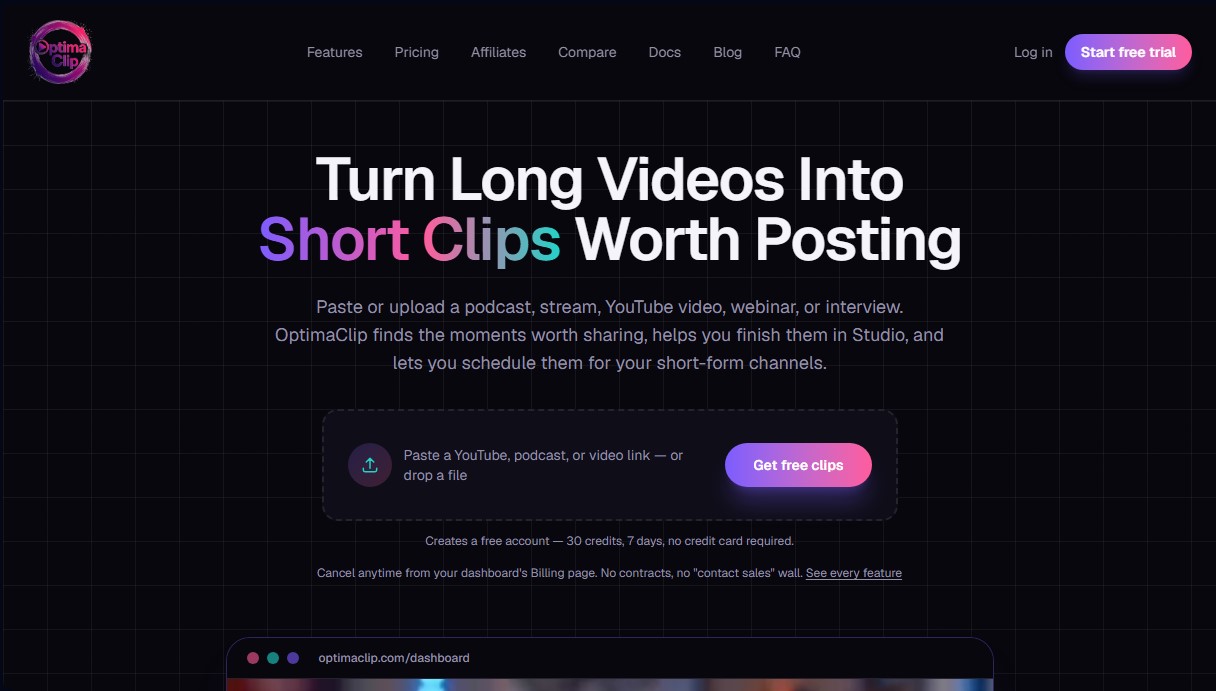
OptimaClip Screenshots
OptimaClip alternatives

SocialClip Studio
Transform long videos into short social media clips. Use AI to generate captions, reframe footage, and select the best highlights.
ClipFinder IA
Turn YouTube and Twitch videos into short clips with AI. Detect the best moments, add captions, reframe to vertical, and publish directly to YouTube.
Exemplary AI
Convert long videos into short clips, summaries, and blog posts. Includes transcription, subtitles in 120 languages, and silence removal to optimize social media content.
Vmaker Video Editor
Edit videos automatically with AI, add captions, and music. Create social media clips from long videos and generate professional content from text.