SelfManager AI
Share
SelfManager AI
AI-powered task and project manager that organizes work by date. Generates progress summaries, simplifies time tracking, and converts text into task lists.
General Information about SelfManager AI
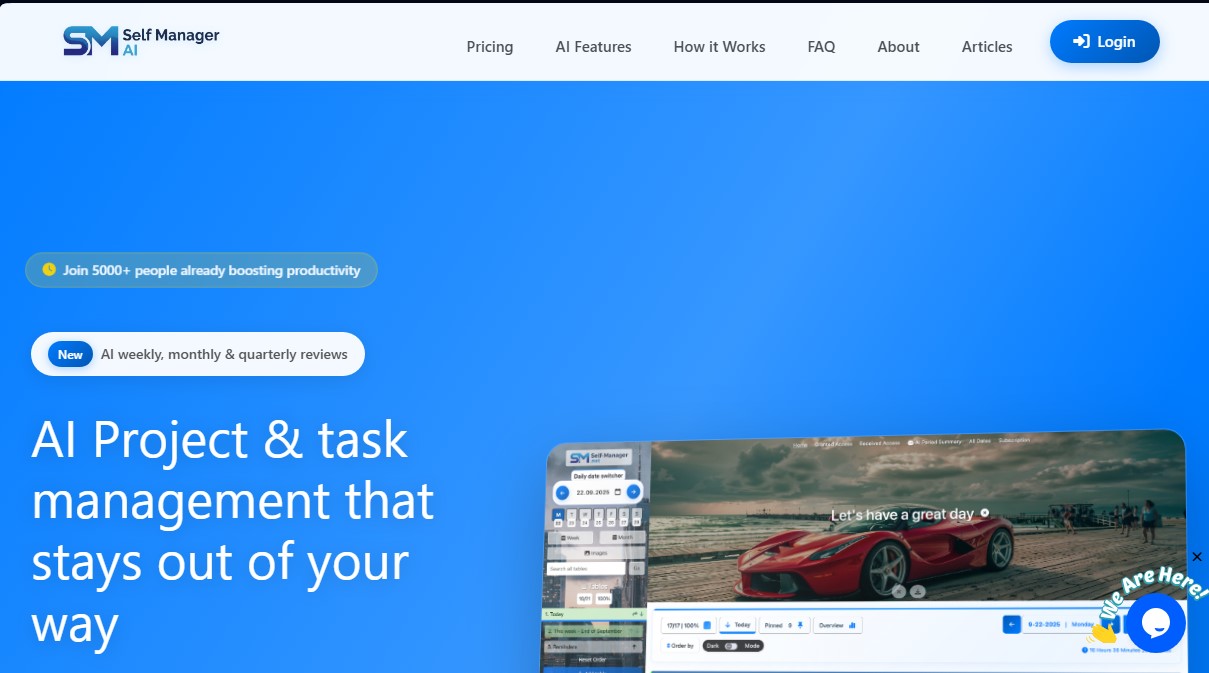
SelfManager AI is an AI-powered task management platform designed to centralize productivity for both personal and professional use. Unlike traditional tools based on folders or rigid boards, this app uses a date-centric approach. Each day functions as an independent workspace where you can create unlimited tables to organize task lists, notes, and files. It is an ideal solution for users looking for a smart project manager that eliminates structural complexity and allows them to focus on daily execution from their computer or mobile device.
SelfManager AI’s technology stands out for its ability to understand the context of user data. The tool integrates advanced language models to offer ten specific AI features, most notably the automatic generation of tasks from blocks of text, such as emails or meeting notes. Additionally, it includes two processing modes: Fast Mode for quick decisions and triage, and Thinking Mode for deep analysis, estimations, and complex project plans. This approach allows the AI to not only organize but also reason about workload and deadlines.
Key Capabilities and Functional Benefits:
- Periodic AI Summaries: Generate detailed narratives of what was accomplished during the week, month, or quarter with a single click, identifying what has been completed and what remains pending.
- Contextual Data Chat: Interact using natural language with any table or project to inquire about blockers, deadlines, or priorities.
- Integrated Time Tracking: Monitor the duration of each activity with a precise stopwatch to analyze real productivity by task and priority.
- Unlimited Collaboration: Facilitate teamwork by inviting unlimited collaborators to specific tables, where they can edit and comment in real-time.
- Multi-Device Syncing: Ensures that any change is updated instantly across all devices, guaranteeing an uninterrupted workflow.
The tool optimizes organization by allowing users to pin important tables for quick access and upload up to 100 high-quality images per table. Its minimalist interface aims for a zero learning curve, allowing any professional or team to start operating in less than a minute. By integrating productivity analytics and status reports, SelfManager AI helps visualize completion percentages and status breakdowns, ensuring goals are met efficiently. It is a robust alternative for those who need an AI productivity assistant to manage notes, comments, and files in an encrypted and secure environment.
Features and Use Cases of SelfManager AI
How SelfManager AI Works
Frequently Asked Questions about SelfManager AI
What exactly is SelfManager AI, and how is it different from other tools?
It is a productivity platform that organizes information by day rather than using folders or boards, combining task management, time tracking, and advanced artificial intelligence.
Can I try SelfManager AI for free before subscribing?
Yes, you have a seven-day free trial with access to all features, and no payment method is required to start using it.
How does the pricing for teams work in SelfManager AI?
The team plan features a flat monthly rate that allows you to invite an unlimited number of collaborators without paying extra for each new user who joins.
What AI features does the tool offer to improve my workflow?
It includes ten AI functions that allow you to automatically generate tasks from any text, chat with your data tables, and get detailed summaries of your weekly or monthly progress.
Do my team guests have to pay to collaborate on my projects?
No, only the administrator who signs up for the team plan pays, while invited collaborators can access all shared tools and tables for free.
Is it possible to use SelfManager AI on a smartphone or tablet?
The tool works perfectly in any modern browser and syncs in real-time across all your devices, reflecting any changes instantly.
What happens to my data and files if I upload images to the platform?
You can upload up to 100 images per table in their original quality without compression. Additionally, we use enterprise-level security to ensure your information is always protected.
Does SelfManager AI include a system to track the time I spend on each task?
Yes, the platform features a built-in timer and allows for manual time entry to generate productivity statistics based on priority and completion status.
What are AI credits, and how often do they renew?
Credits are what allow you to perform AI actions and they reset every week, providing 35 credits on the individual plan and 70 on the team plan.
How can I start using the tool right now?
Just go to the homepage and sign up quickly using your Google, Microsoft, Apple, or Twitter account to start organizing your tasks in less than a minute.
SelfManager AI Pricing
7-Day Free Trial
- Free access for one week to try out all features.
- No credit card required.
- Invite collaborators during the trial period.
Individual Plan
- Price: $8/month ($6/month billed annually at $72/year).
- Unlimited text storage for tables and data.
- Unlimited original-quality image storage (up to 100 images per table).
- Access to 10 AI features.
- 35 AI credit limit per week (resets weekly).
- Real-time sync across all devices.
- 24/7 email support.
Team Plan
- Price: $30/month ($25/month billed annually at $300/year).
- Includes all Individual plan features.
- Unlimited team members for a single flat fee (no per-user costs).
- 70 AI credit limit per week (resets weekly).
- Priority support.
SelfManager AI Screenshots