SemanticPDF
Share
SemanticPDF
Search PDFs using AI and semantic analysis. Find information by meaning and context without requiring exact matches.
General Information about SemanticPDF
SemanticPDF is an AI tool specializing in digital document management and analysis through semantic search. Unlike conventional search engines built into document readers, which are limited to finding exact keyword matches, this platform uses advanced AI models to understand the context and deep meaning of the text. This allows users to perform complex queries and get relevant results, even if the keywords used in the search do not appear literally within the file.
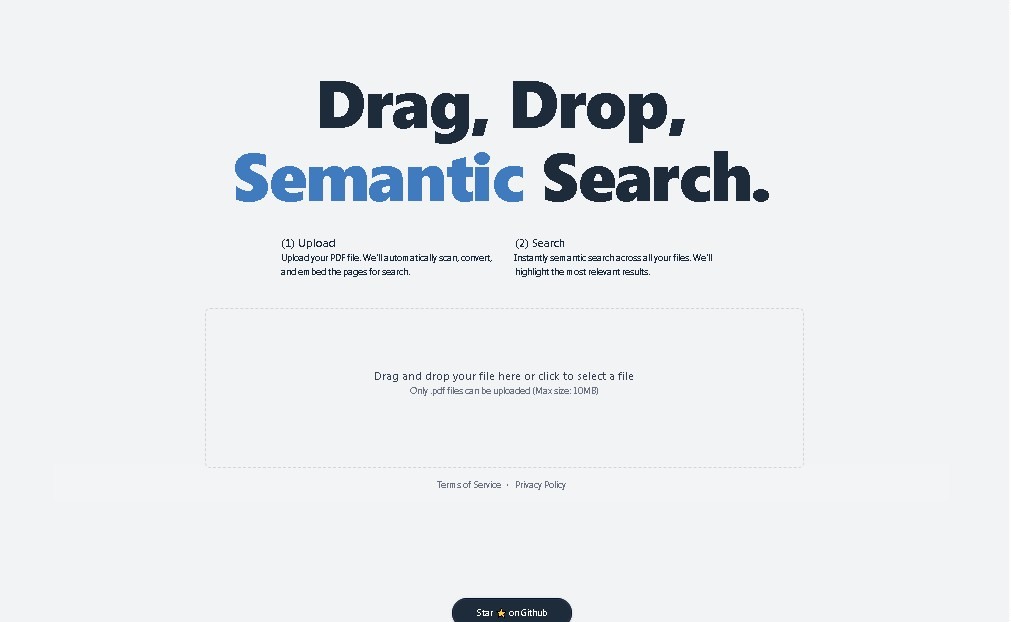
The operation of SemanticPDF is structured into a straightforward three-phase process designed to maximize efficiency on your computer. First, the user uploads the PDF file to the platform. Next, the system scans and converts the content to make it processable by its natural language processing algorithms. Finally, the user can run searches based on concepts or intent, and the tool automatically highlights the most relevant excerpts, facilitating intelligent navigation through the document.
This application is especially useful for professionals and academics who handle large volumes of technical or legal information. Its core capabilities and practical benefits include:
- Time optimization when reviewing long reports and complex technical manuals.
- Locating specific clauses or data in legal contracts without the need for an exhaustive linear reading.
- Efficient research in academic documents and theses, allowing for the automatic connection of related ideas and concepts.
- Extracting key information in work environments where speed in data retrieval is critical for decision-making.
By integrating AI for PDF technology, SemanticPDF removes the barriers of traditional keyword searches. If a user searches, for example, for terms related to "economic impact" in a financial report, the tool will be able to identify sections discussing consequences or derivative effects, even if they do not use the exact vocabulary of the query. This interpretive capability turns the platform into an advanced reading assistant that boosts productivity in any document workflow.
The tool is presented as a browser-accessible solution, allowing it to be used from any device without heavy installations. Its focus on contextual relevance positions it as a robust option for those seeking a smarter way to interact with their digital files, transforming static PDFs into dynamic and easily searchable knowledge repositories.
Features and Use Cases of SemanticPDF
How SemanticPDF Works
Frequently Asked Questions about SemanticPDF
What is SemanticPDF and what is it used for?
SemanticPDF is an AI-powered tool that enables semantic searches within PDF files to find information based on the meaning and context of the text.
How does a SemanticPDF search differ from a traditional search?
Unlike keyword-based searches, this technology understands the intent behind your query and locates relevant results even if you don't use the exact terms found in the document.
How can I start using SemanticPDF to analyze my documents?
Simply upload your PDF file to the platform, wait for the system to process the content, and type your question into the search bar to get highlighted results.
How much does it cost to use SemanticPDF?
There are currently no public pricing plans listed on the website, suggesting that the tool offers free access for basic features or limited searches.
What types of files can I process with SemanticPDF?
You can upload any document in PDF format. It is particularly useful for quickly reviewing lengthy reports, academic papers, technical manuals, or legal contracts.
Do I need to read the entire document to find information with SemanticPDF?
No, it isn't necessary. The tool directly locates and extracts the most relevant sections related to your search, saving you significant reading time.
Do I need to install any software to use SemanticPDF?
No installation is required. The tool is accessible directly through your web browser, where you can drag and drop your files for instant analysis.
How does SemanticPDF help with researching long documents?
The tool facilitates the extraction of key information without having to review the file page by page, identifying the most pertinent excerpts based on the context of your research.
SemanticPDF Pricing
Free Version: Free
- Intelligent semantic search that understands context and meaning beyond simple keywords.
- PDF scanning and conversion tool for AI-driven analysis.
- Visualization of relevant results highlighted directly within the document.
- Capability to process reports, manuals, contracts, and academic documents.
Premium Plans: Visit official website
- Detailed public information regarding paid plans or additional subscription tiers is not available.
- We recommend checking the official website for details on usage quotas, file size limits, or advanced features available after user registration.
SemanticPDF Screenshots