Shogo AI
Share
Shogo AI
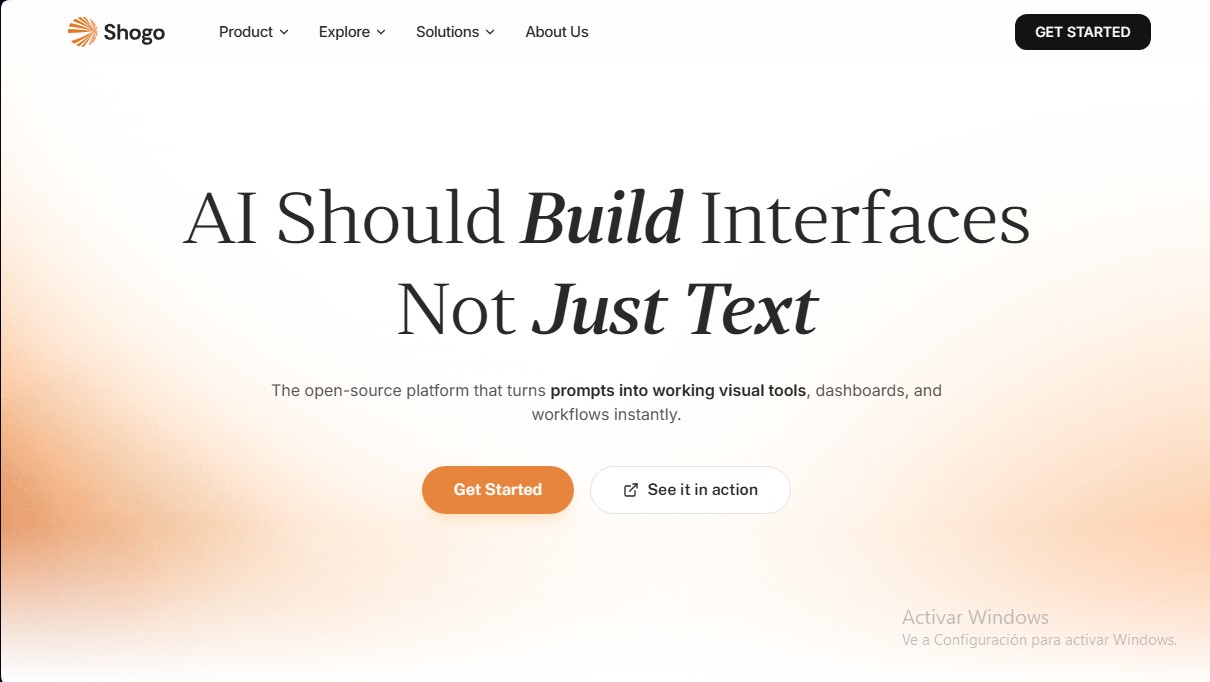
Transform prompts into visual interfaces, dashboards, and workflows. Create interactive tools and automate processes instantly.
General Information about Shogo AI
Shogo AI is an open-source platform designed to instantly transform text instructions into functional visual interfaces, dashboards, and workflows. Unlike other AI agents that are limited to providing text-based responses, this tool focuses on creating interactive visual tools that allow users to take action immediately without the need for complex technical configurations.
The functionality of Shogo AI is based on an intelligent agent approach that processes natural language to execute development tasks in real-time. Upon receiving a command, the AI analyzes the requirements, connects to the necessary data sources, and renders visual components such as trend charts, metric cards, and control tables. This technology enables the automation of service mapping and credential management, eliminating the burden of manually configuring APIs or managing software dependencies. It is an ideal solution for teams seeking workflow automation and operational data visualization without going through traditional programming processes.
The core capabilities of this AI interface tool include:
- Custom dashboard generation for tracking marketing campaigns, revenue metrics, or development sprint progress.
- Integration with over 970 applications and services, featuring key connections with GitHub, Stripe, Linear, Slack, and tools within the MCP ecosystem.
- Real-time data synchronization to monitor KPIs, manage inventory, or oversee hiring processes through dynamic panels.
- The ability to build production agents that do more than just display information—they execute actions such as approvals, synchronizations, and workflow maintenance.
The platform's versatility allows it to be used on both desktop and mobile devices. A user can trigger a workflow with a quick query from their phone and later manage the full dashboard from their desktop environment. This flexibility makes it easy for both technical and business profiles to create custom tools for meeting preparation, corporate expense tracking, or code repository monitoring.
In the professional sphere, Shogo AI stands out for its immediate deployment capabilities. While other agents require extensive manual configuration and intermediate development steps, this application offers a user experience geared toward direct utility. The AI builds and maintains the necessary visual infrastructure, allowing companies to focus on using the tool rather than programming it. It is a robust option for those in need of intelligent productivity tools that integrate natively and seamlessly into their current digital ecosystems.
Features and Use Cases of Shogo AI
How Shogo AI Works
Frequently Asked Questions about Shogo AI
What sets Shogo AI apart from conventional AI assistants?
Unlike other agents that only output text, Shogo instantly generates interactive visual interfaces, dashboards, and operational workflows.
What kind of tools can I build with Shogo?
You can create marketing tracking dashboards, expense managers, project boards, recruitment trackers, and any visual tool connected to your data.
How does Shogo AI's credit system work?
The platform uses a consumption-based model where credits are used to generate interfaces, run integrations, perform automated actions, or process large volumes of data.
Can I integrate Shogo with the apps I use every day?
Yes, the tool features over 970 integrations, including services like WhatsApp, GitHub, Stripe, and Slack, as well as various language models like Claude and OpenAI.
What happens if I run out of credits before the end of the month?
If you run out of credits, you can purchase additional top-up packs at any time without needing to change your current subscription plan.
Does Shogo AI offer a free version of the platform?
We offer a free plan that provides 100 credits per month with a daily reset, allowing you to create unlimited agents and access basic community templates.
Can I collaborate with my team on Shogo?
Collaboration features are available on Business plans, which allow you to invite teammates, manage access permissions, and view team usage reports.
What happens to my credits if I don't use them all during the billing cycle?
Pro and Business plans allow unused credits to roll over to the following month, up to a maximum limit specified for each plan tier.
Can I cancel my Shogo AI subscription at any time?
Yes, you are free to cancel your subscription whenever you like, and your current plan will remain active until the end of your current billing period.
Is Shogo an open-source platform?
Yes, Shogo is an open-source platform, allowing users to explore the repository and contribute to the tool's development.
Shogo AI Pricing
Free: $0/month
- 100 credits per month (resets daily).
- Unlimited agent creation.
- Access to all languages.
- Community support.
- Access to basic templates and the app showcase.
Pro: Starting at $25/month
- Starting at 100 credits per month (higher tiers available up to 10,000 credits).
- Rollover of unused credits (with a maximum cap).
- Option to top up credits on demand without changing plans.
- Priority compute and faster execution speeds.
Business: Starting at $40/month
- Starting at 100 credits per month (higher tiers available up to 10,000 credits).
- Team analytics and usage reports.
- SSO authentication and audit logs.
- Priority support.
- Configurable spending limits for each team member.
- Collaboration features, teammate invitations, and permission management.
Shogo AI Screenshots