Slashspace
Share
Slashspace
Smart canvas for managing multiple AI chats and connecting tools. Organize complex workflows locally and privately without losing context.
General Information about Slashspace
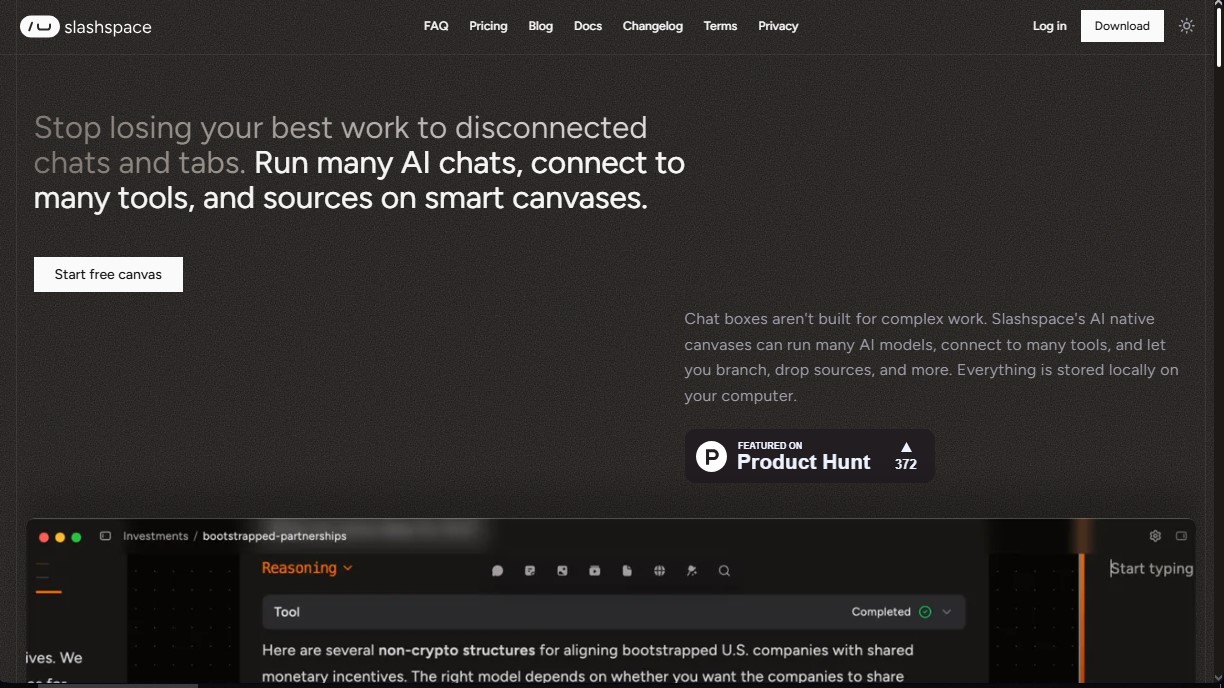
Slashspace is an advanced artificial intelligence platform designed as an infinite canvas for deep work and the management of complex workflows. Unlike conventional chatbots with linear interfaces, this tool offers a smart canvas approach where users can organize, connect, and run multiple conversation threads and agents simultaneously. Its primary function is to centralize project context, preventing the loss of information that typically occurs when jumping between different browser tabs and applications.
The application's architecture is based on an agent harness concept, where the canvas acts as a shared context space. This allows large language models (LLMs) to have full visibility into files, data sources, and other conversations within the workspace. Slashspace technology is fully compatible with the Model Context Protocol (MCP), which facilitates connections to external servers and expands capabilities through third-party tools. Additionally, it stands out for its local-first approach, storing all information and history directly on the user's computer, thereby ensuring privacy and offline access.
Regarding its technical versatility, the tool allows users to switch between the market's leading models, including the GPT-4, Claude, and Gemini families, or even run local models via Ollama. This flexibility is complemented by functional features designed to boost productivity:
- Use of coding agents like Cursor directly on the canvas for development, debugging, and architecture planning tasks.
- Connection to more than 1,000 external tools, such as Slack, email, and calendars, allowing the AI to execute actions across other services.
- Execution of deep research agents that synthesize information from multiple sources, including PDFs, websites, and YouTube videos.
- Spatial layout of ideas, allowing for branching conversations and maintaining an overview of extensive projects without losing track.
- Integrated image generation to iterate on visual concepts within the same workflow.
Slashspace is particularly beneficial for software developers, researchers, founders, and writers who handle large volumes of data. By enabling visual and structured organization, users avoid "context collapse" and optimize token usage by providing the AI with only the relevant information for each node. It is a robust solution for those seeking more efficient, private, and professional AI productivity, available for Mac, Windows, and Linux operating systems.
Features and Use Cases of Slashspace
How Slashspace Works
Frequently Asked Questions about Slashspace
What exactly is Slashspace, and how is it different from a standard AI chat?
Slashspace is an intelligent canvas designed to organize complex workflows, allowing you to run multiple AI chats simultaneously and connect various data sources without losing context.
Where are my data and conversations stored when using Slashspace?
All your information is stored locally on your computer to ensure total privacy and allow you to work with your files securely.
Which AI models can I use within the tool?
You have access to the most advanced models from OpenAI, Anthropic, Google, and xAI, along with the ability to connect local models through Ollama.
Does Slashspace integrate with other external applications?
Yes, you can connect over a thousand different tools—such as Slack, Gmail, or calendars—allowing AI agents to interact with them directly from your workspace.
What platforms and operating systems is Slashspace available on?
The application can be downloaded and installed on Windows, Mac, and Linux devices.
Is there a free version to try out Slashspace's features?
Yes, there is a free plan that includes limited model usage and an initial credit so you can start building your first canvases for free.
How does the Slashspace canvas help prevent context loss?
Unlike linear chats, the spatial canvas allows you to branch conversations and connect information nodes, ensuring the AI always maintains a big-picture view of your project.
Can I use my own API keys in the application?
Yes, advanced plans and the one-time payment license allow you to bring your own keys for full control over usage and the models you use.
What is the relationship between Slashspace and its former name, RabbitHoles AI?
RabbitHoles AI is the platform's former name. We rebranded to Slashspace to better reflect the current evolution and vision of the product.
Can I use Slashspace for programming and software development tasks?
Absolutely. You can connect your Cursor key and use specialized coding agents to debug files and plan architectures directly on the canvas.
Slashspace Pricing
Free
$0
- 1 device.
- $2 usage credit (one-time payment).
- Limited AI models.
Most Popular
$49 per month
- 7-day free trial available.
- 2 devices.
- $30 monthly usage credit.
- Access to all AI models.
- Faster response times.
- Ability to top up credits.
High Usage
$99 per month
- 2 devices.
- $80 monthly usage credit.
- Access to all AI models.
- Bring Your Own Key (BYOK) option.
- Faster response times.
- Ability to top up credits.
Lifetime
$129 (one-time payment)
- Ideal for technical users with their own keys.
- 2 devices.
- $10 usage credit (one-time payment).
- Bring Your Own Key (BYOK) option.
- Lifetime updates.
- Ability to top up credits.
Slashspace Screenshots