Share
Generate AI mobile app designs from text or images. Create professional screens, edit visually, and export to Figma or code.
What is Sleek AI?
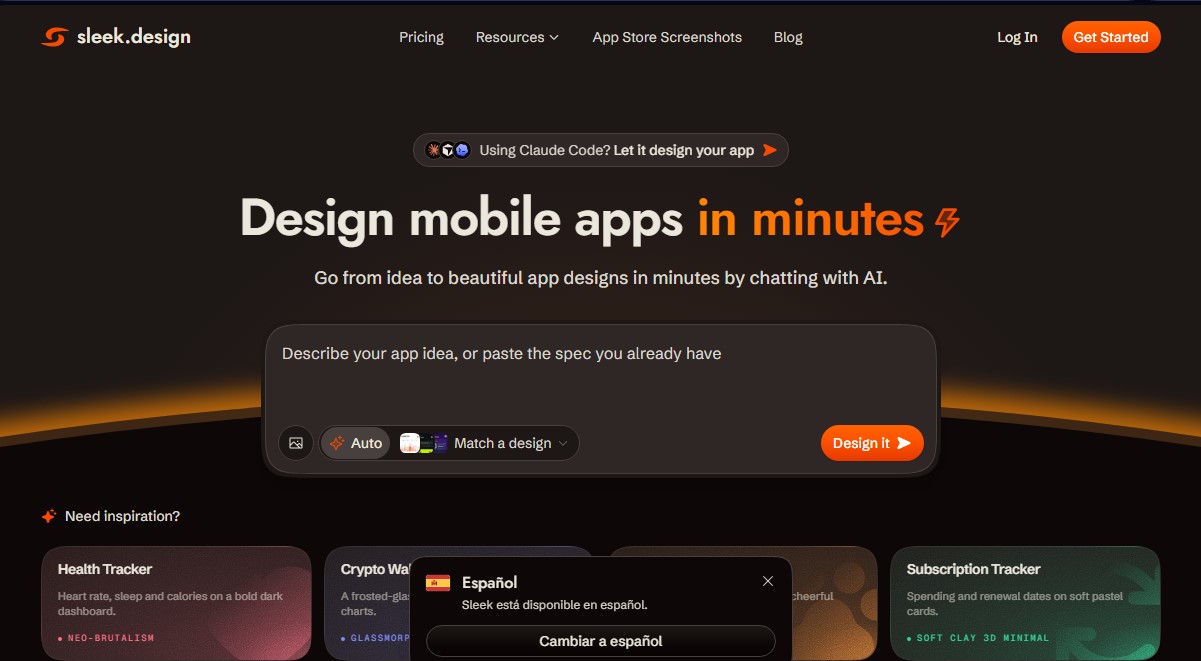
Sleek AI is a platform specializing in AI-powered mobile app design that transforms ideas, text descriptions, or technical specifications into high-fidelity interfaces in minutes. Unlike generic interface generators, this tool focuses exclusively on the mobile environment, ensuring that every generated screen meets the technical and aesthetic standards of the iOS Human Interface Guidelines and Material Design. Its primary function is to simplify the creation of prototypes and final designs for Android and iOS through a conversational and visual approach.
The way Sleek AI works is intuitive and designed to eliminate the barriers to professional design. Users can describe their app idea in natural language or upload a reference image, and the AI generates complete screens, including the layout, components, copy, and visual style. Once the initial design is generated, the system provides a visual editing interface for quick adjustments, allowing users to iterate on proposals and customize elements without needing prior experience in complex tools like Figma.
This solution is especially valuable for startup founders, independent developers, product managers, and designers who need to accelerate their workflow. Key technical capabilities and practical benefits include:
- Mobile design generation from detailed prompts or reference screenshots.
- Native Figma export, allowing designs to be integrated as fully editable layers without the need for additional plugins.
- Interface conversion into functional code, with support for React and Tailwind CSS or HTML, streamlining the transition from design to development.
- Integration with AI agents and coding tools like Claude Code, Cursor, or Codex via its API, enabling the AI to manage the design autonomously.
- A library of components and templates optimized for various sectors, from crypto wallets to health and e-commerce apps.
One of the key differentiators of Sleek AI is its focus on real-world usability. The generated designs are not just static images; they are structures that respect touch interaction zones, native navigation, and the precise dimensions of modern mobile devices. This allows users to move from a conceptual idea to a functional prototype that can be presented to investors or tested with real users in record time, drastically reducing the costs and lead times typically associated with software design. It is a strategic tool for rapid prototyping and developing minimum viable products (MVPs) with a professional and consistent finish.
Sleek AI features and use cases
How to use Sleek AI
Sleek AI FAQ
What exactly is Sleek AI, and what is it used for?
Sleek AI is an AI-powered mobile app design tool that allows you to create complete iOS and Android interfaces from text descriptions or reference images.
Do I need technical or design skills to use Sleek?
No prior experience is necessary. The tool is designed so that founders, product managers, and developers can generate professional designs simply by describing their ideas.
Can I export my Sleek AI projects to other platforms like Figma?
Yes, all plans allow you to export designs to Figma with a single click, keeping layers native and editable without the need for additional plugins.
What kind of code does the tool generate when exporting a design?
Sleek allows you to export designed screens into clean HTML or React code using Tailwind CSS, making it easy to transition from design to actual development.
Does Sleek AI offer a free option for new users?
The platform features a free plan that includes one project and limited credits, allowing you to test the entire design workflow without needing to enter a credit card.
How does Sleek integrate with coding agents like Claude Code or Cursor?
Sleek offers an API and a specific "agent skill" that allows tools like Claude Code or Cursor to generate screens and extract code or Figma layers directly during the development process.
Why should I choose Sleek over a generic UI generator?
Unlike other tools, Sleek specializes exclusively in mobile applications, ensuring that every component and interaction pattern complies with official iOS and Android design guidelines.
Is it possible to edit AI-generated designs within the platform?
Yes, Sleek includes a visual editing interface that lets you quickly iterate and refine any element of the generated screens to fit your exact vision.
Sleek AI pricing and plans
Free
$0 (no credit card required).
Free trial AI credits (one-time use).
1 project.
Limited code exports.
Limited Figma exports.
Starter (Early Bird)
$39 per month.
3,000 AI credits per month (approx. 100 screens).
5 projects.
Unlimited code exports.
Unlimited Figma exports.
Export to AI builders.
Shareable preview links.
Private projects.
Pro (Early Bird)
$69 per month.
20,000 AI credits per month (approx. 650 screens).
Unlimited projects.
REST API access and agent capabilities (connect with Claude Code, Cursor, Codex, and other scripts).
Option to purchase additional credits.
Includes all Starter plan features.
Team (Early Bird)
$99 per user per month.
30,000 AI credits per month (approx. 1,000 screens per seat).
Team collaboration.
Priority support.
Centralized billing.
Includes all Pro plan features.
Sleek AI Screenshots
Sleek AI user reviews
Write a review
Checking your session...
Sleek AI Reviews
Loading reviews...