Social Comments GPT
Share
Social Comments GPT
AI-powered Chrome extension that generates automatic comments for Instagram, LinkedIn, and Twitter. Boost engagement and save time on social media.
General Information about Social Comments GPT
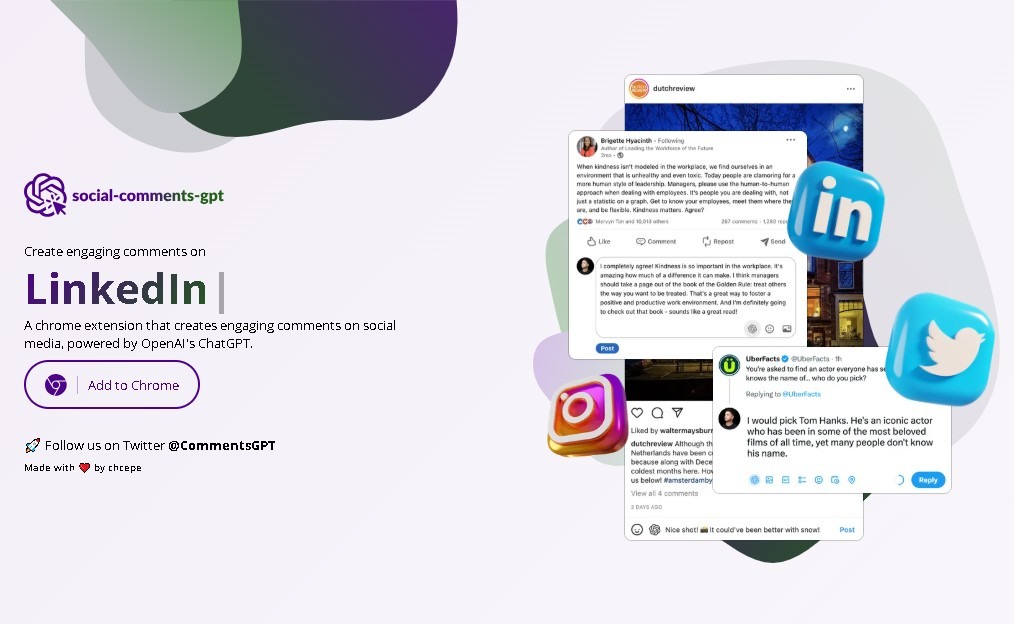
Social Comments GPT is an extension designed for Chromium-based browsers, such as Google Chrome, that integrates the power of OpenAI's language models directly into the interface of major social networks. Its primary function is the automatic generation of comments and personalized responses for platforms like Instagram, LinkedIn, and Twitter (X). By acting as a real-time writing assistant, it allows users to interact with third-party posts without needing to draft every response manually from scratch, thus optimizing digital presence management and engagement from a computer.
The tool utilizes ChatGPT's natural language processing technology to analyze the context of a post and suggest coherent, relevant, and engaging text. For its technical operation, the user must link their own OpenAI API Key, ensuring that the artificial intelligence engine processes information accurately according to the configured GPT models. As a browser add-on, the Social Comments GPT interface integrates seamlessly alongside standard comment fields, allowing users to generate text suggestions with a single click while browsing their feed.
Key features of this AI tool for social media include:
- Response automation: Creates contextual comments that logically adapt to the tone and content of the original post.
- Multi-platform support: Works natively on the web versions of LinkedIn, Instagram, and Twitter, facilitating a unified interaction strategy.
- Time optimization: Helps maintain a steady flow of interactions without the creative burnout associated with constant manual drafting.
- Simple technical integration: Installs quickly and requires minimal configuration, focusing on the connection to the AI API.
Using Social Comments GPT is particularly beneficial for community managers, digital marketing specialists, and professional profiles looking to increase their visibility through active participation. By reducing friction in the writing process, users can focus on content strategy while the AI suggests alternatives that foster more dynamic communication. This technical solution avoids generic responses, offering suggestions that maintain relevance in both professional and social environments.
By leveraging OpenAI's infrastructure, the extension takes advantage of advances in generative artificial intelligence to capture linguistic nuances. For those who need an advanced productivity tool, this extension represents an effective bridge between conventional browsing and intelligent automation, streamlining daily social media workflows in a professional and direct manner.
Features and Use Cases of Social Comments GPT
How Social Comments GPT Works
Frequently Asked Questions about Social Comments GPT
What is Social Comments GPT?
It is a Chrome browser extension that uses ChatGPT’s artificial intelligence to automatically generate comments for your social media accounts.
Which social media platforms are compatible with Social Comments GPT?
The tool is specifically designed to work as an integrated add-on for LinkedIn, Instagram, and Twitter.
Is there a cost to download the extension?
No, installing the tool in your browser is completely free and does not require a monthly subscription.
Why does Social Comments GPT require an OpenAI API key?
The extension needs to connect to OpenAI's artificial intelligence models to process information and generate text suggestions.
Do I have to pay to use the AI in Social Comments GPT?
While the extension itself is free, using the OpenAI API involves a cost based on the actual number of tokens you consume when generating comments.
How does Social Comments GPT help improve my social media presence?
It provides automated, engaging text suggestions so you don’t have to write every comment from scratch when interacting with other posts.
Is it difficult to set up Social Comments GPT on my computer?
It’s a simple process that only requires installing the Chrome extension and adding your own API key to start receiving suggestions.
Social Comments GPT Pricing
Free Plan
Price: 0 €
- Installation of the Chrome-based browser extension.
- Automatic generation of comments and engaging copy for Instagram, LinkedIn, and Twitter.
- Direct integration into the user experience within supported social networks.
- Restriction: Requires configuring your own OpenAI API key to enable response generation.
Usage Costs (OpenAI API)
Price: Variable (pay-as-you-go based on token consumption)
- Access to ChatGPT artificial intelligence models.
- External billing managed directly through OpenAI.
- Cost depends exclusively on the volume of text processed and the selected AI model.
Social Comments GPT Screenshots