
Share
Turn scripts and stories into AI-powered videos. Generate consistent characters, settings, and voiceovers to create cinematic productions in minutes.
What is StoryIntoVideo?
StoryIntoVideo is an advanced AI video generation platform designed to transform text narratives, scripts, or novels into full-scale visual productions automatically. Its primary function is to simplify the audiovisual workflow, allowing writers, content creators, and educators to turn their ideas into video pieces featuring characters, settings, and voiceovers in just a few minutes. The tool stands out for its ability to interpret narrative structure and generate professional visual consistency without the need for cameras, actors, or technical editing expertise.
The core of StoryIntoVideo is built on an end-to-end AI pipeline that begins with script analysis. Once text is provided, language models automatically identify characters, environments, and the overall tone of the story. It utilizes cutting-edge video synthesis and image generation technologies, leveraging leading voice providers like ElevenLabs and Fish Audio for narrations. A key technical differentiator is its character consistency system, which ensures that a protagonist's face and appearance remain identical across every shot, solving one of the biggest challenges in AI video creation.
The tool’s primary capabilities include:
- Script and Scene Generation: Transforms text fragments into a visual script segmented by shots with precise descriptions.
- Visual Style Control: Allows users to choose from various aesthetics—such as anime, cinematic, Ghibli-style, watercolor, or realistic—to match the story's genre.
- Timeline Editor: Offers an editing environment to adjust voice timing, swap background music, and customize dynamic captions with ASR synchronization.
- Adaptable Formats: Supports 16:9 aspect ratios for YouTube and 9:16 for vertical platforms like TikTok or Instagram Reels.
- Smart Storyboard: Automatically creates an image sequence that users can modify by adjusting camera angles and the composition of each shot.
This solution is particularly useful for authors looking to create book trailers, as well as filmmakers who need to perform quick script previsualizations or animated storyboards. In marketing and education, it facilitates the creation of visual narrative lessons and social media videos. The platform supports HD exports and grants full commercial rights over the generated content, making it an efficient AI video creation tool for automated channels and independent creators looking to scale their narrative content production.
StoryIntoVideo features and use cases
How to use StoryIntoVideo
StoryIntoVideo FAQ
What is StoryIntoVideo and how does it work?
StoryIntoVideo is an AI-powered tool that automatically transforms scripts, novels, or short stories into full videos featuring characters, scenes, and voiceovers.
How does StoryIntoVideo ensure characters maintain a consistent look?
The platform uses visual consistency technology to identify characters in the text and generate a unique facial identity that remains consistent across every scene in the video.
Do I own the commercial rights to the videos I create?
Yes, you own 100% of the commercial rights to all content created, allowing you to monetize and share your videos on any social media or professional platform.
What languages are available for the voiceovers in StoryIntoVideo?
The system supports several languages for narrations—including English, Spanish, Chinese, Japanese, and Korean—and offers various voice styles and emotional tones for each character.
How long does it take to generate a full video?
A 60-second narrative video is typically ready in two to three minutes, covering the entire process from image generation to final editing.
Can I customize the visual style of my stories?
You can choose from a wide range of artistic styles—such as realistic, anime, cinematic, or watercolor—to ensure the video's aesthetic perfectly matches your story's genre.
Do I need prior video editing experience to use StoryIntoVideo?
No technical skills are required. The AI handles the production, and the built-in editor allows you to make final adjustments easily and intuitively.
What kind of text can I convert into visual content?
The tool can process any type of narrative, from novel chapters and movie scripts to blog posts and product descriptions for social media.
StoryIntoVideo pricing and plans
Starter
29 $ per month (or 259 $ per year). Ideal for hobbyists and beginners.
- 10 projects.
- 600 credits per month.
- HD image generation.
- AI video generation.
- Basic video templates.
- Watermark-free exports.
Influencer
59 $ per month (or 499 $ per year). Designed for content creators and influencers.
- 50 projects.
- 1500 credits per month.
- HD image and AI video generation.
- Advanced video templates.
- Watermark-free exports.
- Priority email support.
- Commercial license.
Ultra
99 $ per month (or 799 $ per year). Geared toward professionals and studios.
- 100 projects.
- 3000 credits per month.
- HD image and AI video generation.
- Access to all premium templates.
- Watermark-free exports.
- Priority email support.
- Commercial license.
- Dedicated account manager.
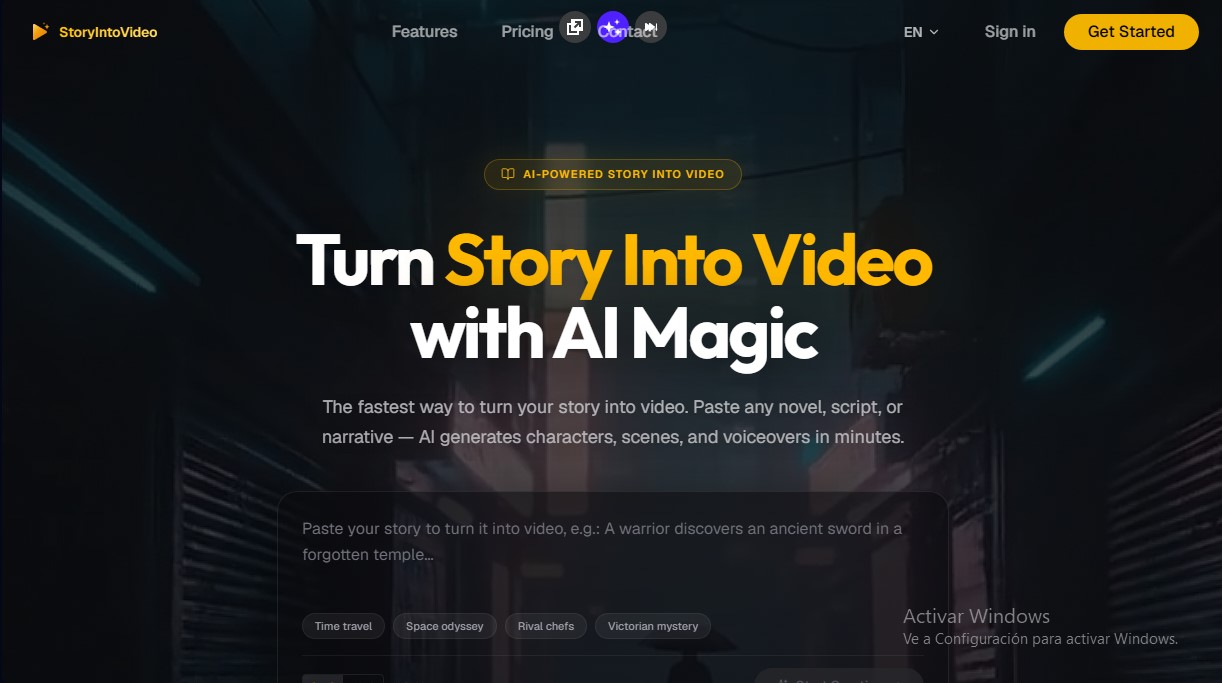
StoryIntoVideo Screenshots
StoryIntoVideo alternatives



KnowLens.ai
KnowLens.ai uses AI to create infographics, visual summaries, posters, carousels and short explainer videos from a topic, notes or plain text.
VideoWeb Video Generator
Generate professional AI videos from text or images. Features realistic avatars, automated scripts, and optimized formats for marketing and social media.

Vidverse AI
Vidverse AI brings several AI video, image and voice models into one web and mobile app, so you can turn text or photos into clips, images and voiceovers.