
Share
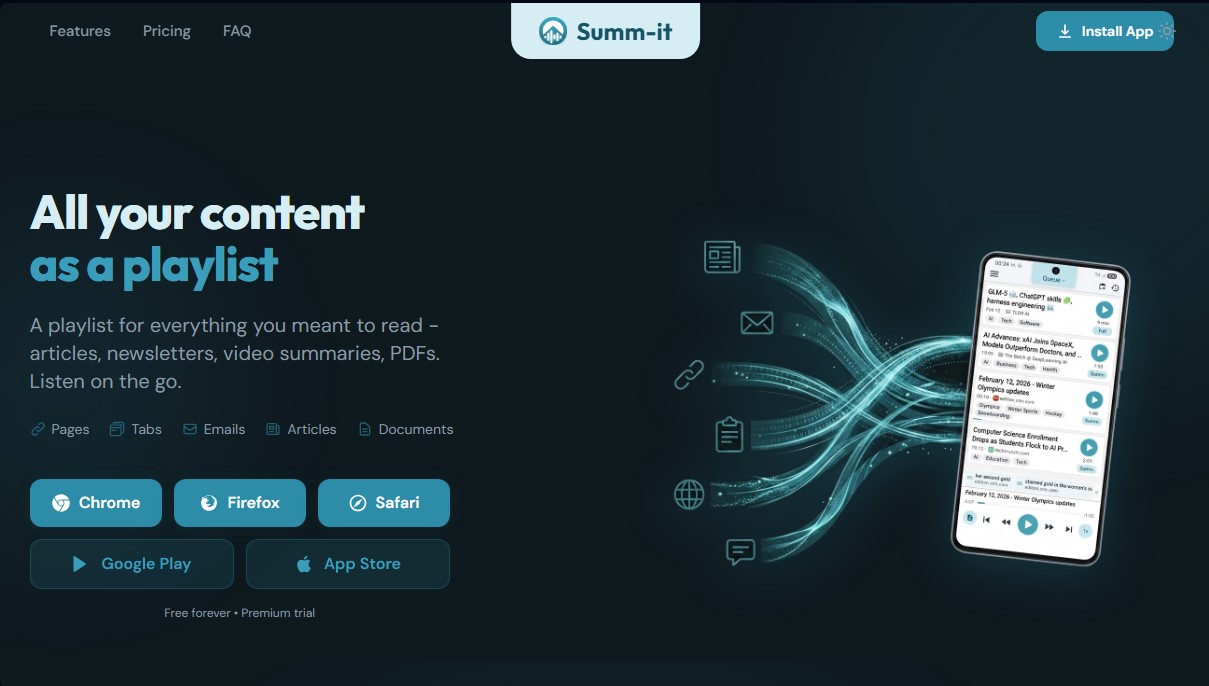
Turn articles, newsletters, and documents into audio playlists. Listen to summaries or full text with natural voices and manage your reading queue.
What is Summ-it?
Sum-it is an artificial intelligence application designed to convert any written content into a personalized audio playlist. This tool allows users to transform web articles, newsletters, PDF documents, and YouTube videos into a podcast-like experience, making it easier to consume information while multitasking on a computer or mobile device. Its primary function is to optimize time management and eliminate reading backlogs by converting text to speech with high-quality, natural-sounding voices.
The operation of Summ-it is based on seamless integration with browsers like Chrome, Firefox, and Safari, as well as native apps for iOS and Android. Users can add content to their playback queue with just two clicks using extensions, sharing links from mobile apps, or forwarding emails to a specific address. The tool's natural language processing technology analyzes text to extract key points and conclusions, allowing users to choose between brief summaries (2-3 minutes), standard versions, or full readings of up to 30 minutes per item.
Among the most notable capabilities of this AI tool are:
- Catch Up: A system that groups accumulated content and generates a single five-minute audio summary, allowing users to quickly catch up on the week's news. The original files are archived but remain accessible.
- Ask Summit: An advanced inquiry feature that allows users to ask questions about their saved articles. The AI responds based on the personal library and cites the exact sources.
- Smart Organization: Automatically categorizes files using thematic tags such as "AI," "Investing," or "Health," keeping playlists synchronized and organized.
- Connectivity and Mobility: Offers full support for Android Auto and Apple CarPlay, enabling safe listening in the car. Additionally, it allows for audio downloads for offline use.
Summ-it utilizes advanced AI models to offer automatic translation features in more than 15 languages, allowing users to consume international sources in their preferred language. It also includes a discovery feature that automatically extracts related links from saved articles to add them to the queue if the user wishes. This solution is ideal for professionals, students, and users looking to boost their daily productivity by turning their reading list into a dynamic, accessible resource free from visual distractions. By centralizing and processing information intelligently, the application ensures that saved knowledge is actually put to use.
Summ-it features and use cases
How to use Summ-it
Summ-it FAQ
What is Summ-it and how exactly does it work?
Summ-it is a tool that converts your articles, newsletters, PDFs, and videos into a personalized audio playlist so you can listen to them just like a podcast.
What kind of content can I add to my Summ-it list?
You can save any webpage, blog post, PDF document, email newsletter, or even YouTube link; the app will extract the text and convert it into audio.
Is it possible to listen to my saved articles offline?
Yes, the app automatically downloads content in the background so you can listen to your playlist on a plane, on the subway, or anywhere without cell service.
What is the Summ-it Catch Up feature?
This feature allows you to bundle older articles that have piled up into a single audio summary of about five minutes, helping you get up to speed quickly without feeling overwhelmed.
Can I use Summ-it in my car while driving?
Yes, the tool is fully compatible with Android Auto and Apple CarPlay, allowing you to safely manage your queue and listen to your texts through your vehicle's system.
What are the main differences between the Free and Pro plans?
The Free plan offers basic voices and a limit of three saves per day, while the Pro subscription includes much more natural AI voices, higher save limits, and an unlimited archive.
Does Summ-it allow for the translation of texts in other languages?
Yes, you have the option to translate any content source into more than fifteen different languages to hear the narration in your preferred language or keep it in the original.
How can I add content to my listening queue from my computer?
You can install the official Summ-it extension on browsers like Chrome, Firefox, or Safari to add any open tab to your list with a single click.
What happens if an article is too long to listen to in its entirety?
When saving an item, you can choose between generating a quick multi-minute summary or creating audio for the full content, letting you decide how much time you want to spend on each piece.
Is it possible to ask questions about the content I have saved in Summ-it?
Yes, the tool includes a smart library feature where you can ask specific questions about your saved articles and receive an accurate response with direct quotes from the original sources.
Summ-it pricing and plans
Free
$0 forever
3 saves per day.
7-day archive.
Unlimited basic voice (robotic device voice).
Full-article audio.
Translation and link discovery.
Sharing features.
Pro
$5.99 per month or $59.99 per year
100-article monthly limit.
Natural AI voices.
Unlimited archive.
Full-article audio.
Translation and link discovery.
Sharing features.
Includes a free trial of the first 50 articles.
Premium
$11.99 per month or $119.99 per year
250-article monthly limit.
Natural AI voices.
Unlimited archive.
Full-article audio.
Translation and link discovery.
Sharing features.
Includes a free trial of the first 50 articles.
Summ-it Screenshots
Summ-it alternatives



TextInMyVoice
Clone your voice with a short sample to turn text into natural voiceovers. Generate and download MP3s in your own tone for free, no registration required.

SpeakCrate
Open-source API for local, private speech synthesis. Generate multilingual audio on your own servers with OpenAI standard compatibility.

Vidverse AI
Vidverse AI brings several AI video, image and voice models into one web and mobile app, so you can turn text or photos into clips, images and voiceovers.