

Share
Turn Notion pages into professional websites without coding. Includes custom domains, SEO optimization, and automatic content syncing.
What is SUPER?
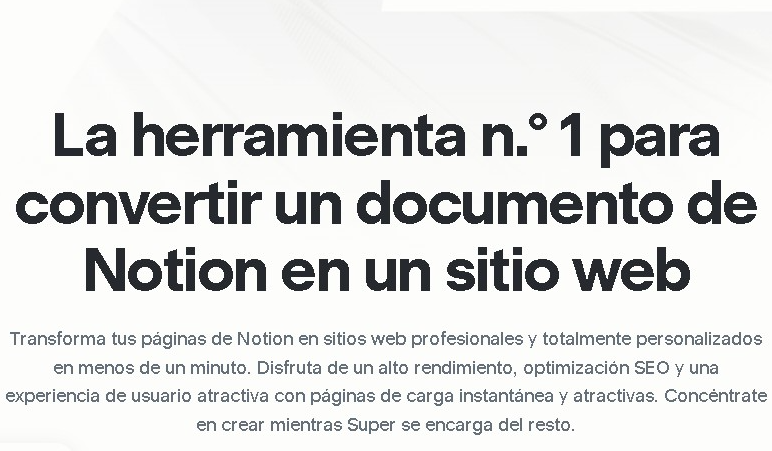
SUPER is a no-code platform designed to instantly transform Notion pages into professional, functional websites. Its primary function is to act as a technical bridge that allows you to use Notion as a CMS (Content Management System), completely eliminating the need for coding or complex visual builders. This tool is ideal for professionals, content creators, and businesses seeking an agile solution to publish portfolios, blogs, help centers, or landing pages directly from their usual workspace.
The way SUPER works is based on linking a public Notion URL. Once connected, the platform generates an optimized web version that maintains the original content structure while adding layers of customization and performance. One of the greatest operational advantages is automatic synchronization: any change made to the Notion document is reflected in real-time on the website, streamlining maintenance and information updates from any computer or mobile device.
Key technical capabilities and practical benefits of this tool include:
- SEO Optimization: It generates clean, semantic code that facilitates search engine indexing, allowing for metadata editing and improving the organic ranking of professional websites.
- Performance and Speed: Sites created with SUPER load extremely fast thanks to their optimized architecture, enhancing the end-user experience and performance metrics.
- Advanced Customization: It allows you to apply predefined themes, modify fonts, add custom code (CSS and JavaScript), and configure custom domains with SSL security certificates.
- Dynamic Content Management: By using Notion as a base, you can manage databases, galleries, and text intuitively without touching the website's backend.
The tool also offers advanced features for larger-scale projects, such as the creation of multilingual sites, advanced internal search systems, redirect management, and password protection for specific pages. Additionally, it supports RSS/ATOM feed integration, which is essential for content distribution and updating news readers.
Ultimately, SUPER simplifies the web development workflow by centralizing creation and publishing within a single, familiar interface. It is a robust solution for those who require an online presence that is easy to manage, scalable, and visually appealing without relying on deep technical programming knowledge.
SUPER features and use cases
How to use SUPER
SUPER FAQ
What exactly is SUPER and how does it work?
SUPER is a platform that lets you turn your Notion pages into fast, professional websites without writing any code.
Do the changes I make in Notion update automatically on my SUPER site?
Yes, any changes you make directly to your Notion page will automatically reflect on your website.
Is there a free plan for using SUPER?
There is a free plan available that lets you publish your Notion content using a platform subdomain and includes basic design features.
Can I use my own custom domain with SUPER?
To connect your own domain, you’ll need to subscribe to the Personal plan, which also offers enhanced SEO options and custom fonts.
Are websites created with SUPER optimized for search engines?
The tool generates fast, SEO-optimized websites and allows you to manage metadata and tags to improve your Google ranking.
Do I need to know how to code to use SUPER?
No coding knowledge is required, as the platform uses Notion as a content management system and handles all the technical aspects of the site.
Can I create a multi-language website with SUPER?
Yes, the option to create multilingual sites is available on the Pro plan, which is designed for projects with more advanced requirements.
What’s included in the SUPER Pro plan for advanced users?
This plan offers manual publishing, advanced site search, file uploads, and priority support for managing complex projects.
SUPER pricing and plans
Free Plan
- Price: Free.
- Publish on a Super subdomain (e.g., yoursite.super.site).
- Access to basic design, themes, and hosting.
- Ideal for testing or basic personal projects.
Personal Plan
- Price: approx. $12 USD/mo (billed annually at $144/yr).
- Includes everything in the Free plan.
- Custom domain connection (e.g., myweb.com).
- Use custom code and fonts.
- Create password-protected pages.
- Enhanced SEO and RSS/ATOM feeds.
Pro Plan
- Price: approx. $22–28 USD/mo (billed annually).
- Includes everything in the Personal plan.
- Manual publishing option.
- Integrated advanced site search.
- File uploads and redirect management.
- Priority support.
- Multilingual site support.
Enterprise Plan
- Price: Custom (contact the official website for details).
- Advanced support and team access.
- Subdirectory hosting (e.g., domain.com/docs).
- Optional site analytics and statistics starting at approx. $10/mo extra, based on traffic volume.
SUPER Screenshots
SUPER alternatives




shipsite.sh
Deploy static sites for AI agents with a single API call. No Git or configuration needed—upload files and get a public URL instantly.