Share
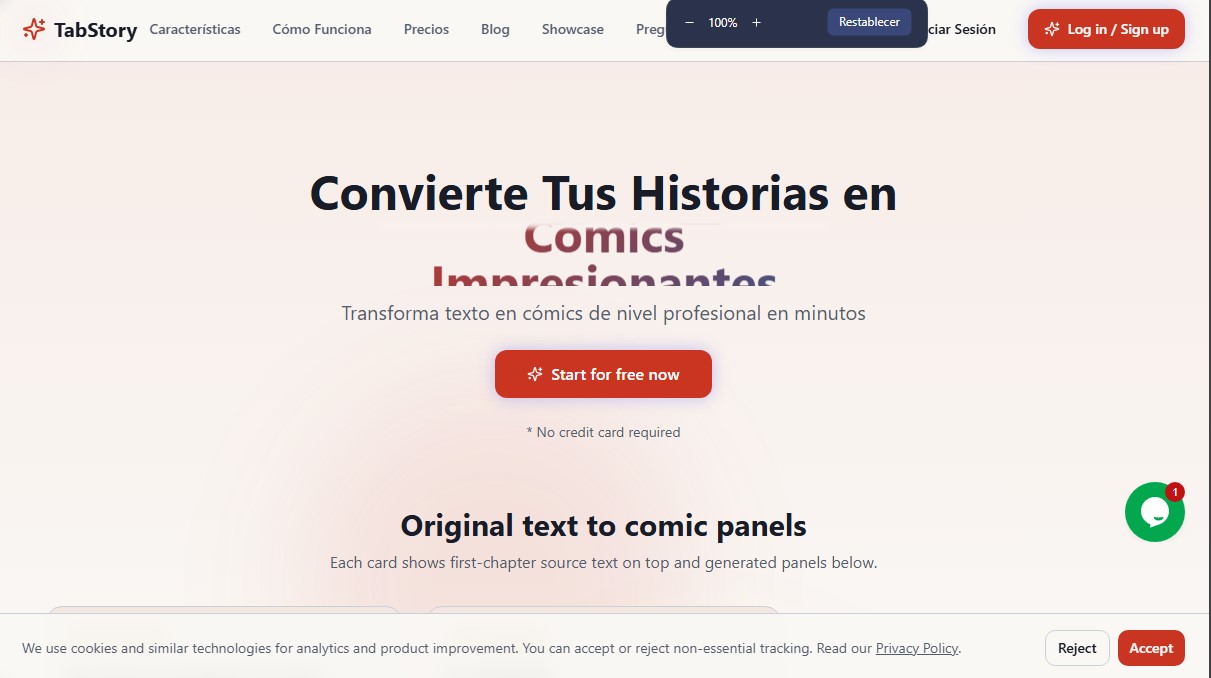
Transform text and scripts into professional comics with AI. Features character consistency, multiple art styles, and storyboard creation.
What is Tab Story?
Tab Story is an advanced AI comic creation platform designed to automatically transform narrative text into professional-grade visual works. This tool allows writers, screenwriters, and storytelling enthusiasts to turn novels, scripts, or story outlines into illustrated panels in a matter of minutes. Its core mission is to democratize artistic production, enabling any user—regardless of technical drawing skills—to bring their ideas to life in visual formats such as webtoons, manga, or American-style comics.
The workflow of Tab Story is based on a structured three-phase process. First, the user inputs their narrative text into the platform; immediately after, the artificial intelligence analyzes the plot, identifies characters, and breaks down scenes to generate an intelligent storyboard. The system processes the narrative pacing and automatically generates art for each page, delivering final results in an estimated 30 to 60 seconds per panel.
The application’s technology utilizes cutting-edge generative AI models and an advanced character recognition system. This technical approach is essential for ensuring visual character consistency across different scenes and pages—a common challenge in AI image generation. Before starting the creation process, users can select or design each protagonist's appearance, ensuring their aesthetic remains coherent throughout the entire project.
Key capabilities and practical benefits include:
- Diverse Artistic Styles: Choose from manga, webtoon, classic comic, or ink wash aesthetics, with the additional option to create custom styles.
- Total Flexible Editing: Users maintain full control over the work, with the ability to modify compositions, adjust dialogue, change drawing prompts, or even upload their own images to replace generated elements.
- Multi-Device Optimization: The tool is designed to run smoothly on desktops, tablets, and mobile devices, adapting output formats to meet the needs of each platform.
- High Production Speed: It is capable of generating a full chapter of 10 to 20 pages in approximately 15 minutes, significantly boosting creative productivity.
- Rights Management: Users hold full copyright over their created works, allowing for commercial use, modification, or distribution without restrictions.
Tab Story positions itself as an AI solution for creators looking to streamline the story prototyping process or publish high-quality visual content on a recurring basis. By removing the technical barriers of traditional drawing, this tool makes it easier for written narratives to find an efficient and professional new channel for visual expression.
Tab Story features and use cases
How to use Tab Story
Tab Story FAQ
What is Tab Story and how can it help me create comics?
Tab Story is an AI-powered platform that transforms your text, scripts, or novels into professional-grade comics in a matter of minutes.
How does Tab Story's pricing work?
We use a flexible pay-as-you-go model through credit packs, which means you don't have to pay monthly fees and only use credits for each image generated.
Who owns the copyright to the generated comics?
You are the legal owner of all rights to the works you create on the platform, giving you total freedom to use, modify, or commercialize them.
What art styles can I choose for my stories?
The tool offers a wide variety of styles, including manga, webtoon, American comic, and ink wash, while also allowing you to create your own custom style.
How does Tab Story ensure characters look the same across all panels?
We use an advanced character recognition system that maintains visual consistency for the protagonists throughout every scene and page of your project.
Can I edit the content once the AI has created it?
Yes, you have flexible editing tools to adjust scene descriptions, modify dialogue, change compositions, or upload your own images.
How long does it take to generate a full chapter?
Generating a single page typically takes between thirty and sixty seconds, so an entire twenty-page chapter can be ready in less than fifteen minutes.
Do the credits purchased on the platform expire?
The credits you buy do not have an immediate expiration date and remain valid in your account for thirty-six months from the date of purchase.
What languages can I write my original story in?
Tab Story supports text input in multiple languages, including Spanish, English, French, German, Japanese, Korean, and Chinese.
Can I use the tool on my mobile phone?
Yes, the platform is fully optimized for mobile devices, tablets, and desktops so you can create anywhere.
Tab Story pricing and plans
Free Plan
Price: Free.
Access to try comic creation.
No credit card required.
Value Pack
Price: 10,00 $.
1,400 total credits (1 credit equals 1 generated image).
Access to all art styles.
High-quality image generation.
Credits are valid for 36 months.
Pro Pack
Price: 25,00 $.
4,000 total credits (1 credit equals 1 generated image).
Access to all art styles.
High-quality image generation.
Priority generation queue access.
Credits are valid for 36 months.
Ultimate Pack
Price: 50,00 $.
9,000 total credits (1 credit equals 1 generated image).
Access to all art styles.
High-quality image generation.
Priority generation queue access.
Dedicated support.
Credits are valid for 36 months.
Premium Pack
Price: 100,00 $.
18,000 total credits (1 credit equals 1 generated image).
Access to all art styles.
High-quality image generation.
Credits are valid for 36 months.
Tab Story Screenshots
Tab Story alternatives

StarVeil AI
Generate AI comics and webtoons with consistent characters across every panel. Easily create serialized stories and visual narratives from text.