
Share
Transform your stories into a visual diary. Create four-panel comics in various art styles with characters based on your own photos.
What is Comic Day?
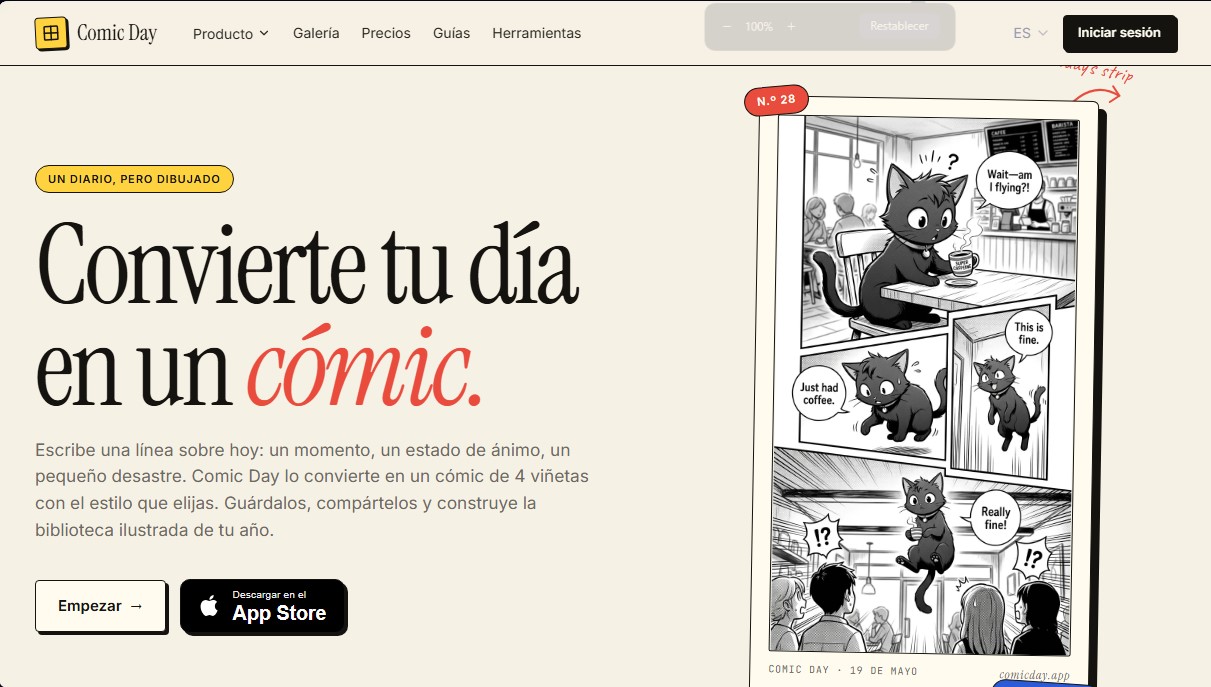
Comic Day is an artificial intelligence platform focused on creating personalized visual narratives from text. Its primary function is to act as a graphic diary, allowing any user—regardless of technical drawing skills—to transform their daily experiences into 4-panel comic strips. The tool processes simple descriptions, ranging from a short sentence to a full paragraph, to generate illustrations that capture specific moments, moods, or anecdotes with a professional finish.
The application’s workflow is built for speed and simplicity. After entering text about the day's events, the user chooses from various predefined artistic styles. Notable options include Manga style (characterized by black and white tones and the use of screentone), Cartoon style (featuring color and thick outlines), Chibi style (a cute aesthetic with large eyes), or Doodle style, which emulates freehand drawings. Comic Day’s AI technology generates the final result in about thirty seconds, allowing the piece to be saved in a personal library or shared digitally.
A fundamental technical feature of this tool is its ability to create consistent characters. By uploading a photo or providing a description, the AI can generate an avatar that maintains its visual identity across different scenes and styles. This character consistency feature is essential for users who want to star in their own stories or include friends, family, and pets in their creations on a recurring basis, ensuring the character is recognizable in every panel.
Key capabilities and practical benefits of Comic Day include:
- AI Comic Generator: Automates the creation of complex visual content from simple text prompts, making it ideal for a visual journal.
- Library Management: Allows users to organize generated strips into digital books or "bookshelves," making it easy to compile memories from a trip or an entire season.
- Narrative Versatility: Suitable for everything from personal reminders to personalized storybooks for children or educational material using explanatory doodles.
- Multi-platform Accessibility: The tool is available as a mobile app for iOS and as a web studio for use via a computer browser.
This application positions itself as an efficient solution for those seeking an illustrated story generator that combines speed and visual coherence. By removing the barrier of manual drawing, Comic Day makes it easy for content creators, families, and individual users to document their daily lives in a creative, structured, and visually appealing way.
Comic Day features and use cases
How to use Comic Day
Comic Day pricing and plans
Free Version
- Price: $0.
- Includes 1 free "ink" credit to create your first comic strip.
- No credit card required to get started.
10-Ink Pack
- Price: $2.99 (one-time payment).
- Includes 10 ink credits that never expire.
- Each ink credit allows you to generate a full comic strip, create a reusable character from a photo, or generate a page for an illustrated book.
- For web version use only (iOS App Store credits are purchased separately).
40-Ink Pack
- Price: $8.99 (one-time payment).
- Includes 40 ink credits that never expire.
- Each ink credit allows you to generate a full comic strip, create a reusable character from a photo, or generate a page for an illustrated book.
- For web version use only.
100-Ink Pack
- Price: $17.99 (one-time payment).
- Includes 100 ink credits with no expiration date.
- Each ink credit allows you to generate a full comic strip, create a reusable character from a photo, or generate a page for an illustrated book.
- For web version use only.
Comic Day Screenshots
Comic Day user reviews
Write a review
Checking your session...
Comic Day Reviews
Loading reviews...
Comic Day alternatives

AI Comic Builder
A platform to create comics and webtoons from text. Generate panels with consistent characters and diverse art styles—no drawing skills required.
Panel & Ink
Create comic series from an idea. Generate consistent characters, design panels in various styles, and get narrated episodes ready to publish. No drawing skills required.

AI Manga Colorizer
AI Manga Colorizer uses AI to color black-and-white manga pages and panels in 25+ styles, and adds video and anime tools on a credit system.

StarVeil AI
Generate AI comics and webtoons with consistent characters across every panel. Easily create serialized stories and visual narratives from text.