TextSongAI.com
Share
TextSongAI.com
Convert text and lyrics into full songs with vocals and production. Generate instrumental tracks, separate instruments, and create music in various styles.
General Information about TextSongAI.com
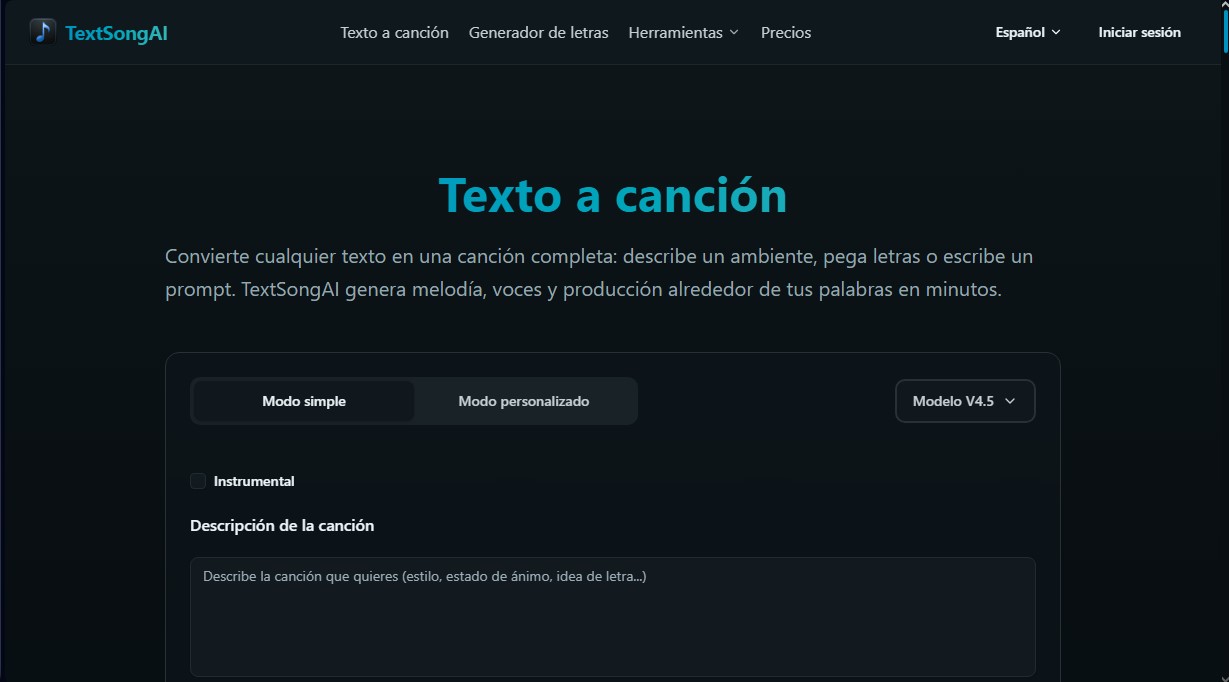
TextSongAI is an advanced AI music platform designed to transform any text input into a complete sonic composition. This text-to-song tool allows users to generate professional-grade melodies, vocals, and production arrangements in a matter of minutes, starting simply from a description, a mood, or predefined lyrics. It utilizes the V4.5 model to ensure high quality in voice synthesis and coherence in musical structure.
The operation of TextSongAI is based on several workflows adaptable to different creative needs. Users can choose a Simple Mode for quick results using descriptive prompts, or a Custom Mode where it is possible to adjust the genre, energy, and character of the vocals. The technology allows for processing everything from raw ideas and voice notes to structured lyrics with verses and choruses.
Among its primary capabilities, the following stand out:
- Full Song Generation: Create tracks with human vocals and instrumental accompaniment from a brief or lyrics.
- Instrumental Creation: Generate background music and soundscapes by describing scenes or emotions, ideal for content that does not require vocals.
- Stem Splitter Tool: Allows for splitting the generated song into independent tracks (stems) for vocals, drums, bass, and other instruments for further editing on a computer.
- Extend Song Feature: Facilitates the expansion of the best takes to provide continuity and longer duration to musical pieces.
- Integrated Lyrics Generator: Helps draft hooks and choruses before starting the sound generation process.
This application is especially useful for various professional profiles. Songwriters use it to create quick demos and overcome writer's block, while content creators and video editors find it to be a source of original music for social media and audiovisual projects. Likewise, podcast producers can design custom theme songs, and game developers can generate placeholder atmospheres for their levels.
The system works entirely online through a mobile or desktop browser. Once the creation is finished, TextSongAI allows for exporting files in high-fidelity formats such as MP3 and WAV. By integrating post-production features like a vocal remover and drum separator, the tool positions itself as a versatile AI music production studio, capable of converting abstract concepts into audio pieces ready to be shared or integrated into professional workflows.
Features and Use Cases of TextSongAI.com
How TextSongAI.com Works
Frequently Asked Questions about TextSongAI.com
What exactly is TextSongAI?
It is an artificial intelligence tool that transforms text descriptions or lyrics into finished songs with professional instrumentation and vocals.
Can TextSongAI be used without a paid subscription?
Yes, there is a free plan that offers three daily credits to generate public songs and test the platform's basic features.
What audio formats can I download with TextSongAI's paid plans?
Users with an active subscription can download their creations in high-quality formats such as MP3 and WAV, as well as LRC lyric files.
How do commercial rights work on TextSongAI?
Commercial ownership of the songs is granted only to users who generate content under an active annual Starter or Plus subscription.
Can I keep my songs private?
Generations are public by default for free users, but by upgrading your subscription plan, you can enable the option for private creations.
What is the Stem Splitter tool included on the platform?
It is an advanced feature that allows you to separate a song into different independent tracks—such as vocals, drums, or bass—to facilitate professional editing.
Is it possible to extend the length of a song that has already been generated?
Yes, you can use the song extension feature to add new sections to an existing track, allowing for a longer and more complete musical structure.
What is the difference between instrumental mode and full generation in TextSongAI?
Instrumental mode focuses exclusively on creating atmospheres and melodies without vocals, making it ideal for video backgrounds, podcasts, or soundtracks.
TextSongAI.com Pricing
Free Plan
$0 per month
3 credits per day.
Up to 6 songs per day (3 generations).
Generated songs are public by default.
30-day cloud storage.
Starter Plan
$15 per month ($10/mo with annual billing)
150 credits per month.
Up to 300 songs per month (150 generations).
Access to the latest model and commercial rights (annual billing only).
Private generations and unlimited MP3 and WAV downloads.
Song extender, vocal remover, and stem extraction features.
730-day cloud storage.
Plus Plan
$29 per month ($14.50/mo with annual billing)
500 credits per month.
Up to 1,000 songs per month (500 generations).
Access to the latest model and commercial rights (annual billing only).
Private generations and unlimited MP3 and WAV downloads.
Song extender, vocal remover, and stem extraction features.
730-day cloud storage.
TextSongAI.com Screenshots