Share
Translate text from images and screenshots while preserving the original layout. Supports over 60 languages, editable results, and batch processing.
What is Transpic AI?
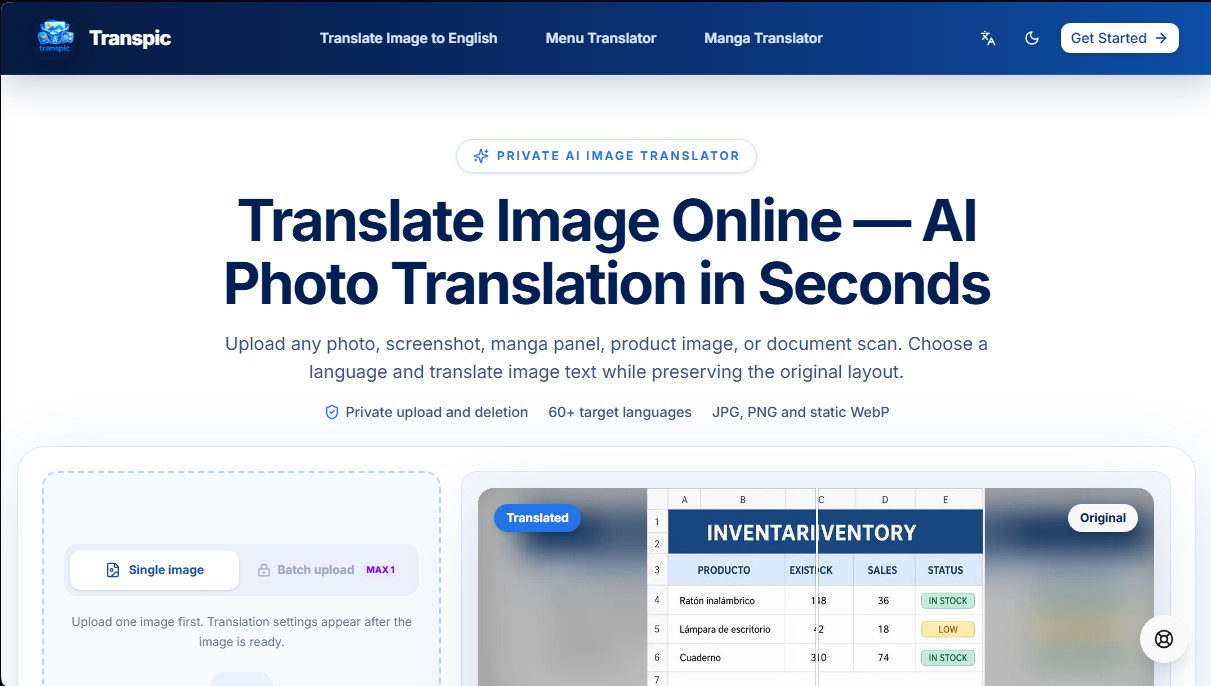
Transpic AI is an advanced AI image translation tool designed to convert text from visual files into more than 60 languages while preserving the original design and layout at all times. Unlike traditional translation systems that extract text in a flat format, this application uses layout-aware text detection technology, ensuring that every translated phrase remains in its exact position—whether it's inside a comic speech bubble, a table cell, or a product label in an infographic.
The operation of Transpic AI is based on a four-step process optimized for efficiency: file upload, language and mode selection, processing via AI models, and final review. The platform supports JPG, PNG, and static WebP formats, allowing users to upload individual images or perform batch image translation to process multiple files simultaneously. One of its most practical features is the built-in editor, which allows users to inspect individual text blocks and make manual adjustments to wording, font size, color, or positioning before exporting the result in its original dimensions.
To maximize accuracy, the tool offers several specialized modes based on the type of content:
- Manga Mode: Specifically tuned for dialogue and panel structures.
- E-commerce Mode: Ideal for localizing product graphics and promotions while maintaining the visual sales hierarchy.
- Document Mode: Optimized for screenshots of spreadsheets, reports, and scans that require preserving the row and column structure.
- General Mode: Designed for translating menus, posters, signage, or app screenshots from a mobile device or computer.
Privacy is a fundamental pillar of Transpic AI, as files are managed through a private processing system with short-term storage, preventing images from being permanently published or publicly accessible. This makes it a reliable solution for professionals handling sensitive documentation or content creators who need to understand text in images without compromising their workflow.
Thanks to its intuitive interface and its ability to generate editable, export-ready results, this tool is a key resource for market localization, reading foreign content, and managing multilingual digital assets. Its practical approach eliminates the need to manually reconstruct graphics after translation, saving both time and technical resources.
Transpic AI features and use cases
How to use Transpic AI
Transpic AI FAQ
What is Transpic AI and what is it used for?
Transpic AI is an artificial intelligence tool designed to translate text within images and screenshots while preserving the original layout and visual design.
What file types can I translate with Transpic AI?
The platform supports JPG, PNG, and static WebP files, though it does not currently allow for the direct upload of PDF or Word documents.
Can I manually edit the translation results?
Yes, Transpic AI allows you to edit the content of text blocks, adjust their size, change colors, and reposition them before downloading the final image.
How many languages can Transpic AI translate my content into?
The system currently supports over 60 different languages, making it easy to localize content for markets all over the world.
Is it safe to upload my personal or business photos to Transpic AI?
Yes, images are processed privately and are not made public, ensuring that file access remains restricted and temporary.
Is there an option to translate multiple images at once?
Yes, paid plans allow for batch uploading and simultaneous management of multiple translations to save time on large projects.
What specialized translation modes does Transpic AI offer?
The tool includes specific modes for e-commerce, manga, documents, and general photography to optimize text detection based on the context.
How can I download translated images without a watermark?
To export images without a watermark, you must have an active subscription plan, as the free version includes a visual signature on the final result.
What happens if the text in my image is very small or highly stylized?
In those cases, automatic detection may require manual adjustments, which you can easily perform using the built-in editor before exporting.
Does Transpic AI offer commercial use rights for exported images?
Yes, the Starter, Pro, and Studio plans include commercial use rights so you can use the translations for your business or online store.
Transpic AI pricing and plans
Free (0 $ per month)
30 sign-up credits and 10 daily credits.
Original size export with watermark.
1 target language per job.
General Mode and fast processing.
7-day translation history.
Starter (9,90 $ per month or 8,25 $ per month billed annually)
5,000 credits per month.
Batch processing for 20 images and 2 languages (ZIP download).
No watermark and commercial use rights.
General, Document Image, and E-commerce modes.
30-day history and editable results.
Pro (19,90 $ per month or 16,58 $ per month billed annually)
12,000 credits per month.
Batch processing for 50 images and 5 languages (ZIP download).
Access to all modes, including Manga and Custom.
Custom prompts and all translators enabled.
90-day history and editable results.
Studio (79,90 $ per month or 66,58 $ per month billed annually)
50,000 credits per month.
Batch processing for 100 images and 10 languages (ZIP download).
Support for images up to 50 MB and the highest processing limits.
180-day history.
Includes all Pro features and commercial use rights.
Transpic AI Screenshots
Transpic AI alternatives

AI Translate Manga.com
Translate Japanese manga into English or Simplified Chinese directly in the panels. Supports PNG, JPG, and PDF files, plus a Chrome extension for online reading.

MixTranslate
Translate text by comparing results from 20+ AI models in parallel. Adjust tone, manage glossaries, and extract text from images with high precision.
AI Image Translator.org
Translate image text while preserving original design, fonts, and backgrounds. Supports 130+ languages and batch processing for professional visual content localization.

MangaFusion
Translate and color manga, comics, or manhwa with AI. Detect speech bubbles, automatically translate dialogue, and upscale resolution while maintaining the original style.