
Share
Translate scanned PDFs and images while keeping the original layout. OCR technology recognizes text and preserves tables, columns, and signatures in the final document.
What is Reglyph?
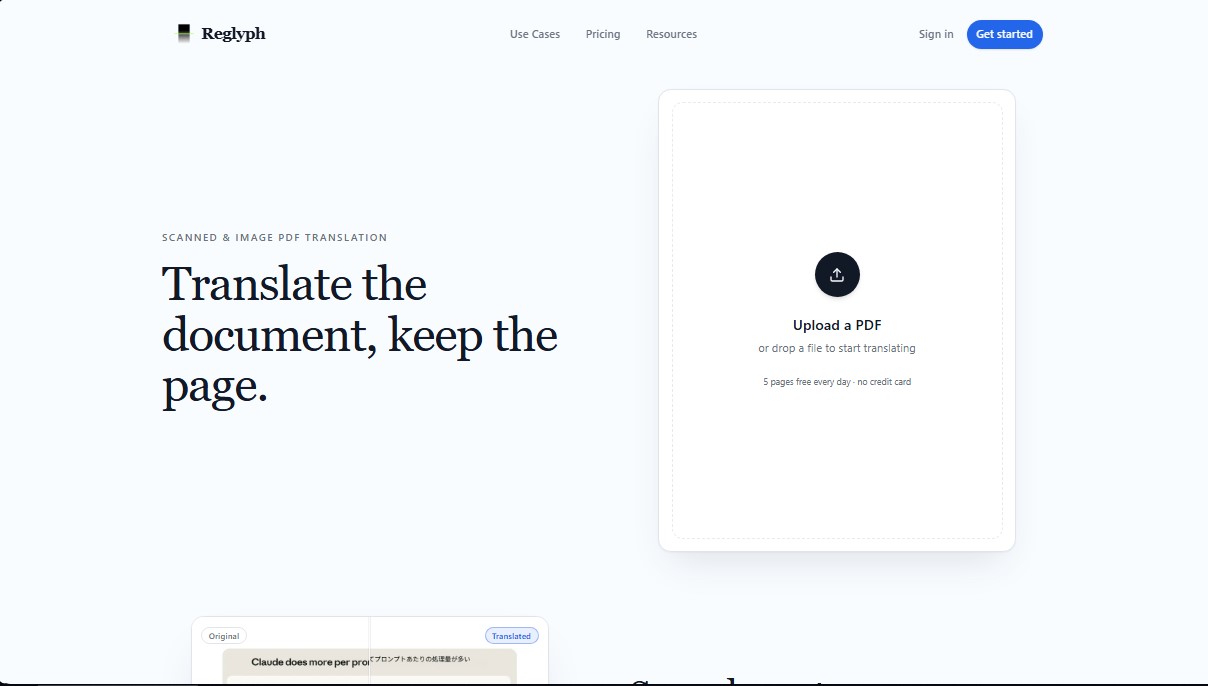
Reglyph is an artificial intelligence tool specialized in translating scanned PDFs and documents based exclusively on images. Unlike conventional translators that require a digital text layer to function, this application uses advanced technology to process files where the content is purely visual, such as photos of documents or physical scans. Its primary function is to allow users to obtain a translated version that preserves exactly the same design, structure, and layout as the original file.
Reglyph's operation is based on a comprehensive process that combines Optical Character Recognition (OCR) with high-precision translation engines. When a file is uploaded to the system, the AI identifies the text within the image, eliminating the issue of random characters or blank pages that general-purpose tools often generate. Once the content is detected, the system translates the words and performs automatic layout reconstruction, erasing the original text and overwriting the translation in the exact same position, maintaining the document's visual consistency at all times.
This document translation tool stands out for its ability to respect complex elements that are often lost in other conversion processes. Users can benefit from the following functional capabilities:
- Table and column maintenance: Prevents content from shifting or merging, preserving the original data structure.
- Preservation of non-textual elements: Stamps, signatures, logos, and figures remain in their original positions without being altered.
- Large file management: Enables the processing of large documents, supporting files up to 300 MB in its advanced modes.
- Multilingual translation: Support for critical language pairs such as Chinese to English, Japanese, Spanish, and various European languages.
This solution is ideal for professionals who handle technical translations, contracts, medical certificates, or official records where formatting integrity is just as important as the content itself. By automating layout reconstruction, Reglyph eliminates the need to manually reformat the file after translation—a task that is typically time-consuming in any computer-based workflow.
The platform is designed to be intuitive, allowing files to be uploaded via drag-and-drop. By treating image-only PDFs as its primary use case, it guarantees legible and professional results where other tools fail. Additionally, it allows for practical verification of its technology by offering 5 free pages every day, making it easy to evaluate OCR quality and layout fidelity before proceeding with extensive documents.
Reglyph features and use cases
How to use Reglyph
Reglyph FAQ
What is Reglyph and how does it work for translating scanned documents?
Reglyph is a specialized tool that uses Optical Character Recognition (OCR) technology to translate PDFs and images while maintaining the original page layout.
Can I translate a PDF for free with Reglyph?
The platform offers five free pages every day with no credit card required, so you can try out the service.
Does the tool maintain the original layout of tables and columns?
Reglyph removes the original text and places the translation in the exact same position, ensuring that tables, columns, images, and headers remain intact.
Why does my scanned PDF show garbled characters in other translators but not in Reglyph?
Standard translators often fail because they look for digital text layers that scans lack, whereas this tool processes the image directly to extract the actual content.
What happens to the signatures and official seals on my documents?
The tool only replaces translatable text, so signatures, seals, logos, and numerical figures stay in their original locations without any alterations.
What payment options are available if I need to translate a large number of pages?
You can choose between a one-time pay-per-use option, a monthly plan for individuals, or a professional subscription for high volumes that allows you to roll over unused pages.
Do I need to manually fix the document's formatting after translation?
No manual work is required afterward, as the system automatically reconstructs the layout so the file is ready for immediate use.
Does Reglyph allow for uploading large files or entire books?
The platform supports files up to 300 megabytes on its professional plan and efficiently processes multi-page documents while maintaining the structure of each page.
Reglyph pricing and plans
Free Version: 0 $
5 free pages per day.
No credit card required.
Pay-as-you-go: 5 $ (one-time payment)
Includes 10 scanned pages that never expire.
0.50 $ per additional page.
Up to 100 MB per file.
Lite: 15 $ per month
Includes 120 pages per month.
0.13 $ per page.
Up to 100 MB per file.
Pages reset every month (no rollover).
Pro: 39 $ per month
Includes 700 pages per month.
0.06 $ per page.
Unused pages roll over to the next month (up to a maximum of 2,100).
Supports large files up to 300 MB.
Reglyph Screenshots
Reglyph alternatives
AI Translate Manga.com
Translate Japanese manga into English or Simplified Chinese directly in the panels. Supports PNG, JPG, and PDF files, plus a Chrome extension for online reading.

Kapwing Hinglish Subtitles Generator
Generate automatic Hinglish captions for videos in 100+ languages. Includes AI-powered editing and dubbing tools to reach bilingual audiences.
Ask BONBON
AI assistant for electricians that answers NEC and CEC code questions with official citations. Includes calculation tools, blueprint analysis, and a voice assistant.
GLMImage AI Scientific Illustration Generator
Generate precise, labeled scientific illustrations from text. Covers 9 disciplines, including botany and anatomy, for articles and educational materials.