
Share
Detect site changes and analyze user impact. Compare behavior before and after with recordings and heatmaps without needing to set up experiments.
What is UXsniff?
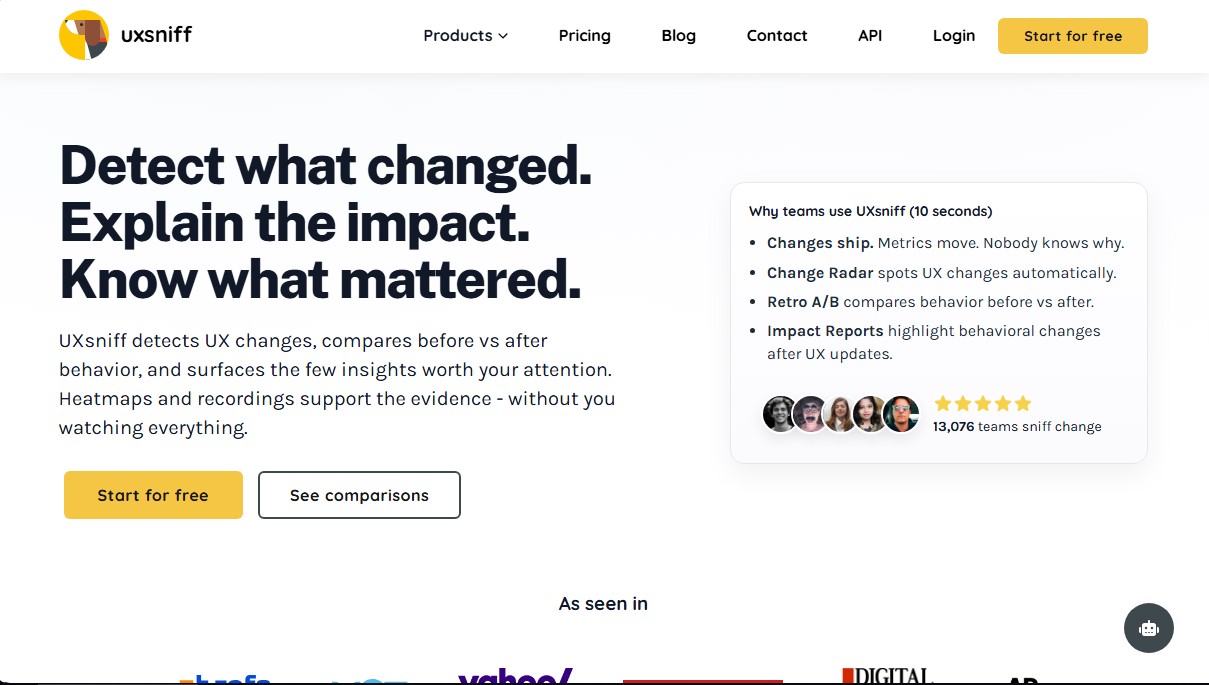
UXsniff is a user experience intelligence platform designed to detect website changes and analyze their direct impact on visitor behavior. Unlike traditional analytics tools that only show what happened on a quantitative level, UXsniff uses artificial intelligence to explain why metrics shifted following a technical or content update. Its primary function is to automatically monitor modifications in design, code, or copy and link them to variations in user interaction, facilitating evidence-based decision-making.
The tool's technology relies on advanced algorithms to analyze session recordings and heatmaps without the need for constant manual supervision. At the core of the system is the Change Radar, a feature that detects visual alterations, changes in page structure, or modifications to calls to action (CTAs). When a new update is identified on the site, the software generates Impact Reports that compare performance before and after the change, eliminating the laborious task of proactively setting up complex experiments.
One of UXsniff's most practical approaches is Retro A/B testing (post-hoc A/B testing). This capability allows teams to compare user behavior before and after a deployment using real historical data, which is essential for teams launching updates on desktop or mobile without having planned a split-traffic test. Additionally, the tool incorporates an anomaly detection system that identifies frustration patterns, such as rage clicks or dead clicks, alerting the team before technical issues seriously impact conversion rates.
For conversion rate optimization (CRO) specialists and product teams, this AI application drastically reduces the time spent watching session recordings at random. By filtering and prioritizing only those moments where significant changes or friction are detected, UXsniff enables teams to act quickly on navigation errors. It is an ideal UX intelligence solution for agencies and companies looking to understand how production updates impact the sales funnel.
Its core capabilities include:
- Change Radar: Continuous monitoring of interface and user experience changes.
- Retro A/B: Behavior comparisons based on browsing history without the need for traffic segmentation.
- Impact Reports: Automated reports linking specific changes to user behavior signals.
- Rage Alerts: Immediate identification of friction and confusion patterns during navigation.
- Visual Evidence: Integrated heatmaps and session recordings to support data analysis.
Ultimately, UXsniff functions as an active surveillance system that transforms behavioral data into actionable decisions, allowing teams to know exactly what has changed on their website and whether that change has been positive or negative for the business.
UXsniff features and use cases
How to use UXsniff
UXsniff FAQ
What is UXsniff and how does it help my product team?
UXsniff is a tool that automatically detects website changes and analyzes their impact by comparing user behavior before and after every update.
How do I install UXsniff on my website?
Just insert a lightweight tracking script into your site's code, and the tool will start collecting data immediately without any complex configuration.
Will using this tool affect my page load speed?
No, the tracking script is non-blocking and very lightweight, so your users' browsing experience won't be slowed down at all.
How is Retro A/B different from a traditional A/B test?
Traditional A/B testing requires splitting traffic and planning before launch, whereas Retro A/B lets you compare the results of changes that are already live using historical data.
What kind of alerts does UXsniff offer to detect user frustration?
The tool includes rage click alerts that automatically notify you when users repeatedly click an element that isn't working or when they are feeling frustrated.
Do I need to watch all session recordings manually?
No, the system analyzes interactions and prioritizes the recordings that actually matter, saving you hours of manually reviewing irrelevant sessions.
What information do the impact reports provide?
These reports summarize exactly what changed in the interface and how those changes affected behavior metrics, helping you prioritize what to fix first.
Does UXsniff offer a free plan to get started?
Yes, we offer a free-forever basic plan that allows you to try out the core change detection and behavior analysis features at no cost.
UXsniff pricing and plans
Free Plan
- Price: Free for life.
- Access to basic UX change intelligence features.
Poodle
- Price: $19 per month ($15.83 per month billed annually).
- Designed for small websites and startups.
- 100 daily recordings limit.
- 1,000 daily page views limit.
- 1 month of data storage.
- Includes Change Radar, Impact Reports, and Retro A/B Testing.
- Includes site audit and LinkGuard.
Hound
- Price: $49 per month ($40.83 per month billed annually).
- Full-power tracking for large-scale websites.
- Includes all change intelligence features (Change Radar, Impact Reports, Retro A/B Testing, site audit, and LinkGuard).
K-9
- Price: $89 per month ($74.20 per month billed annually).
- Unlimited power and advanced professional features.
- Includes all change intelligence features (Change Radar, Impact Reports, Retro A/B Testing, site audit, and LinkGuard).
Wolf Pack
- Price: $299 per month ($249.20 per month billed annually).
- Optimized plan for agencies and large enterprises.
- Includes all change intelligence features (Change Radar, Impact Reports, Retro A/B Testing, site audit, and LinkGuard).
UXsniff Screenshots
UXsniff alternatives



Optimus by Iacon Autonomics
Autonomous researcher designing experiments and evaluating algorithms to train AI models. Automates improvement cycles for LLMs, robotics, and various complex systems.


Tradebreath
Tradebreath is a backtesting platform with tick-by-tick market replay and an AI agent that writes and tests trading strategies across 800+ symbols.