
Share
What is Vector Magic?
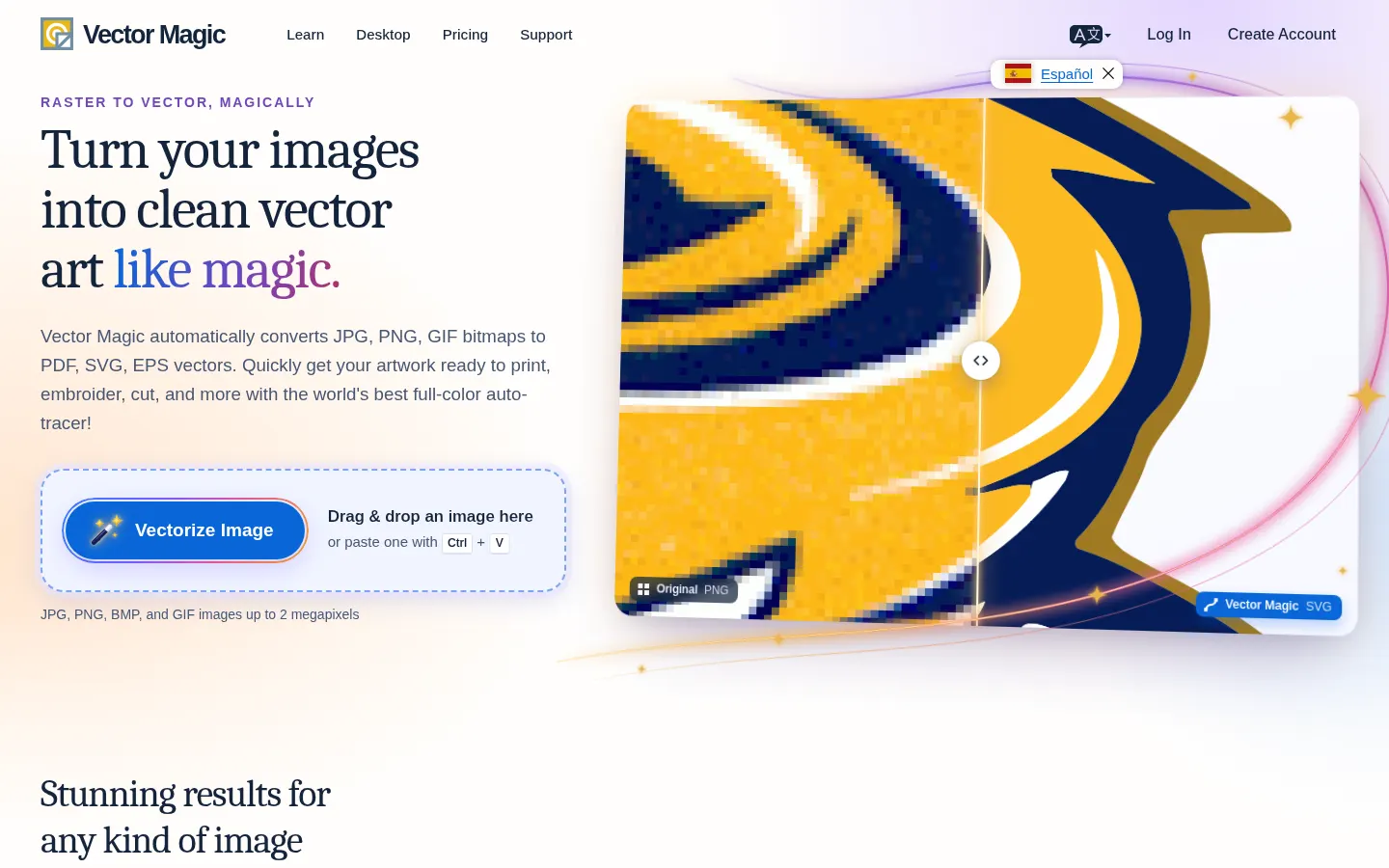
Vector Magic is an automatic image vectorizer that converts JPG, PNG, BMP and GIF bitmaps into full-color SVG, EPS and PDF vector graphics. It gets logos and illustrations ready for print, embroidery, vinyl cutting or engraving without hand-tracing every shape.
What is Vector Magic used for?
It rescues logos or drawings you only have in low resolution. Upload the image, the tool picks suitable settings automatically and traces shapes with sub-pixel precision, choosing a sensible number of nodes. Unlike software that just embeds the bitmap inside a vector file, Vector Magic actually traces the shapes, so the output scales without losing sharpness.
How does Vector Magic work online and on desktop?
The flow is three steps: upload, review and download. Before downloading you can tweak settings and use a pixel-style segmentation editor to remove stray shapes, join separated pieces or fix broken lines. The online edition runs in the browser and delivers SVG, EPS and PDF; the desktop edition adds an advanced mode, very large images, batch processing, grouping by color and AI and DXF output. It's available in English, German, Spanish and French.
Who is Vector Magic for?
- Print and screen-printing shops receiving low-quality logos.
- Embroidery and vinyl-cutting shops that need clean paths.
- Designers who want to skip hours of manual tracing.
- Small businesses that only have their logo as a JPG.
Vector Magic pros and cons
Pros: very faithful automatic tracing, a built-in editor and unlimited previews. Cons: downloads require payment, the online edition accepts images up to 2 megapixels, and complex photos produce heavy vectors that aren't always worth it.
Vector Magic features and use cases
How to use Vector Magic
Vector Magic FAQ
What is Vector Magic?
Vector Magic is an automatic vectorizer that converts JPG, PNG, BMP and GIF images into full-color SVG, EPS and PDF vectors.
Is Vector Magic free?
You can upload, vectorize and preview at no charge, but downloading requires the online or desktop edition; see the pricing section.
Does Vector Magic work in Spanish?
Yes, the site has a Spanish version and the desktop app is available in Spanish, English, German and French.
Which output formats does it offer?
The online edition delivers SVG, EPS and PDF; the desktop edition adds AI and DXF and can also export bitmaps like PNG or TIFF.
Does Vector Magic have an API?
The site doesn't advertise an API; it's meant to be used in the browser or as a Windows and Mac desktop app.
How large can images be?
The online edition accepts images up to 2 megapixels; for very large images there's the desktop edition.
Is it good for embroidery and vinyl cutting?
Yes, its tracing modes and output formats are designed for printing, embroidery, cutting and engraving.
Can I fix the result?
Yes, a segmentation editor lets you delete shapes, join separated pieces and repair broken lines before downloading.
What are the best Vector Magic alternatives?
Our directory lists Recraft, which generates and vectorizes images, and Kittl, a graphic design editor with AI tools.
Vector Magic pricing and plans
Reference price: 7.99 EUR / month. Source · Verified: November 9, 2026
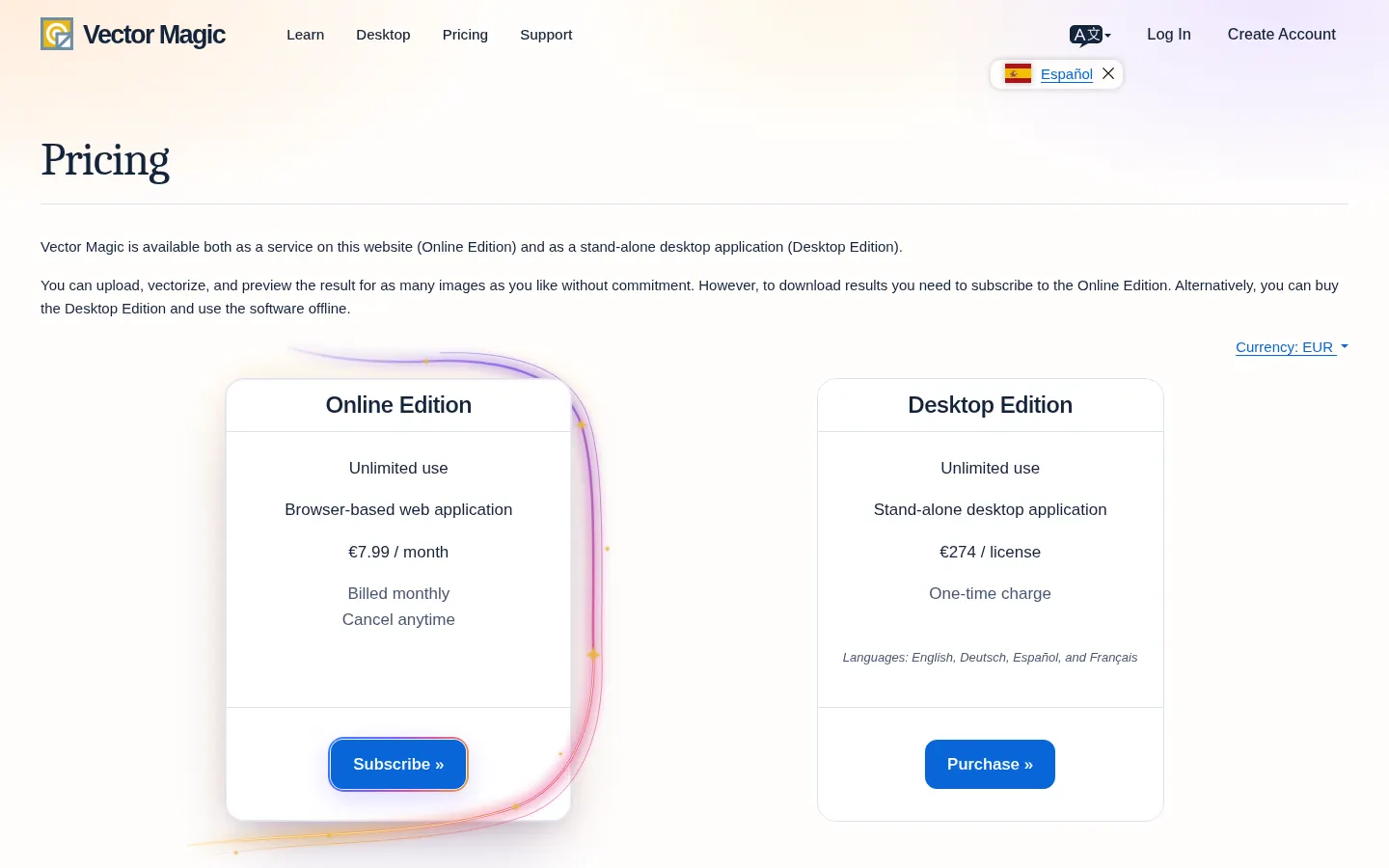
Prices in euros (EUR) from the official site (Checked on: 09/11/2026). You can upload, vectorize and preview for free; downloading requires one of the two editions.
Online Edition: €7.99/month, billed monthly, cancel anytime.
- Unlimited browser use, latest processing engine, SVG, EPS and PDF output, segmentation editing, transparency and background removal.
Desktop Edition: €274 per license, one-time charge.
- Stand-alone app with advanced mode, very large images, batch processing, grouping by color and AI and DXF output. Languages: English, German, Spanish and French.
Vector Magic Screenshots
Vector Magic user reviews
Write a review
Checking your session...
Vector Magic Reviews
Loading reviews...
Vector Magic alternatives



Bannerbear
Bannerbear is an API that turns on-brand templates into images, PDFs, animations and videos, so you can automate banners and social content at scale.


BookCoverAI
BookCoverAI is an AI cover generator for self-published authors, creating ebook, KDP print, audiobook and series covers from your title and genre.