

Share
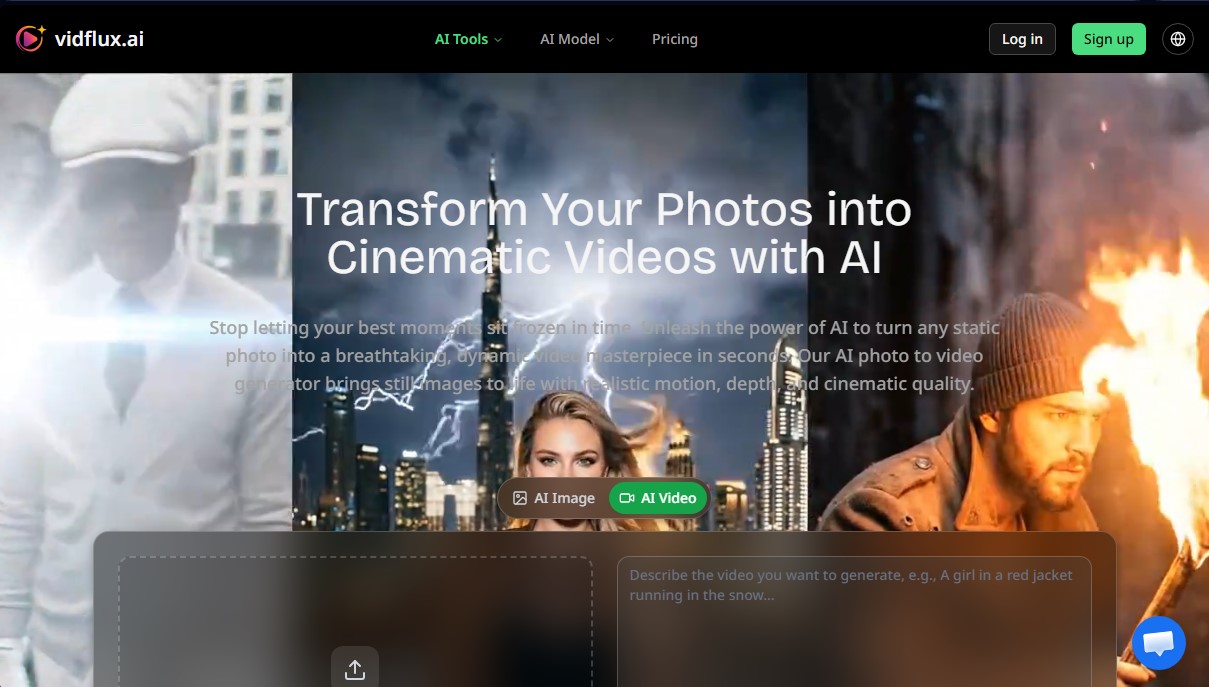
Transform photos into cinematic videos with realistic AI motion. Generate dynamic, high-res animations with camera effects from still images.
What is Vidflux Photo to Video?
VidFlux Photo to Video Generator is an artificial intelligence tool specializing in transforming static images into high-quality cinematic video clips. This platform enables content creators, marketing professionals, and digital artists to add realistic motion to their photos in seconds, utilizing advanced AI video generation models to ensure visual assets don't remain stagnant in fixed formats.
The functionality of VidFlux is powered by cutting-edge technologies such as Google Veo 3.1, Kling AI, and Sora2. The process begins by uploading an image in JPG, PNG, or WEBP format. The system analyzes the composition to distinguish between the foreground and background, applying realistic physics and depth of field. Users guide the creation through a detailed text prompt, where they can specify actions using active verbs and camera commands, such as "slow pan right" or "drone view." The AI interprets these instructions to generate videos up to 15 seconds long in MP4 format with a resolution of up to 1080p.
Among its most notable technical capabilities is its flexibility in aspect ratios. Users can adapt their creations to 16:9 formats for computer or TV viewing, and 9:16, optimized for mobile device consumption. The tool stands out for its intelligent animation, capable of generating fluid movements that maintain the visual consistency of the original image, allowing for professional-level dynamic zoom effects and camera shifts without the need for complex editing software.
The practical applications of this AI tool span multiple sectors:
- E-commerce: Transforming catalog photos into dynamic 3D showcases that display products from various angles.
- Social Media: Creating high-impact content for Reels, TikTok, or Shorts from still photographs.
- Marketing and Advertising: Converting static ads into immersive video pieces that boost user engagement.
- Real Estate: Generating virtual tours and dynamic panoramic views from property photos.
- Digital Art and Archives: Animating illustrations or historical photographs to add an emotional and realistic dimension to creative projects.
VidFlux positions itself as an efficient solution for optimizing design workflows, allowing any user, regardless of technical expertise, to act as a virtual director. Thanks to its focus on high-definition clarity and creative control through natural language, the platform facilitates the mass production of dynamic visual content ready for immediate distribution.
Vidflux Photo to Video features and use cases
How to use Vidflux Photo to Video
Vidflux Photo to Video FAQ
What is VidFlux Photo to Video Generator and how does it work?
It is an AI-powered tool that transforms static photos into dynamic videos of up to 15 seconds using text descriptions.
How many videos can I create with the VidFlux basic plan?
With the 1,000 credit units included in the basic plan, you can generate up to 20 high-quality videos without watermarks.
Can I use the videos generated with VidFlux for commercial purposes?
Yes, both monthly and annual subscription plans include commercial use rights for all content you create on the platform.
What image formats and aspect ratios does the tool support?
You can upload files in JPG, PNG, or WEBP format and choose from aspect ratios of 16:9, 9:16, or 1:1.
How long does it take for VidFlux Photo to Video Generator to create a video?
The system typically completes the MP4 file generation in about one minute after processing the image and instructions.
Do the generated videos have watermarks?
Content created through any of the platform's paid plans does not include watermarks.
Which AI models does this platform use for animation?
The tool employs advanced models such as Google Veo 3.1 and Kling AI to ensure realistic movement and cinematic quality.
How can I direct the movement in VidFlux Photo to Video Generator?
You should include action verbs and camera commands in your text description, such as "slow pan right" or "drone view."
What happens if I run out of monthly credits?
You can opt for pay-as-you-go packages that allow you to purchase additional credits without having to change your current subscription.
Do I need to know how to code to use VidFlux?
No technical knowledge is required, as the platform is designed to be intuitive and deliver professional results in just three steps.
Vidflux Photo to Video pricing and plans
Free Plan (Price: Free)
Allows you to sign up and start generating videos for free to test the platform.
Basic Plan (Price: $9 per month or $7.50 per month billed annually)
1,000 credits per month (allows you to generate approximately 20 videos).
Access to all available video models.
No watermarks.
Commercial use rights included.
Pro Plan (Price: $29 per month or $24.17 per month billed annually)
5,000 credits per month (allows you to generate approximately 100 videos).
Access to all available video models.
No watermarks.
Commercial use rights included.
Priority support.
Studio Plan (Price: $59 per month or $49.17 per month billed annually)
11,000 credits per month (allows you to generate approximately 220 videos).
Access to all available video models.
No watermarks.
Commercial use rights included.
Dedicated support.
Priority processing queue.
Pay as You Go (Price: One-time payments from $4.98 to $699)
Purchase credits via a one-time payment with no subscription required.
500 credits: $4.98.
2,200 credits: $18.80.
6,660 credits: $49.80.
13,300 credits: $79.80.
36,200 credits: $199.
139,800 credits: $699.
Vidflux Photo to Video Screenshots
Vidflux Photo to Video alternatives



Osmo Studio
AI animation studio for professional motion graphics and videos. Control every detail, collaborate with teams, and export with transparent backgrounds.

Victoria Secret Runway
Create fashion show videos by integrating your face into real scenes. Just upload a photo to replace professional models and walk the runway.


VideoWeb Video Generator
Generate professional AI videos from text or images. Features realistic avatars, automated scripts, and optimized formats for marketing and social media.