Vimcal
Share
Vimcal
Smart calendar for fast meeting and time zone management. Optimize your schedule with AI, booking links, and shortcuts for efficient coordination.
General Information about Vimcal
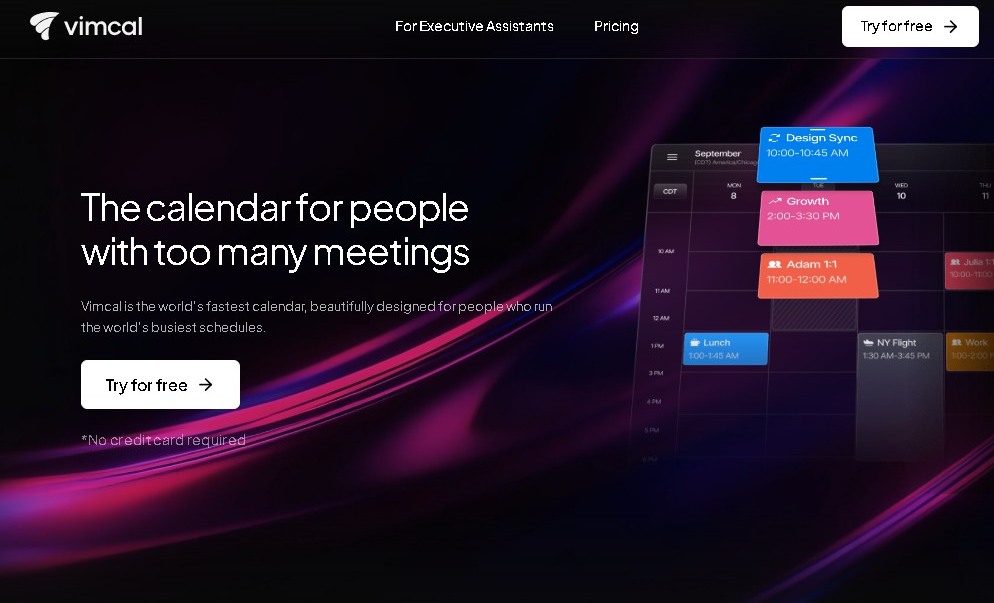
Vimcal is a high-performance calendar app designed specifically for professionals managing packed schedules who need to maximize their time. This tool acts as a productivity command center, allowing founders, executives, and executive assistants to coordinate meetings without the usual friction of back-and-forth emails. Its primary focus is speed and efficiency in event management through a fluid, minimalist interface, optimized for both desktop and mobile devices.
The platform utilizes AI scheduling to simplify the planning of complex events. Thanks to its algorithms, Vimcal offers smart suggestions that help find the best available slots in a schedule instantly, taking into account user preferences and real-time availability. Additionally, it integrates natively with leading services like Google Calendar and Outlook, unifying multiple accounts into a single centralized view to prevent overlaps and improve daily workflow visibility.
Its standout technical and functional capabilities for improving operational efficiency include:
- Meeting scheduling via links: Allows for the generation of personalized booking links so third parties can select available times autonomously and quickly.
- Advanced timezone management: Facilitates coordination with international teams by allowing the visualization and conversion of multiple time zones simultaneously, eliminating manual errors.
- Keyboard shortcuts and rapid navigation: The interface is designed to be controlled almost entirely through quick commands, accelerating actions like creating, moving, or deleting appointments in seconds.
- Contact social profiles: Provides contextual information and participant profiles before meetings to make preparation easier.
- Time usage metrics: Generates detailed audits and analytics on workday distribution and the amount of time dedicated to meetings.
Using Vimcal provides immediate practical benefits, such as a drastic reduction in time spent on administrative tasks. The automatic event color-coding feature by category and the ability to set automatic holds allow for impeccable visual organization and protect periods of deep work. For teams requiring high-level schedule management, the tool includes specific features for assistants managing the time of multiple executives at once, ensuring a coherent workflow. Ultimately, it is an intelligent calendar manager that prioritizes speed and functional clarity over traditional calendar interfaces, making it an ideal solution for those who consider their time their most valuable asset.
Features and Use Cases of Vimcal
How Vimcal Works
Frequently Asked Questions about Vimcal
What is Vimcal, and who is it designed for?
It’s a high-performance calendar built for busy professionals and teams who need to coordinate multiple meetings quickly and seamlessly.
Can I use Vimcal for free?
The tool offers a free plan exclusively for iOS devices, which includes basic calendar features and time zone conversion.
How does Vimcal make it easier to schedule meetings with external contacts?
It allows you to generate personalized booking links so others can pick a slot on your schedule, eliminating the constant back-and-forth of emails.
Is Vimcal compatible with Google and Outlook?
Yes, you can sync and manage all your Google and Outlook accounts directly from the app’s centralized interface.
What special features does it include for managing time zones?
The app lets you view multiple time zones at once and suggests the best times to meet with contacts located in different countries.
What does Vimcal’s Executive Assistant plan offer?
This subscription tier is designed for managing schedules for multiple people and includes advanced metrics and support for up to five simultaneous time zones.
Is Vimcal available on desktop?
Yes, the desktop version is available with paid plans and is compatible with both Macs and PCs.
Vimcal Pricing
Free Plan – Free
- Available exclusively for iOS devices.
- Basic calendar viewing and management features.
- Built-in time zone conversion.
- Quick drag-and-copy time tool.
- Dark mode support.
iOS & Desktop Plan – Starting at ~$12.50/month
- Price: $15/month billed monthly or ~$12.50/month billed annually ($150/year).
- Includes all Free plan features.
- Dedicated desktop app for Mac and PC.
- Unlimited personal booking links for scheduling meetings.
- Group scheduling poll creation.
- Access to team-specific collaboration features.
EA (Executive Assistant) Plan – Starting at ~$62.50/month
- Price: ~$75/month billed monthly or ~$62.50/month billed annually.
- Includes all iOS & Desktop plan features.
- Support for viewing and managing up to 5 time zones simultaneously.
- Automatic calendar holds.
- Time usage metrics and calendar audits.
- Advanced tools for assistants managing schedules for multiple executives or individuals.
Enterprise Plan – Custom Pricing
- Price: Contact the official website for a custom quote tailored to your organization's needs.
- Priority dedicated technical support.
- SSO (Single Sign-On) implementation for enhanced security.
- Advanced security features and regulatory compliance.
Vimcal Screenshots