

Share
Analyze 802.11 protocols and diagnose WiFi network failures with AI. Identify root causes, security issues, and connection errors in seconds from your browser.
What is WiFi Analyser?
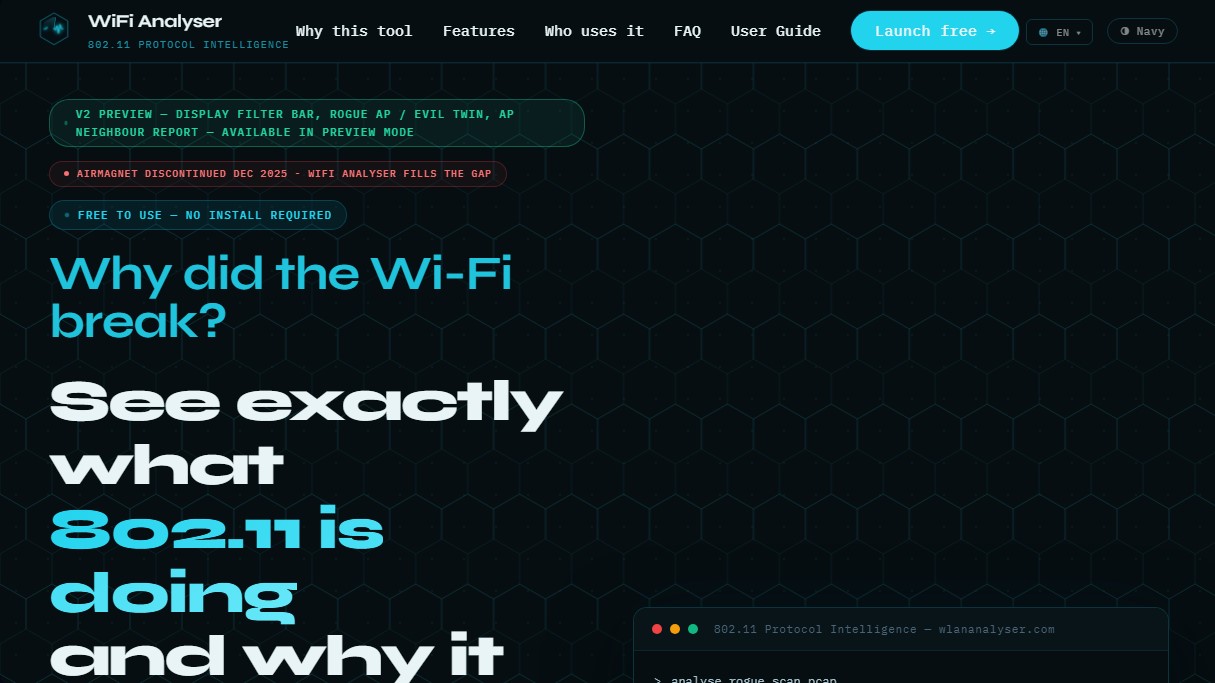
WiFi Analyser is an advanced 802.11 protocol intelligence tool designed for wireless network professionals seeking to diagnose connectivity issues with surgical precision. This browser-based application enables deep Wi-Fi frame analysis without the need to install additional software on your computer, positioning itself as a modern and agile alternative following the discontinuation of classic solutions like AirMagnet.
The tool's operation centers on the ingestion of packet capture files (.pcap or .pcapng) or system log files from Windows and macOS. Once the file is uploaded, its artificial intelligence engine processes the content in less than 15 seconds, performing more than 240 protocol checks and triggering 65 anomaly detectors. These analyses are based on IEEE 802.11-2020 standards, as well as MITRE CVE and NIST NVD security references.
The core capabilities of WiFi Analyser include:
- AI-driven root cause diagnosis: Automatically identifies why a connection fails, whether due to EAPOL key exchange errors, RADIUS timeouts, or encryption configuration issues.
- Roaming analysis: Evaluates the performance of 802.11r, 802.11k, and 802.11v standards, detecting "sticky clients" and measuring transition latency to meet voice and video SLAs.
- Security auditing: Detects vulnerabilities such as KRACK attacks, PMKID exposure, TKIP encryption degradation, and Evil Twin patterns or rogue access points.
- Multi-standard support: The ability to decode frames from Wi-Fi 4 to the new Wi-Fi 7 (802.11be), including MLO operations and BSS coloring.
- Symptom mode: If you don't have a packet capture, you can describe the issues in natural language for the AI agent to suggest probable causes and solutions.
For the network engineer or system administrator, the tool offers immediate practical value by generating specific remediation commands for vendors such as Cisco, Aruba, Ubiquiti, Ruckus, or TP-Link. Additionally, it allows for exporting professional PDF reports featuring network health scores and security matrices.
Privacy is a fundamental pillar of WiFi Analyser, as all processing is performed entirely in-memory. PCAP files are never stored on disk or retained after the session ends, ensuring that sensitive infrastructure information remains protected. It is an ideal solution for critical sectors such as healthcare, government, or manufacturing, where network downtime is not an option and fast, reliable protocol validation is required.
WiFi Analyser features and use cases
How to use WiFi Analyser
WiFi Analyser FAQ
What is WiFi Analyser and what are its primary features?
It is a free, browser-based tool that analyzes packet captures to diagnose network issues, identify security anomalies, and provide detailed insights into 802.11 protocols.
How does WiFi Analyser differ from traditional tools like Wireshark?
While other utilities display individual data frames, this platform automatically interprets the data to detect roaming failures or authentication errors and suggests specific fix commands.
Is it safe to upload my capture files to WiFi Analyser?
Your privacy is guaranteed; files are processed exclusively in system memory and are immediately deleted once the session ends, with no data stored on any external servers.
What file formats can I use with WiFi Analyser for diagnostics?
The tool supports .pcap, .pcapng, and .cap files, provided they contain 802.11 frames with radiotap headers captured in monitor mode.
Do I need to install any software or create an account to use WiFi Analyser?
No installation or registration is required. All analysis and AI-driven features are available directly through your web browser.
Can WiFi Analyser help me if I don't have advanced knowledge of network protocols?
Yes, the platform features an AI engine that explains the causes of issues in plain English and generates downloadable PDF reports with step-by-step recommendations.
Which wireless standards does this tool support?
The system provides full support for a wide range of technologies, from legacy versions like Wi-Fi 4 to the latest standards like Wi-Fi 6E and Wi-Fi 7.
How does WiFi Analyser's symptom-based diagnostic mode work?
This mode allows you to describe your network issue in plain language. The system then analyzes the information and provides a list of potential root causes and corrective actions without requiring a PCAP file upload.
Is there a file size limit for the captures I want to analyze?
The current maximum limit for network capture uploads is 150 MB per file to ensure fast response times and efficient in-browser processing.
Does WiFi Analyser provide technical solutions for specific vendors?
Yes, the tool generates configuration commands and tailored solutions for equipment from leading vendors such as Cisco, Aruba, Ubiquiti, Ruckus, and TP-Link.
WiFi Analyser pricing and plans
Free Version
Price: Free.
- Over 65 automated network anomaly detectors.
- Over 240 protocol checks based on IEEE 802.11-2020, MITRE CVE, and NIST NVD standards.
- AI engine for root cause analysis of failures in under 15 seconds.
- Symptom-based diagnostic mode (allows for issue analysis via description without needing PCAP files).
- Detailed security analysis (detection of KRACK, PMKID, and Rogue AP attacks, plus encryption auditing).
- Vendor-specific remediation command generation for Cisco, Aruba, Ubiquiti, Ruckus, and TP-Link.
- Roaming analysis (Roaming SLA) and performance with an integrated speed test.
- Deep frame decoding (802.11 management, EAPOL, EAP, DHCP).
- Professional PDF report export with network health scores (0-100).
- Total privacy: In-memory processing with no data stored on disk.
- Limits: Restricted to PCAP/PCAPNG files up to 150 MB. Captures must be performed in monitor mode and include radiotap headers.
For more information on potential upgrades or custom services, please visit the official website.
WiFi Analyser Screenshots
WiFi Analyser alternatives

Optimus by Iacon Autonomics
Autonomous researcher designing experiments and evaluating algorithms to train AI models. Automates improvement cycles for LLMs, robotics, and various complex systems.


Tradebreath
Tradebreath is a backtesting platform with tick-by-tick market replay and an AI agent that writes and tests trading strategies across 800+ symbols.


Confident AI
LLM evaluation platform to test AI workflows, measure quality metrics, and automate testing in the development cycle without relying on engineering.