

Share
What is Zed?
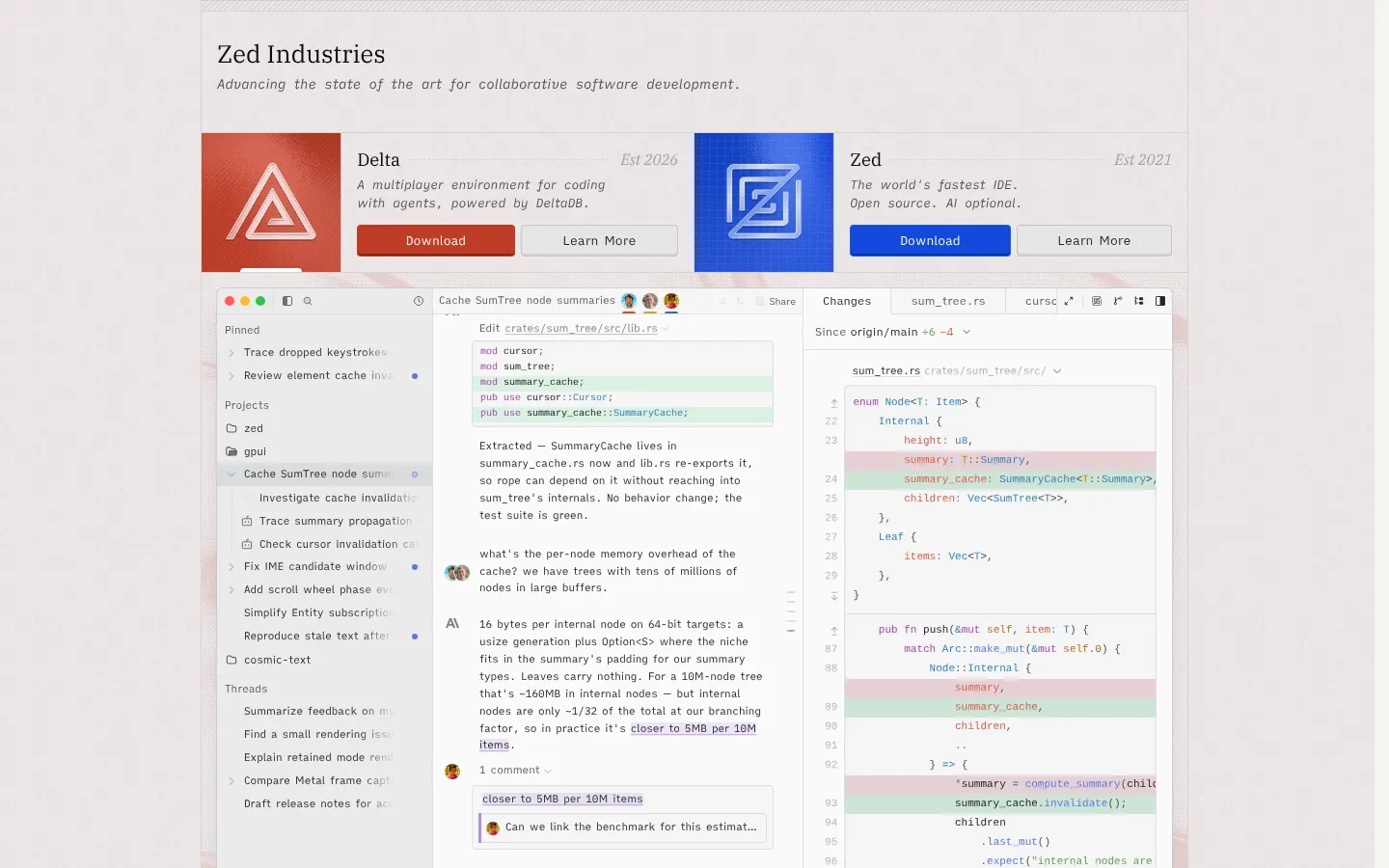
Zed is an open source code editor written from scratch in Rust to make full use of multiple CPU cores and the GPU, built for coding with people and with AI. It runs on macOS, Linux and Windows, ships weekly releases and works with or without AI features.
What is Zed used for?
It is a primary editor for developers who want a very fast, lightweight environment. It offers language support through LSP, Vim mode, multicursor editing and extensions, plus multiplayer collaboration: you can chat with teammates, edit the same project together and share your screen without leaving the editor.
How does AI work in Zed?
The agent panel lets you run the Zed Agent or external agents such as Claude Agent or Codex CLI through the ACP protocol, with several threads in parallel, each on its own project. As you type, edit prediction powered by Zeta, Zed's open model, suggests single or multi-line changes you accept with Tab.
Which models can I use in Zed?
- Models hosted by Zed itself.
- Your own keys from Anthropic, OpenAI, Google, Mistral or DeepSeek.
- Gateways such as OpenRouter, Amazon Bedrock or Vercel.
- Local models through Ollama or LM Studio.
- MCP servers, profiles and custom instructions for the agent.
Who is Zed for?
Developers who care about performance and teams that want to collaborate live. If you do not want AI you can turn it off entirely, and organizations get a dashboard to restrict models, disable edit prediction and lock data sharing settings for every member.
Zed pros and cons
- Pro: native performance thanks to Rust and the GPU
- Pro: freedom to use your own keys, external agents or local models
- Pro: built-in real-time collaboration
- Con: smaller extension ecosystem than VS Code
- Con: SSO, SAML and SCIM are not available yet
Zed features and use cases
How to use Zed
Zed FAQ
What is Zed?
Zed is an open source code editor written in Rust, with AI agents and real-time collaboration built in.
Is Zed free?
Yes, the Personal plan is free forever and lets you use AI with your own API keys or external agents.
Which operating systems does Zed support?
Zed is available for macOS, Linux and Windows, with weekly releases on all three.
Can I use Claude Code or Codex in Zed?
Yes, Zed runs external agents such as Claude Agent or Codex CLI through the ACP protocol, plus terminal threads.
What is Zed edit prediction?
It is Zed's AI autocomplete: it suggests single or multi-line edits as you type, using Zeta as the default model.
Can I use local models in Zed?
Yes, Zed supports local models through Ollama or LM Studio, as well as keys from Anthropic, OpenAI, Google and others.
Can I use Zed without AI?
Yes, every AI feature can be turned off and Zed works as a traditional, very fast code editor.
What does Zed Business add?
Org-level controls to restrict models, disable edit prediction, lock data sharing settings and bill every seat together.
What are the best Zed alternatives?
On GptZone you can compare it with Cursor, Claude Code and Kilo Code for AI-assisted coding.
Zed pricing and plans
Reference price: 10 USD / month. Source · Verified: November 2, 2026
Prices in US dollars (USD). Checked on: 02/11/2026.
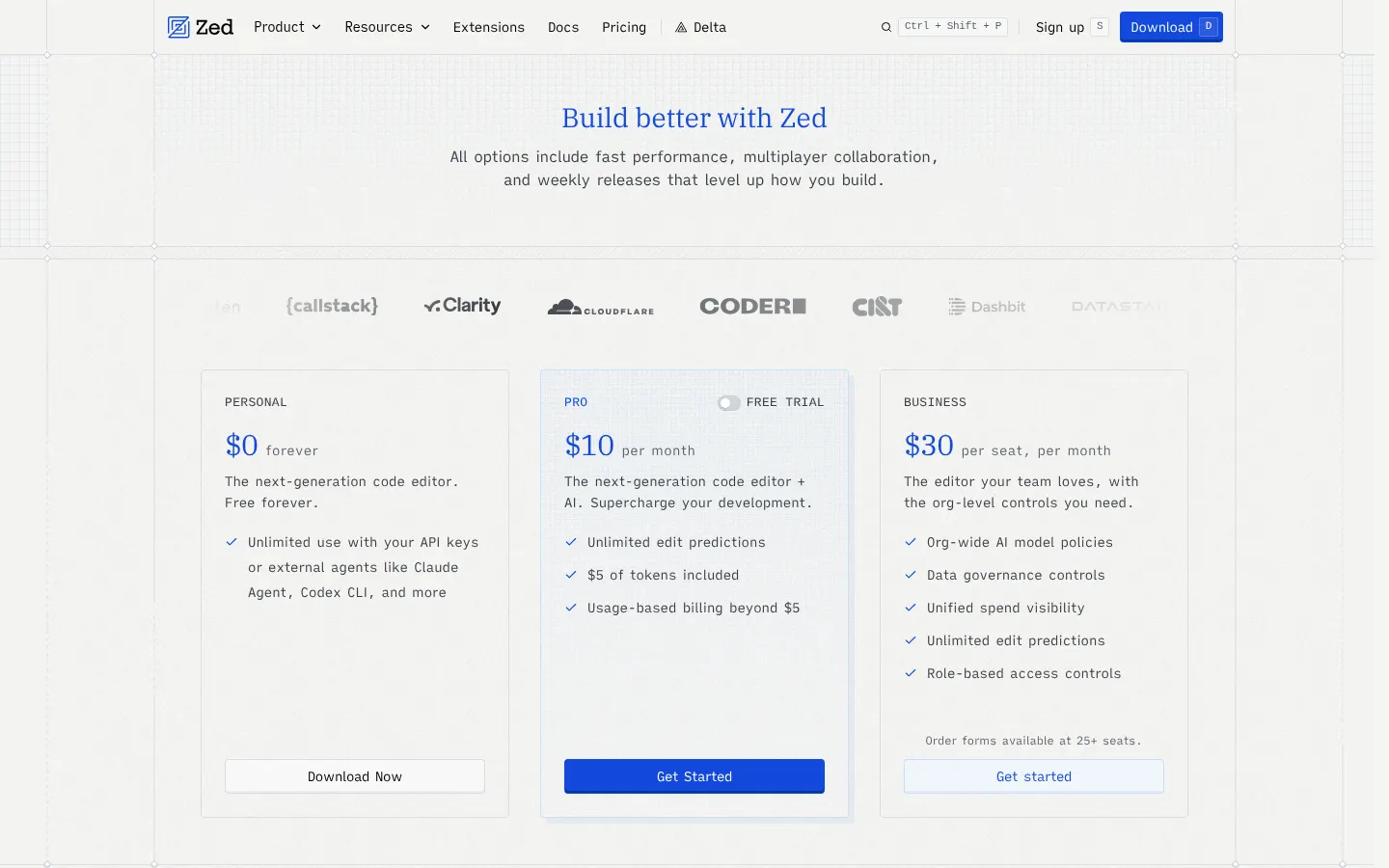
Personal: $0 forever; full editor and unlimited use with your own keys or external agents.
Pro: $10 per month; Zed-hosted models with $5 of tokens included, unlimited edit predictions and extra usage at API list price +10%.
Business: $30 per seat per month; org-level controls over AI and data plus unified billing. Order forms available at 25+ seats.
14-day Pro trial with $5 of usage and no credit card; spending caps are available.
Zed Screenshots
Zed user reviews
Write a review
Checking your session...
Zed Reviews
Loading reviews...
Zed alternatives






OpenRouter
OpenRouter is a unified API that connects to 600+ text, image, video and audio models from 80+ providers with a single key and a single balance.