Share
Batch remove and replace product photo backgrounds with AI. Includes brightness and shadow adjustments for professional, e-commerce-ready images.
What is Merchant Floor ?
Merchant Floor is an AI-powered image editing tool specialized in optimizing product catalogs for the commercial sector. Its primary function is background removal and automated replacement, enabling e-commerce sellers, marketing professionals, and designers to obtain clean, professional photos without the need for complex manual processes.
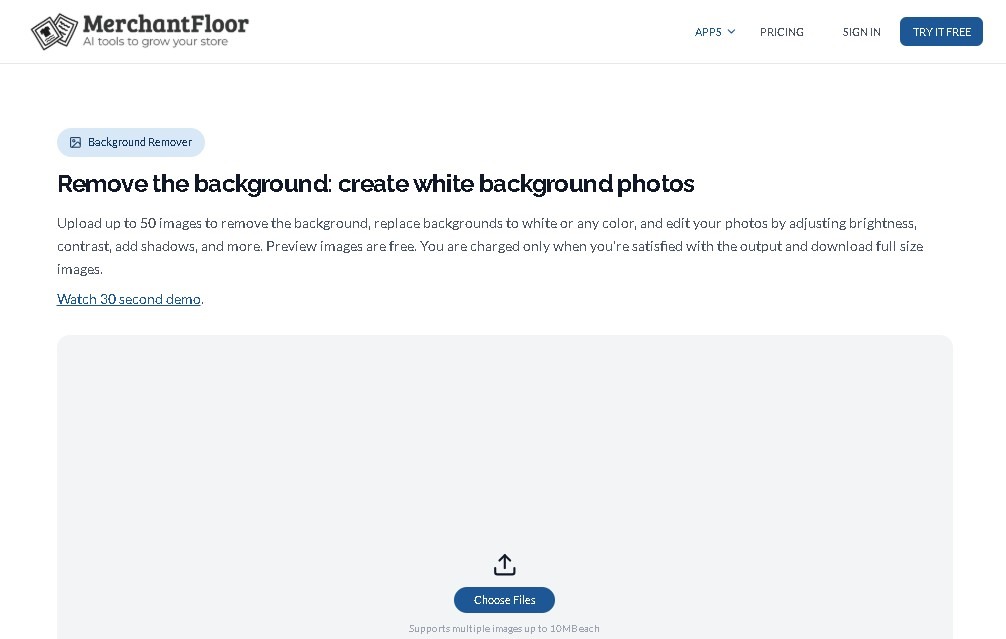
The platform utilizes computer vision algorithms trained to segment the main object from the background with high precision. The workflow is purely functional: users upload files via a drag-and-drop system, and the AI processes the image to isolate the product. One of the standout features of Merchant Floor | Background Remover is its batch processing capability, which allows for uploading and editing up to 50 images simultaneously, optimizing management time from a desktop.
Beyond its ability to remove backgrounds, the tool integrates essential photo retouching features to enhance the final quality. Users can make brightness and contrast adjustments, as well as apply shadow effects that add depth and realism to the products. These improvements ensure that raw images are transformed into high-quality visual assets ready for publication in online stores, digital catalogs, and marketing campaigns.
The core capabilities of this AI app include:
- Automatic background removal powered by high-precision AI.
- Bulk editing of up to 50 photos per session to boost productivity.
- Lighting adjustment and shadow tools for a consistent, professional finish.
- An intuitive interface designed for a fast workflow with no learning curve.
- A free preview system to verify results before the final download.
The tool’s approach is highly practical, prioritizing the visual consistency of the inventory. Since it is optimized specifically for product photography, the AI effectively recognizes edges and textures common in commercial items. This is particularly useful for maintaining a uniform aesthetic across an entire website or mobile platform.
It is important to note that Merchant Floor focuses on operational efficiency; therefore, its features are limited to basic editing and do not include advanced graphic design tools. It supports files up to 10 MB per image, which is sufficient for most resolution standards in modern digital commerce. Thanks to this specialized approach, the tool positions itself as a straightforward solution for transforming raw images into commercial assets ready for immediate use.
Merchant Floor features and use cases
How to use Merchant Floor
Merchant Floor FAQ
What is Merchant Floor and what is its purpose?
Merchant Floor is an AI-powered tool designed to automatically and professionally remove or replace backgrounds in product photography.
How many images can I upload to Merchant Floor at once?
The system supports batch processing for up to 50 images at a time to streamline workflows for large catalogs and save time.
Can I preview the edited images on Merchant Floor before paying?
Yes, the platform allows you to preview all edits for free; credits are only charged when you download the final, full-size versions.
Besides background removal, what other retouching tools does Merchant Floor offer?
The app includes features to adjust brightness and contrast, apply shadow effects, and perform general enhancements to achieve a high-quality finish.
Is there a file size limit for the photos I want to edit?
Each individual image uploaded to the tool must have a maximum file size of 10 megabytes to ensure proper processing by the AI.
What is Merchant Floor's pricing model?
The tool uses a freemium model with one-time payment options starting at $20, which allow you to purchase credits for high-resolution downloads.
Can I get a refund after making a purchase?
No, the platform's policy strictly states that no refunds are issued once credits have been purchased.
Who is Merchant Floor primarily designed for?
It is geared toward e-commerce sellers, marketing professionals, and designers who need sharp, consistent product images for their online stores.
What is the file upload process like?
The platform features a very simple and intuitive system that allows you to drag and drop images directly into your browser.
Merchant Floor pricing and plans
Free Version (Preview)
Price: 0 €
- Free preview of edits before making any payment.
- Access to automatic background removal and replacement.
- Basic retouching tools: brightness, contrast, and shadow adjustments.
- Restriction: You are only charged for downloading full-size edited versions; the free version is strictly for viewing results.
Credit Pack (One-time payment)
Price: Starting at 20 $
- Download high-resolution, full-size edited images.
- Batch processing for up to 50 images simultaneously.
- Precise AI-powered background removal and replacement.
- Advanced image enhancement features for professional results.
- Flexible credit system: credits are only consumed when downloading satisfactory images.
- Limits: Maximum file size of 10 MB per image.
Merchant Floor Screenshots
Merchant Floor alternatives




AppGrowthKit
Generate AI screenshots and icons for the App Store and Google Play. Features 3D mockups, localization in 42 languages, and ASO audits to boost mobile rankings.

AI Exterior Design Generator
Use AI to turn photos of your yard or patio into landscape designs. Visualize realistic outdoor makeovers in multiple styles quickly and easily.