
Share
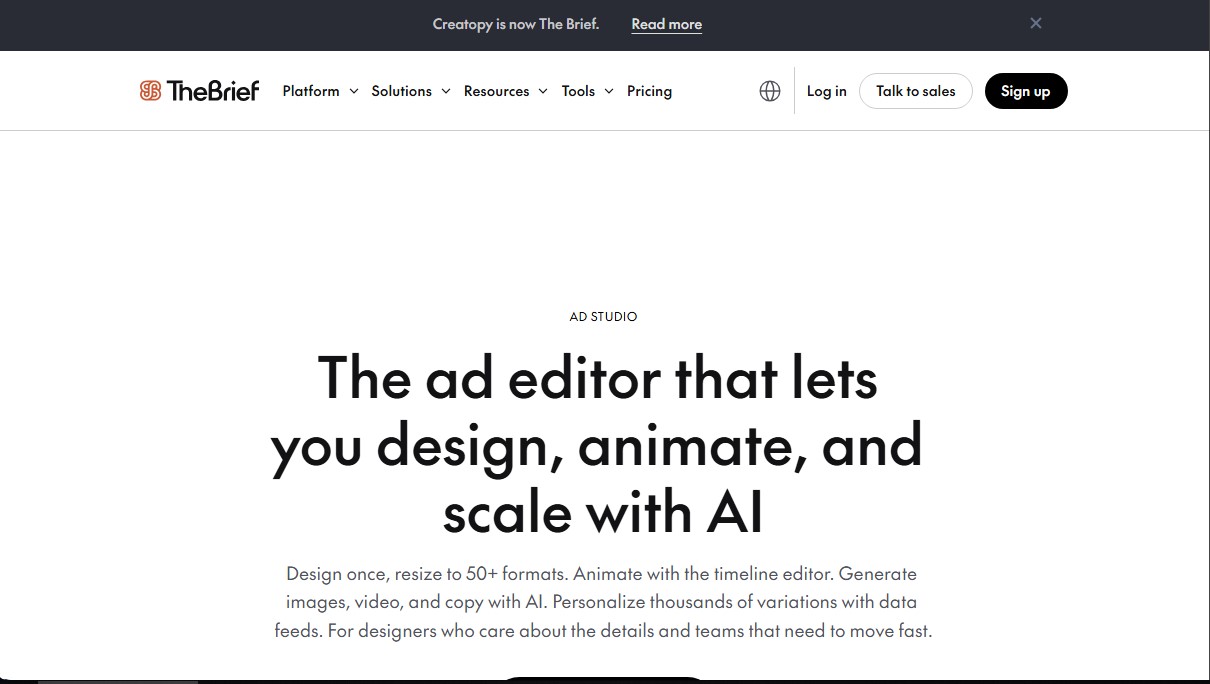
Design, animate, and scale ads with AI. Adapt creatives to 50+ formats, generate multimedia, and automate thousands of variants using dynamic data feeds.
What is Ad Studio by The Brief?
Ad Studio by The Brief is a professional browser-based advertising editor designed for marketing teams, designers, and agencies to create, animate, and scale ad campaigns using artificial intelligence. Formerly known as Creatopy, this tool allows you to automatically transform a single master design into more than 50 different formats, optimizing your workflow from your desktop without the need for repetitive manual processes. Its primary function is to unify creative design with data automation for the mass production of high-performance digital assets.
The platform utilizes generative AI technology to create images, video clips, and ad copy in over 30 languages. Thanks to the AI Smart Resize engine, the tool automatically adapts the visual hierarchy and elements of a design to different dimensions—such as mobile stories, display banners, or social media videos—while always maintaining the integrity of the original design. Additionally, it features a visual timeline editor that enables the generation of complex HTML5, MP4, or GIF animations without coding knowledge, facilitating the export of ad tags compatible with Google Campaign Manager 360, Xandr, and other ad servers.
Key capabilities of Ad Studio by The Brief include:
- Dynamic personalization at scale: Connect external data sources via CSV files or URLs to generate thousands of ad variations from a single template. This is ideal for updating prices, product images, or localized messaging in real time.
- Brand Kit Management: Users can centralize brand assets like logos, color palettes, and typography, ensuring visual consistency across all pieces produced by the team.
- Professional Collaboration and Review: Includes frame-level commenting tools, role-based permissions, and a full version history to audit changes and streamline approvals.
- Direct Publishing and Analytics: Simplifies sending creatives directly to Google Ads and Meta Ads Manager, eliminating download and upload cycles, while offering integrated impression and click tracking.
Using this AI tool for advertising is essential for Creative Ops specialists who need to manage multiple brands simultaneously. By integrating features such as AI background removal and variation generation for A/B testing, Ad Studio by The Brief allows teams to focus on creative strategy while technology handles technical execution and format scaling. It is a comprehensive solution that covers everything from the initial sketch to the final campaign performance report.
Ad Studio by The Brief features and use cases
How to use Ad Studio by The Brief
Ad Studio by The Brief FAQ
What is Ad Studio by The Brief?
It is a professional browser-based ad editor that allows you to design, animate, and scale advertising campaigns using advanced artificial intelligence tools.
Is Ad Studio the same as the former Creatopy tool?
Yes, Creatopy has rebranded as The Brief, and Ad Studio is its comprehensive solution for creating high-performance ads at scale.
How many formats can I adapt my designs to using Ad Studio?
The smart resizing feature allows you to automatically adapt a single original design into more than fifty different formats for various platforms and social networks.
Can I export HTML5 ads that are compatible with Google Ads?
Yes, the tool allows you to export optimized HTML5 packages that meet the technical requirements for Google Ads, DV360, and other major ad servers.
What AI capabilities does Ad Studio offer?
The platform includes AI-powered image and video generation, multi-language copywriting, and automatic product background removal.
How does Ad Studio allow for the quick creation of thousands of ad variations?
You can connect a dynamic data feed or a CSV file to automatically generate thousands of personalized versions from a single master template.
Is it possible to publish creatives directly to advertising platforms?
Yes, the system allows you to send your ads directly to Meta Ads Manager and Google Ads to streamline the campaign launch process without the need for manual downloads.
How does Ad Studio help maintain brand consistency across a team?
It allows you to set up independent Brand Kits with specific logos, colors, and fonts, ensuring that all designs strictly adhere to the brand's visual identity.
What types of output files does Ad Studio support?
The tool allows you to export your work in various professional formats, including JPG, PNG, MP4, GIF, PDF, and animated HTML5 banner packages.
Can I collaborate with other users in real time within Ad Studio?
Yes, the platform offers collaboration features with frame-level commenting and permission systems, making it easy for teams and clients to review designs.
Ad Studio by The Brief pricing and plans
Free Trial
7-day free access to test all premium features.
No credit card required.
Pro: $39 per month (or $29 per month billed annually)
1 user (single seat).
Full access to Ad Studio, Canvas, and over 5,000 templates.
AI tools for image, video, copy generation, and resizing (included for standard use).
Export in JPG, PNG, WEBP, GIF, HTML5, MP4, PDF, and AMP formats.
5 Brand Kits and 250 GB of storage.
Integrations with Shopify, Google Drive, and Dropbox.
Ultra: $99 per month (or $79 per month billed annually)
1 user (single seat).
Everything included in the Pro plan.
Expanded AI and export capacity for sustained high-volume use.
Ad serving across 25+ networks and direct publishing to Meta and Google Ads.
AI translation for multi-market campaigns.
Automated A/B testing and shareable performance reports.
20 Brand Kits and 1 TB of storage.
Team: $59 per user per month (or $49 per user per month billed annually)
2 to 10 users with configurable roles and permissions.
Everything included in the Pro plan.
Real-time collaborative editing and version history.
Shared brand systems: team templates, font library, and locked elements.
Ad serving across 25+ networks and direct publishing to Meta and Google Ads.
AI and export capacity that scales with the number of seats.
Enterprise: Custom pricing (Contact Sales)
Everything included in the Team plan.
Mass production via real-time data feeds and A/B testing.
Mass distribution via API and white-label editor.
Integration with DAM systems (Bynder, Frontify, Orange Logic).
Advanced governance: SSO/SAML/SCIM, custom roles, and ISO audits.
Dedicated account manager, priority support, and onboarding.
Ad Studio by The Brief Screenshots
Ad Studio by The Brief alternatives

AppGrowthKit
Generate AI screenshots and icons for the App Store and Google Play. Features 3D mockups, localization in 42 languages, and ASO audits to boost mobile rankings.
Logo Animation AI
Create professional logo animations in seconds. Export 4K with transparent backgrounds and sound using templates or by describing motion with natural language.

Fash Studio
Transform garment photos into realistic images and videos with AI models. Create professional fashion catalogs and ads without the need for photo shoots.