Share
Transform garment photos into realistic images and videos with AI models. Create professional fashion catalogs and ads without the need for photo shoots.
What is Fash Studio?
Fash Studio is an advanced generative artificial intelligence platform specialized in the fashion industry. Its primary function is to transform static product photos, such as flat lays or invisible mannequin shots, into photorealistic images featuring virtual models. This tool enables e-commerce brands, manufacturers, and marketing professionals to generate high-quality visual content without the need to organize physical photo shoots, hire models, or rent professional studios.
Fash Studio operates using deep learning algorithms specifically trained to understand fabric drape, garment fit, and natural lighting on the human body. The process is straightforward: the user uploads a product image—which can even be captured with a smartphone—and the app's technology processes the volume and texture to integrate it onto a human figure. The tool utilizes exclusive and realistic AI models, allowing for the customization of poses, environments, and physical profiles to align with each brand's visual identity.
The platform's core capabilities are structured into several functional solutions:
- Virtual Try-On: Instantly converts photos of clothing on mannequins into images of real models with a precise fit.
- Lifestyle Image Generation: Creates campaign scenes and lifestyle photography from a single product image, placing it in various diverse contexts.
- Fashion Video Creation: Generates automated video clips for reels, ads, and product pages, simulating natural movement without the need for filming.
- Marketing Studio: A tool geared toward creating UGC (User Generated Content) style ads and social media-optimized visuals designed to increase conversion rates.
- Editing Micro-apps: Includes specific features for background removal, image upscaling to improve resolution, and reframing tools.
Using Fash Studio significantly optimizes e-commerce workflows. By accelerating the creation of visual assets, it makes it easier for companies to test different aesthetics to identify which images generate the highest engagement. The resulting images include commercial use rights, allowing for immediate implementation in web catalogs, programmatic advertising, and social media campaigns. It is a technical solution designed to scale visual content production, reducing turnaround times and eliminating the logistical barriers of conventional photography.
Fash Studio features and use cases
How to use Fash Studio
Fash Studio FAQ
What is Fash Studio and how does it work?
Fash Studio is an AI platform that transforms basic product photos into realistic images featuring models and high-quality promotional videos, eliminating the need for traditional photo shoots.
What kind of images should I upload to get the best results?
For the best finish, we recommend uploading photos of garments laid flat or on a ghost mannequin against a clean, well-lit background.
Can I use the content generated by Fash Studio for my advertising campaigns?
Yes, all creations include commercial use rights, so you can freely use them on your e-commerce site, social media, and paid advertisements.
Are the models in the images real?
No, the models are 100% AI-generated, which allows you to customize their appearance and pose without the need to hire external talent.
Is it possible to create social media videos with this tool?
Absolutely. Fash Studio allows you to generate realistic fashion videos that are perfect for Reels and video ads, all without the need for physical filming.
What are the cost benefits of using Fash Studio compared to traditional photography?
Our technology reduces visual production costs by 90% and speeds up content creation by up to ten times.
What happens if I’m not happy with the results?
We offer a 30-day, no-obligation money-back guarantee. You can request a full refund if the service does not meet your expectations.
How are creation limits managed in the subscription plans?
Each plan provides a monthly allowance of credits that you can redeem for images or videos based on your specific marketing needs.
Fash Studio pricing and plans
Basic Plan
Price: $15.00/month (or $10.75/mo with annual billing).
700 monthly credits.
Limits: Up to 233 images, 87 Virtual Try-Ons, or 63 videos.
Access to all AI image and video models.
Virtual model photoshoots and fashion video creation.
Background removal and editing tool.
Commercial use rights.
Priority generation speed and high concurrency limits.
Early access to new models.
Priority support and initial onboarding call.
Additional credit: $0.0143.
Starter Plan
Price: $49.99/month (or $39.99/mo with annual billing).
3,700 monthly credits.
Limits: Up to 1,233 images, 462 Virtual Try-Ons, or 336 videos.
Includes all Basic plan features.
Greater savings per credit.
Additional credit: $0.0132.
Pro Plan
Price: $129.99/month (or $99.99/mo with annual billing).
10,200 monthly credits.
Limits: Up to 3,400 images, 1,275 Virtual Try-Ons, or 927 videos.
Includes all features from previous plans.
Dedicated account manager.
Lowest cost per additional credit: $0.0127.
Enterprise
Price: Request a custom quote on the official website.
Monthly billing available.
Designed to scale creative production with higher limits.
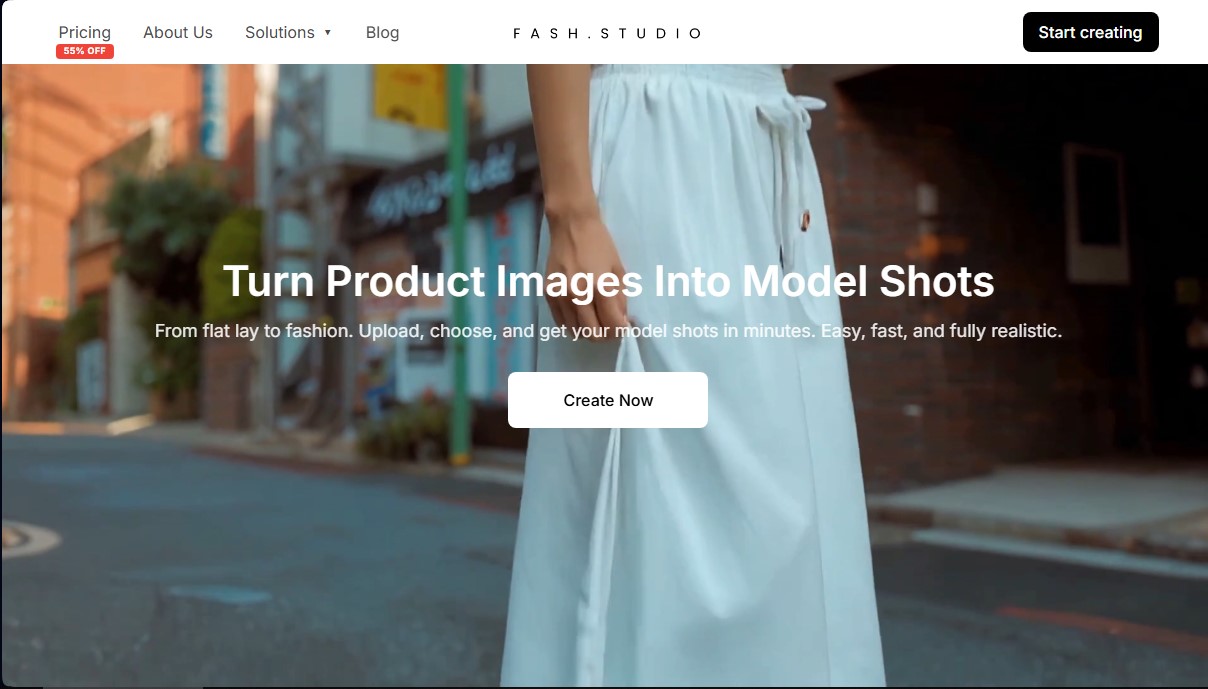
Fash Studio Screenshots
Fash Studio alternatives


AlreadyRan
AlreadyRan brings dozens of AI image, video and audio models into one web studio with a single credit balance and the cost shown before every generation.