AI Tattoo Studio
Share
AI Tattoo Studio
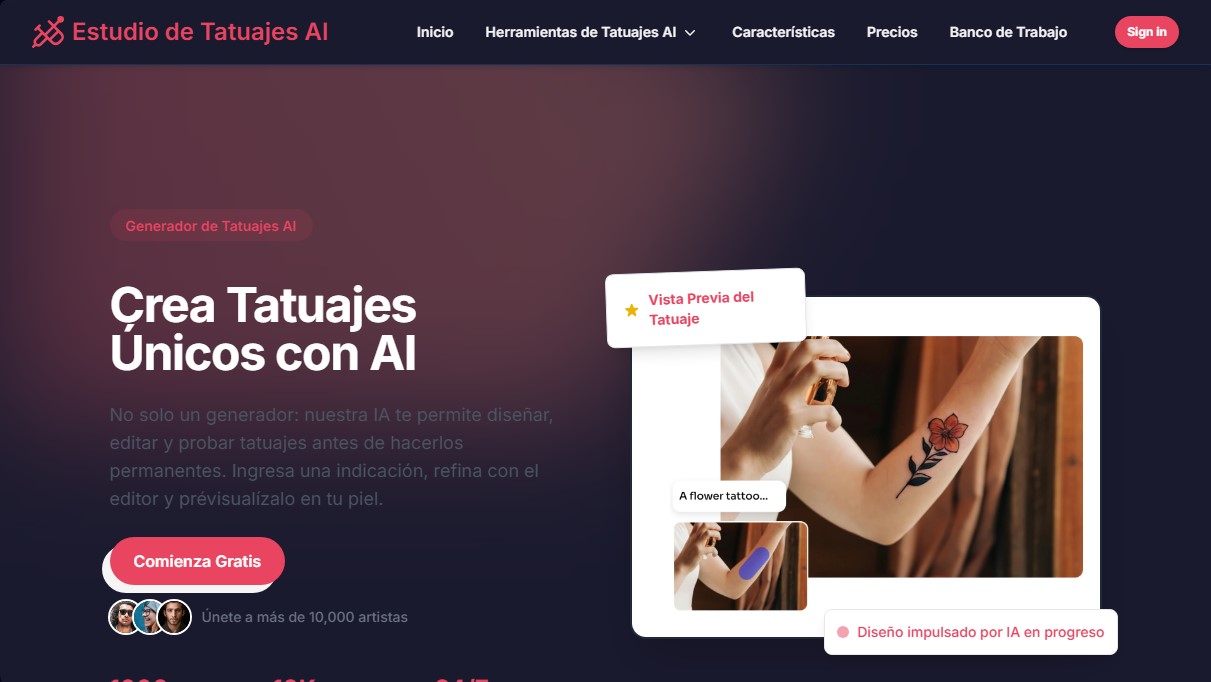
Design unique AI tattoos, edit details, and preview the result on your skin. Includes multiple styles and high-resolution downloads.
General Information about AI Tattoo Studio
AI Tattoo Studio is an advanced AI tattoo generation platform designed to transform text-based concepts into unique visual designs. This tool allows users to create custom tattoos from scratch, eliminating the need for initial manual sketches. Its primary function goes beyond simple image generation; it offers a complete ecosystem to design, edit, and preview tattoos before making a permanent decision. It is a solution tailored both for individuals seeking inspiration for their next piece and professional tattoo artists looking to streamline their creative workflow.
The tool operates based on natural language processing algorithms and advanced visualization technology. The process begins when the user enters a description or detailed prompt about their idea. The AI processes this information to deliver results in seconds, while also allowing for the upload of reference images or rough sketches for the system to transform into professional designs. Thanks to its focus on generative AI, every design produced is exclusive, ensuring that no two pieces are the same, even when starting from similar concepts.
Key functional capabilities and technical benefits include:
- Diverse Artistic Styles: The ability to generate designs in over 1,000 styles, including minimalist, traditional, Japanese, black and gray realism, watercolor, tribal, and neo-traditional.
- Advanced Tattoo Editor: Allows for precise adjustments to line weight, shading, colors, and intricate design details for total customization.
- Custom Typography and Calligraphy: Features a wide range of fonts, including Gothic, script, and handwritten calligraphy styles, with adjustable curves and spacing to fit the body's aesthetics.
- Realistic Tattoo Try-On: An AI-powered visualization feature that allows users to preview the design in real-time on different parts of the body via computer or mobile screens.
- High-Resolution Downloads: Final files are provided in high-quality formats without watermarks, making them easy to use as direct stencils in tattoo studios.
Using AI Tattoo Studio provides practical benefits, such as eliminating uncertainty regarding placement and the design's final look. For artists, it acts as a 24/7 creative support tool, helping to refine client requests and experiment with new aesthetics quickly. The platform delivers results significantly faster than traditional drawing methods, offering professional-quality stencils ready for physical application on the skin.
Features and Use Cases of AI Tattoo Studio
How AI Tattoo Studio Works
Frequently Asked Questions about AI Tattoo Studio
What is AI Tattoo Studio?
It is an advanced tool that uses artificial intelligence to design, edit, and preview custom tattoos quickly and easily.
Can I try the tool for free?
Yes, you can start using the platform for free to explore its features and create your first unique designs.
How does the skin preview feature work in AI Tattoo Studio?
The platform features realistic visualization technology that allows you to see how the tattoo will look on different parts of your body before making it permanent.
What design styles can I create with AI?
The tool offers over a thousand different styles, ranging from minimalism and traditional styles to black-and-gray realism or custom calligraphy.
Is it possible to modify a previously generated design?
Yes, the advanced editor allows you to adjust line thickness, shading, and colors so the final result is exactly how you imagined it.
Are AI Tattoo Studio designs suitable for professional tattoo artists?
Absolutely. You can download your creations in high resolution without watermarks so your tattoo artist can use them as high-quality stencils in their studio.
Can I upload my own images for inspiration?
Yes, you have the option to upload your own sketches or reference photos for the AI to transform into a professional, unique tattoo design.
How long does it take to generate a design?
The process is nearly instantaneous, generating stunning designs in just a few seconds, which significantly speeds up the creation and selection phase.
AI Tattoo Studio Pricing
Free Plan
Start using the platform at no cost with a free trial to explore our generation features.
Small Pack - $7.9
- 100 credits ($0.08 per design).
- Fast AI generation.
- High-quality tattoo designs.
- No watermarks.
Medium Pack (Most Popular) - $9.9
- 1,000 credits ($0.01 per design).
- Fast AI generation.
- High-quality tattoo designs.
- No watermarks.
- Access to AI Tattoo Try-On (coming soon).
- Access to AI Tattoo Editor (coming soon).
Large Pack - $29.9
- 5,000 credits ($0.006 per design).
- Fast AI generation.
- High-quality tattoo designs.
- No watermarks.
- Access to AI Tattoo Try-On (coming soon).
- Access to AI Tattoo Editor (coming soon).
AI Tattoo Studio Screenshots